When replacing a defective card you can transfer the existing
parameter structure to the new card. This card is then immediately
ready for use with all previously defined parameters and value
settings. You can also send already defined parameter structures to
comparable or similar applications.
Printer Setup
This menu point opens the standard Windows “Printer Setup" window. Information
about setting up a printer can be found in your Windows online help.
Print
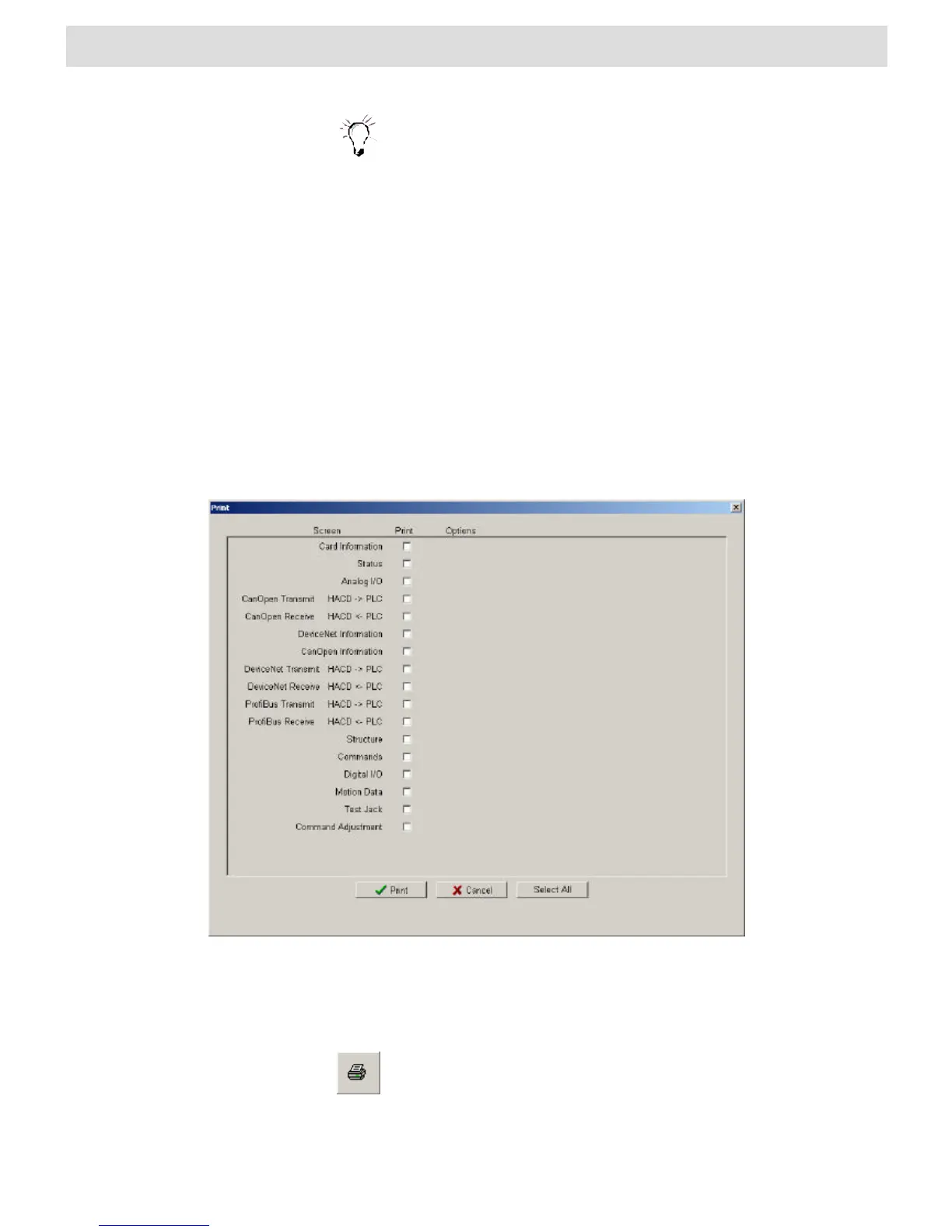
This menu point first opens the “Print” window as shown in the following illustration.
Fig. 20 “Print” window
The window is divided into several columns. In the Print column you select the data
sheet you want to print. If more than one data sheet is available for a form, select the
number of data sheets to print under Options.
also opens the “Print” window. A list of existing shortcuts for the toolbar
can be found in Section 4.2 “BODAC Toolbar”.


 To Next Page