© Xiamen RGBlink Science & Technology Co., Ltd.
Ph: +86 592 5771197
| support@rgblink.com | www.rgblink.com
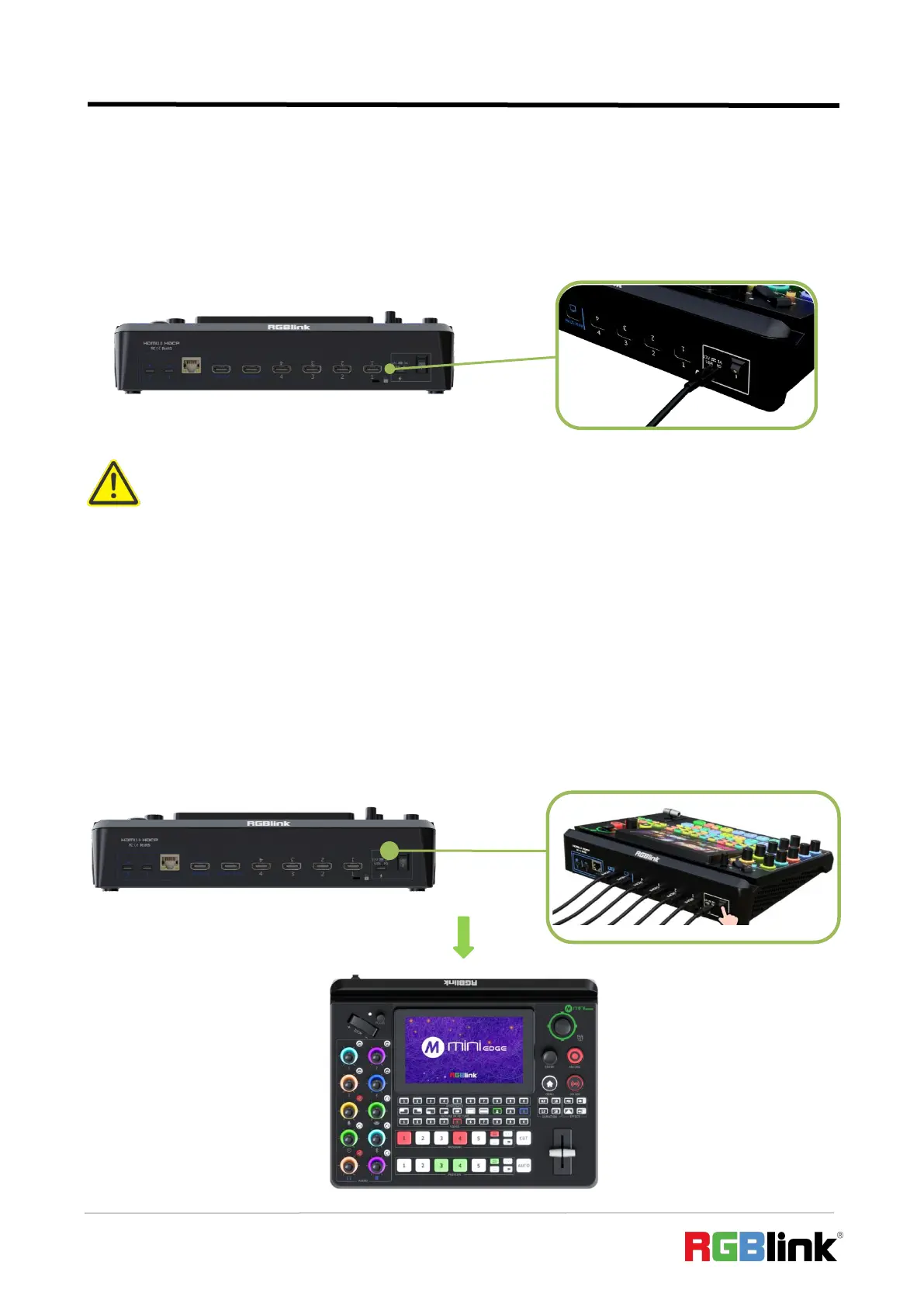
2.6 Plugging in Power
RGBlink mini-edge is packaged with a PD power adapter (power cable included) , check the power
supply standard used in your country or region before power connection.
2.7 Turning on Your mini-edge
After mini-edge is connected to power supply, push the DIP Switch on the rear panel, the device
will show mini-edge logo and then enter to the main interface.
Connect mini-edge to power plug by the link cable
Warning:
The Power Supply included with mini-edge is the recommended power supply to use with the device.
Power supply should meet the following requirements:
1. Support PD "Fast Charge" capability.
2. Interfaces are the same as the adapter provided.
3. The power supply is rated for a minimum of 36W.


 To Next Page