© Xiamen RGBlink Science & Technology Co., Ltd.
Ph: +86 592 5771197
| support@rgblink.com | www.rgblink.com
3.10.3 YouTube Live
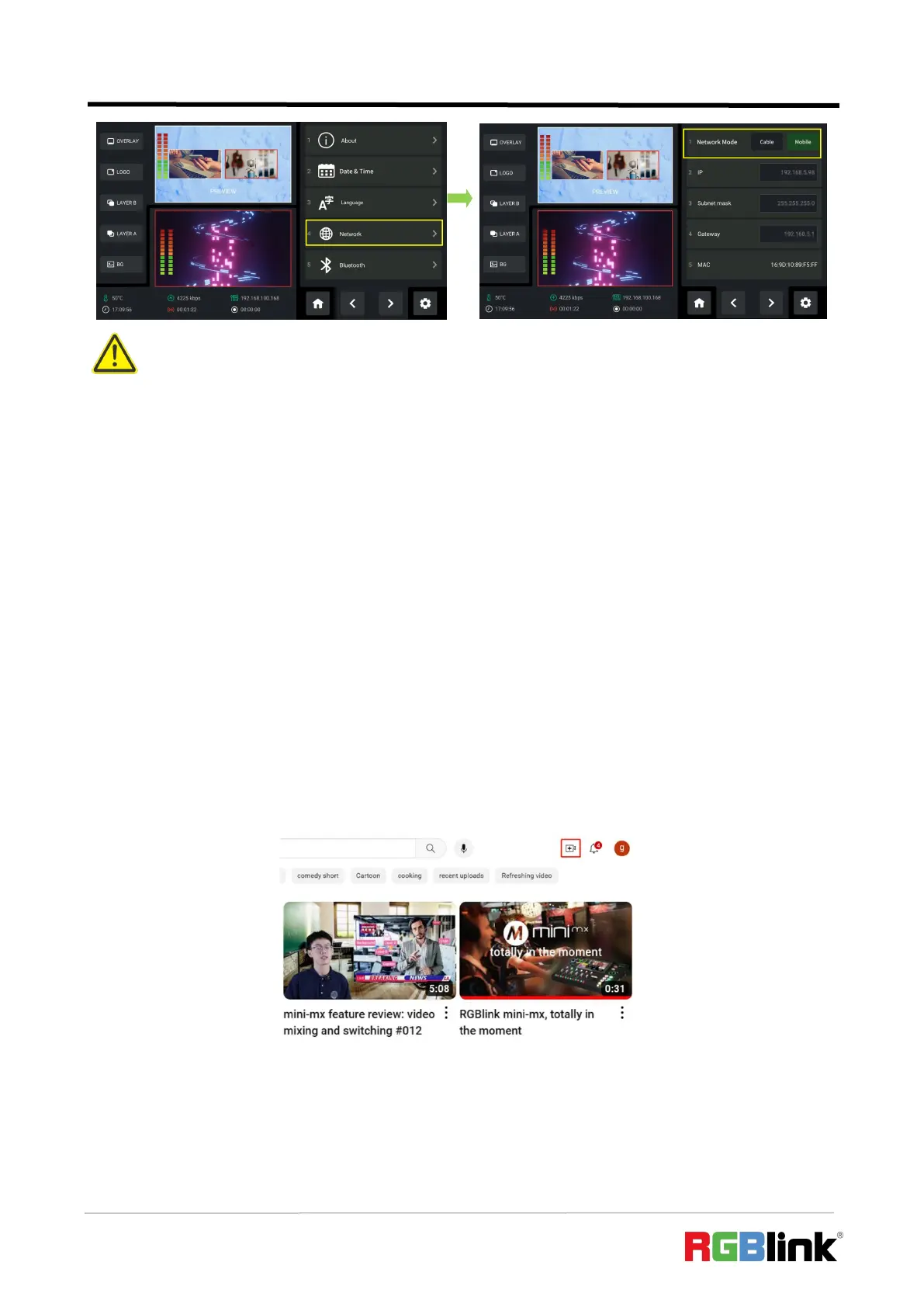
In above operations, mini-edge has been connected to network. Then prepare a USB disk to
import streaming address and do as the steps below. This chapter takes YouTube Live as the
example.
1. Log into your YouTube account on your computer;
2. Click the camera icon in the top right corner to create a video.
3. Select“go live”.
Warning:
1. Select Cable when using local network for streaming.
2. Select Mobile when using Smartphone Tethering for streaming.
3. If failed to use network sharing, please operate Step 2 as follows: Connect USB-C interface of OTG cable to
mini-edge, then use standard data cable to connect your phone to USB-A interface of OTG cable.
4. The user interface may vary according to mobile phone types, please refer to the actual use.


 To Next Page