1 March, 2000 INSTALLATION PROCEDURE
3-7
Installation
ø
CAUTION
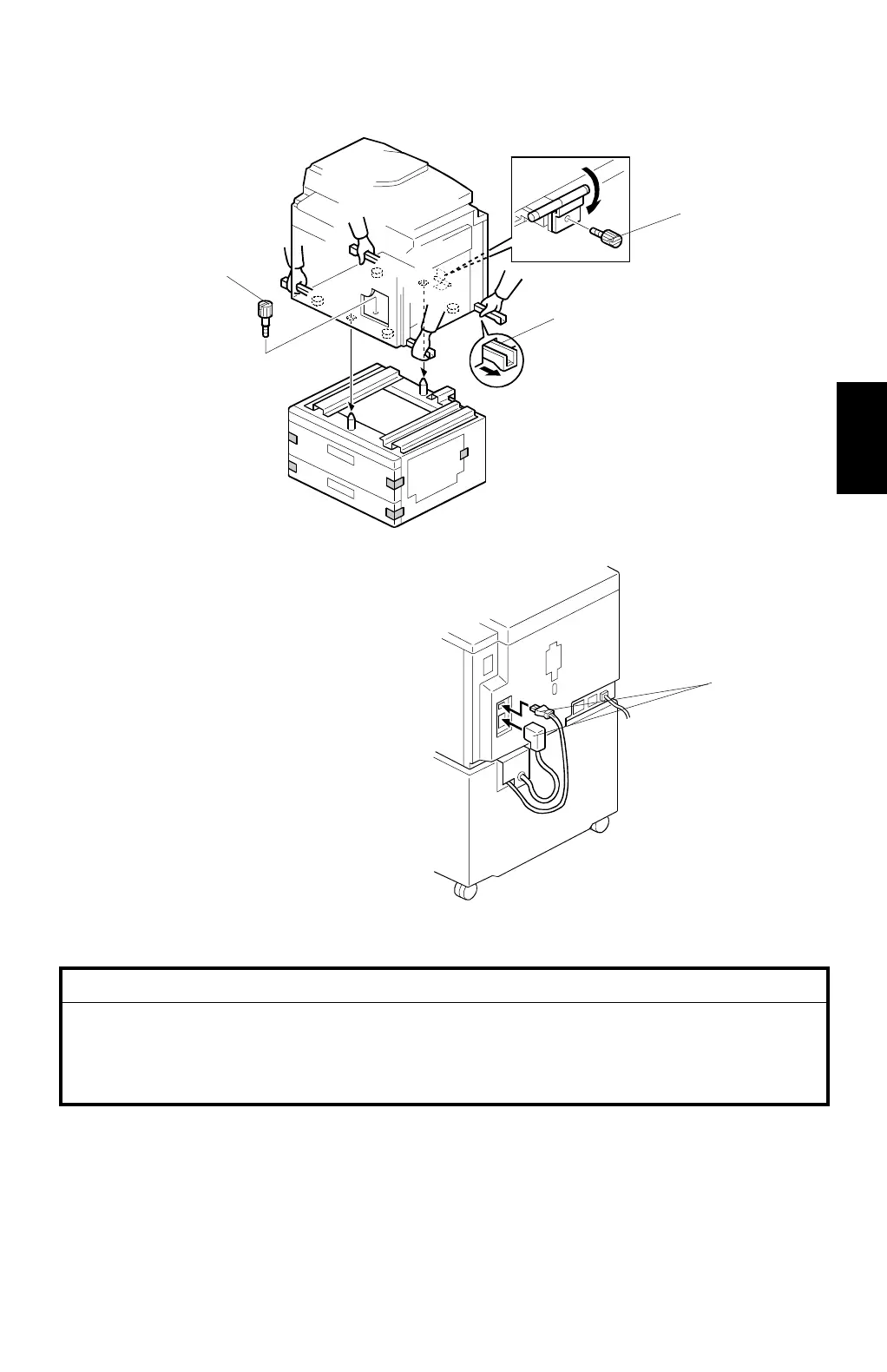
Only handle using the carrying handles [A] on the bottom of the machine.
Your fingers could be caught during installation if you hold the bottom
edge of the machine. (There is only a very narrow space between the two
units.)
4. Tightly secure 2 screws [B] using a screw driver to ensure that duplicator and
paper bank are firmly connected.
5. Connect the 2 connectors [C] to the main body.
C232I006.WMF
C232I023.WMF
[A]
[B]
[C]
[B]



 To Next Page