Appendix
148
4
❖ Background Numbering
• The numbers appear to overlap the copied image in some cases.
❖ Preset Stamp
• You can change the size and density of the stamp with User Tools. De-
pending on the setting, density may change.
• Depending on paper size, if you change the stamp size, parts of the stamp
might not be printed.
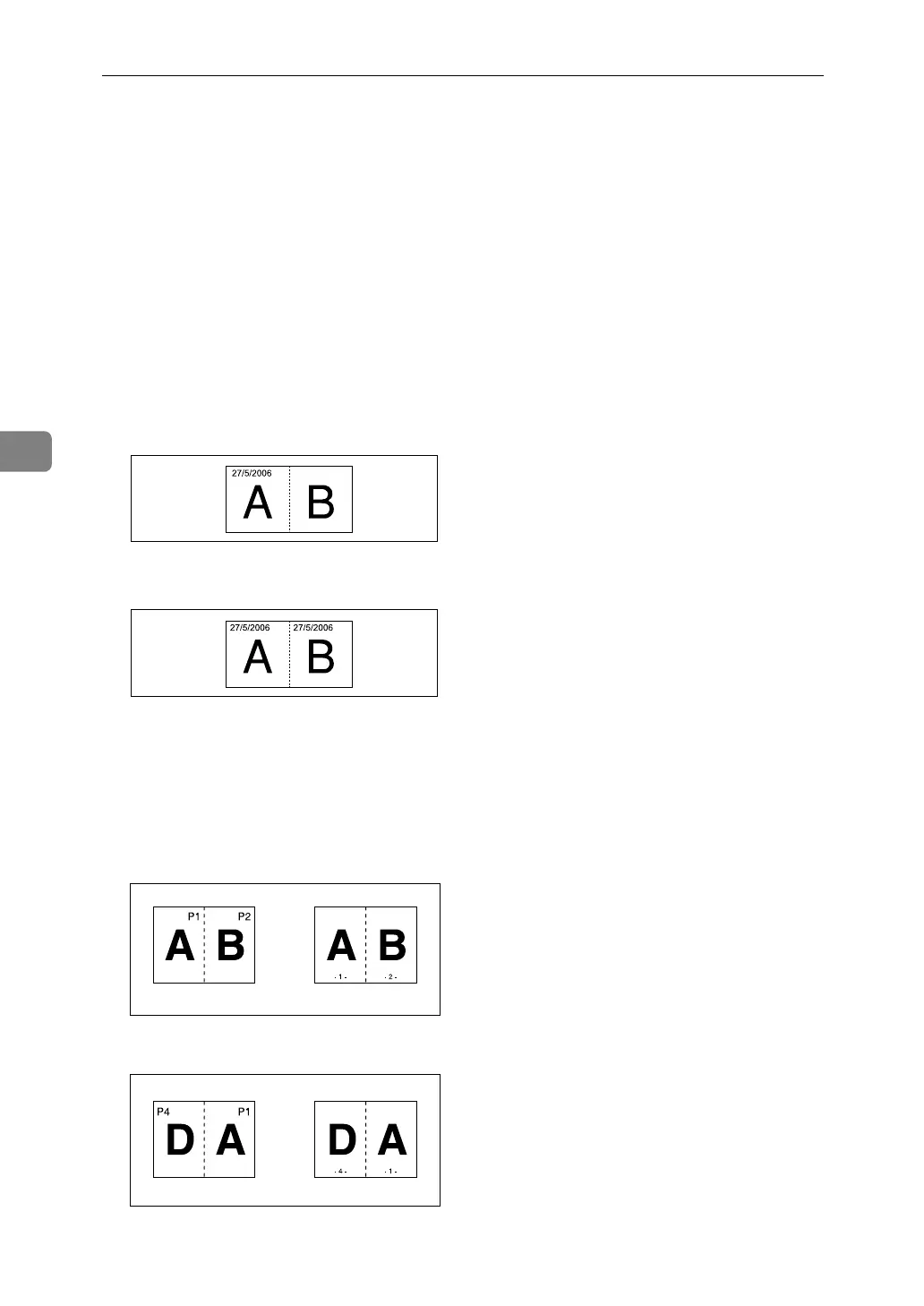
❖ Date Stamp
• If you use this function with the Combine, Magazine, or Booklet function,
the date stamp is printed as follows:
• With the Combine function
• With the Magazine or Booklet function
❖ Page Numbering
• If you use this function with the Combine, Magazine, or Booklet function,
page numbers are printed as follows:
• Page Numbering per original:
With 1 Sided/2 Sided using the Combine function
With the Magazine or Booklet function
AMG026S
AMG027S
GCANPE0E
GCANPE1E



 To Next Page