Copier Functions
67
2
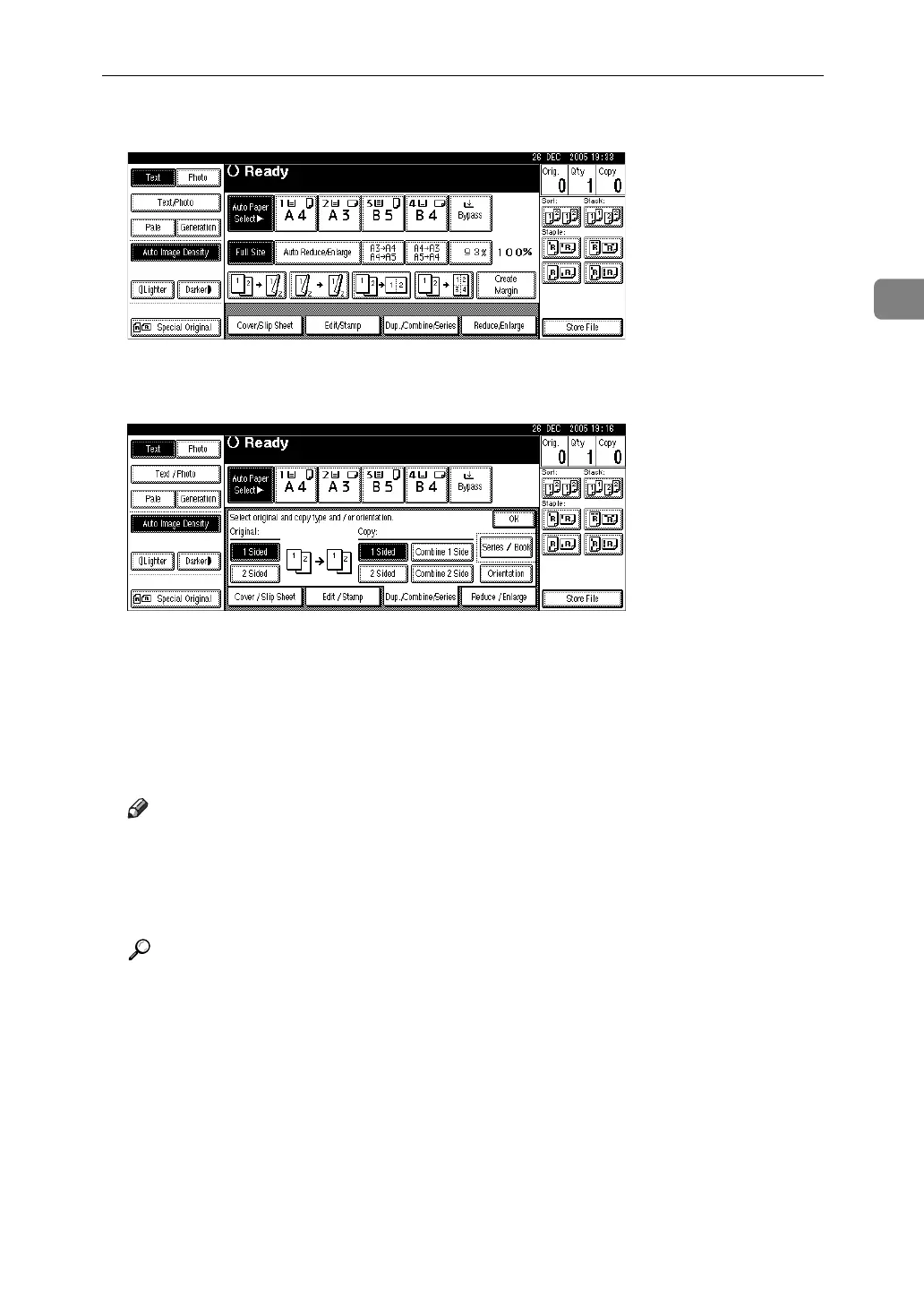
A Press [Dup./Combine/Series].
B Select [1 Sided] or [2 Sided] for original, and then press [Combine 1 Side] for
Copy.
C Select the number of originals to combine, and then press [OK].
D Select the paper size.
E Press [OK].
F Place the originals, and then press the {Start} key.
Note
❒ You cannot use the bypass tray with this function.
❒ You can also select “1 Sided 2 Pages → Combine 1 Side” or “1 Sided 4 Pag-
es → Combine 1 Side” directly by pressing the copy function key in step
A
.
In that case, proceed to step
F
.
Reference
“Edit”, General Settings Guide












 To Next Page