Fax Features
110
4
Changing the User Parameters
This section describes how to set parameters.
Important
❒ Access to some User Parameter Setting may require options, or other settings
may need to be made beforehand.
❒ It is recommended that you print and store the "Parameter Settings List"
when you program or change parameter settings.
❒ Do not change any bit switches other than those shown on the previous pages.
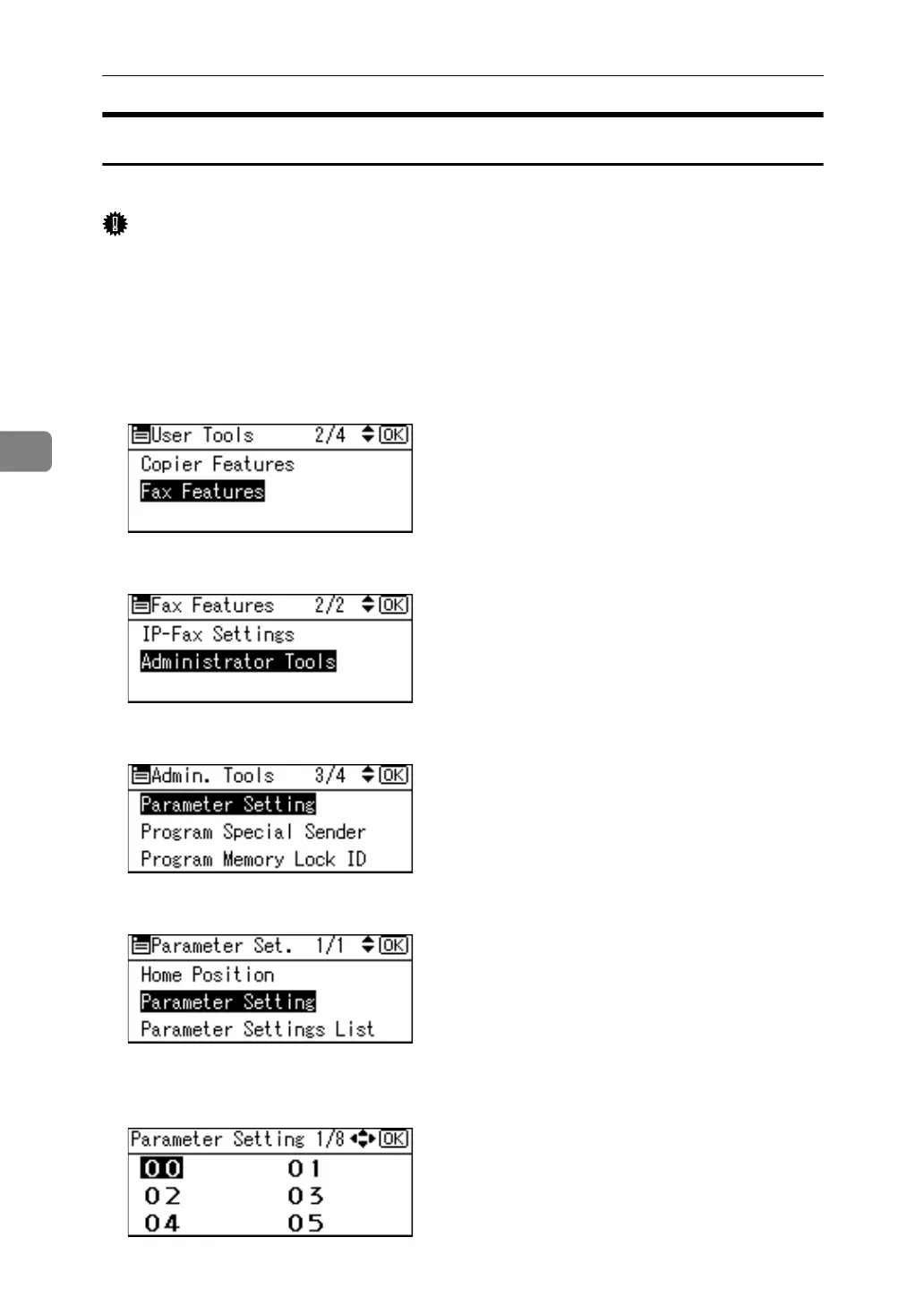
A Select [Fax Features] using {U} or {T}, and then press the {OK} key.
B Select [Administrator Tools] using {U} or {T}, and then press the {OK} key.
C Select [Parameter Setting] using {U} or {T}, and then press the {OK} key.
D Select [Parameter Setting] using {U} or {T}, and then press the {OK} key.
E Select the switch number you want to change using the scroll keys, and
then press the {OK} key.



 To Next Page