Registering Folders
219
7
Using FTP to Connect
Note
❒ To register a shared folder configured in Windows, see "Using SMB to Con-
nect".
❒ To register a folder in an NetWare server, see "Using NCP to Connect".
Reference
p.205 “Using SMB to Connect”
p.230 “Using NCP to Connect”
Registering an FTP Folder
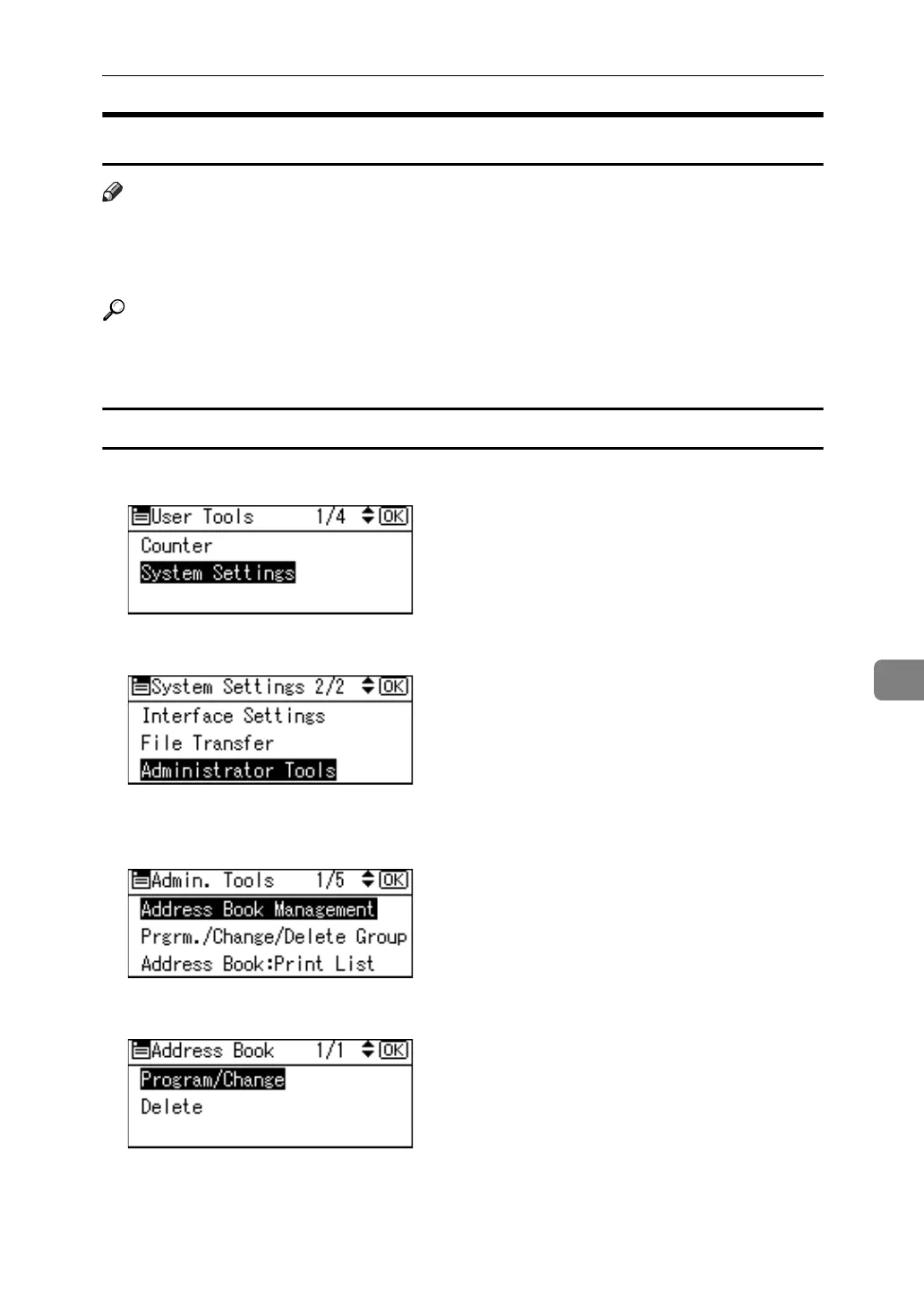
A Select [System Settings] using {U} or {T}, and then press the {OK} key.
B Select [Administrator Tools] using {U} or {T}, and then press the {OK} key.
C Select [Address Book Management] using {U} or {T}, and then press the {OK}
key.
D Select [Program/Change] using {U} or {T}, and then press the {OK} key.



 To Next Page