User Code (For machines with copier function only or with the DDST Unit)
79
2
Printing the Counter for Each User Code
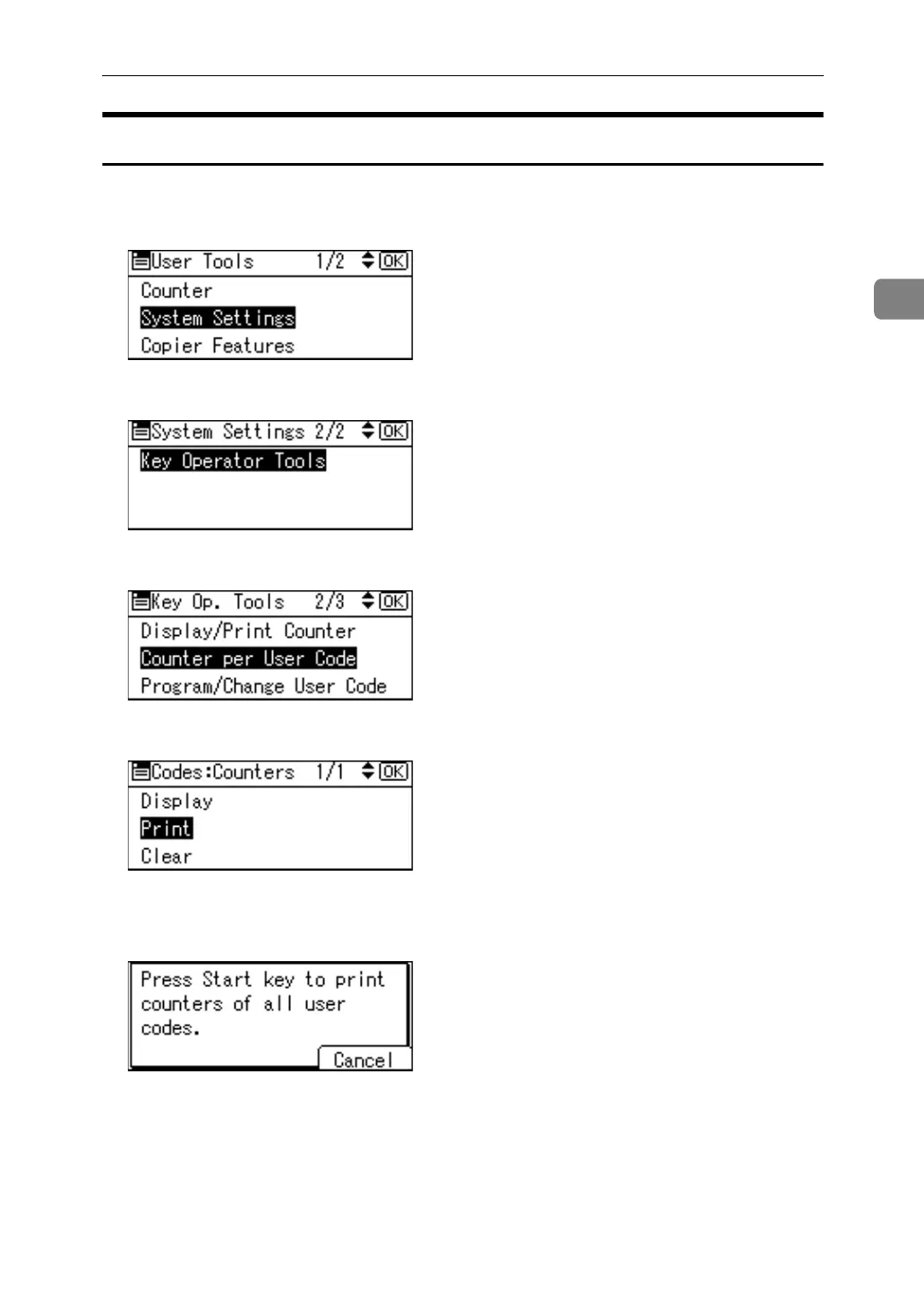
You can print out the counter for each user code.
A Select [System Settings] using {U} or {T}, and then press the {OK} key.
B Select [Key Operator Tools] using {U} or {T}, and then press the {OK} key.
C Select [Counter per User Code] using {U} or {T}, and then press the {OK} key.
D Select [Print] using {U} or {T}, and then press the {OK} key.
E Press the {Start} key.
The counter list prints out.
F Press the {User Tools/Counter} key.



 To Next Page