Registering Addresses and Users for Facsimile/Scanner Functions
188
7
L Press the {User Tools/Counter} key.
Note
❒ When you want to delete a user code along with the user itself, see "Delet-
ing a User".
Reference
p.156 “Deleting a Registered Name”
IP-Fax Destination
This section describes how to register a IP-Fax destination.
Reference
For details about sending an IP-Fax, see "Sending by IP-Fax", Facsimile Refer-
ence.
Registering an IP-Fax Destination
Important
❒ To use an IP-Fax destination as the sender (transmission number), you must
first register the user code.
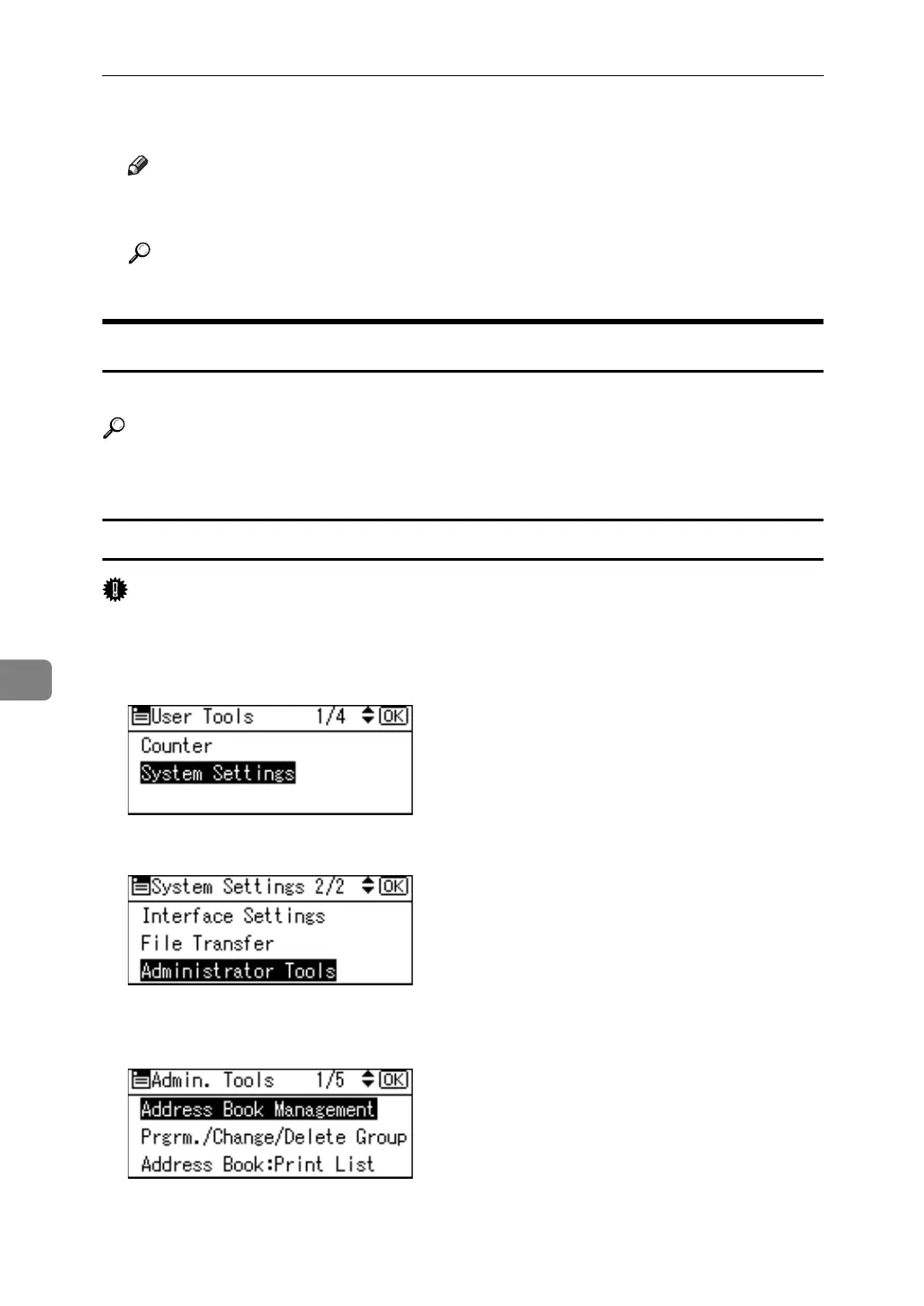
A Select [System Settings] using {U} or {T}, and then press the {OK} key.
B Select [Administrator Tools] using {U} or {T}, and then press the {OK} key.
C Select [Address Book Management] using {U} or {T}, and then press the {OK}
key.



 To Next Page