Fax Features
124
4
Memory Lock
Specify when programming a Special Sender.
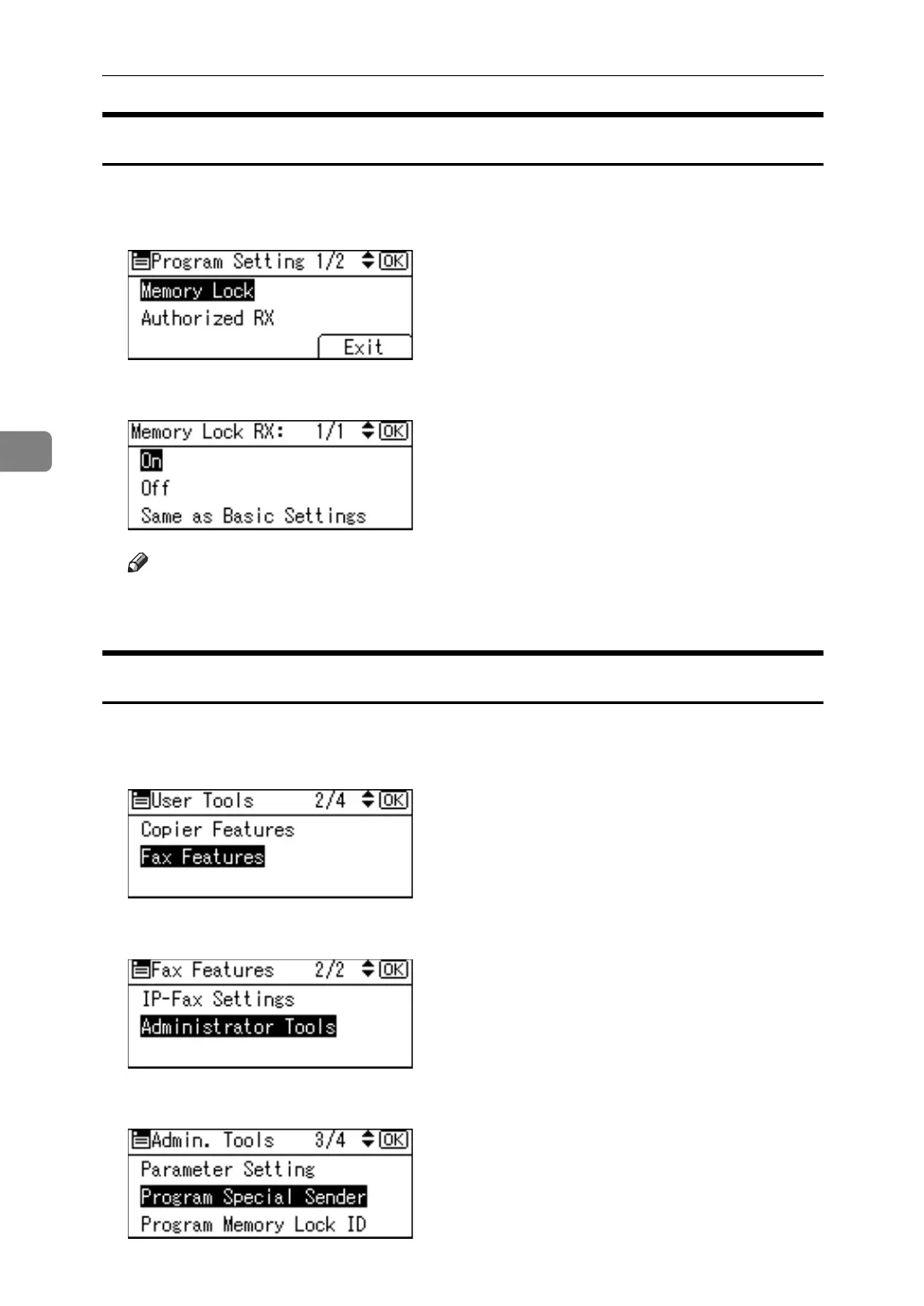
A Select [Memory Lock] using {U} or {T}, and then press the {OK} key.
B Select [On] or [Off] using {U} or {T}, and then press the {OK} key.
Note
❒ Selecting [Same as Basic Settings] will result in the same setting made for
[Program Memory Lock ID] under [Administrator Tools].
Programming Initial Set Up of a Special Sender
Program the "Initial Set Up" of a Special Sender.
A Select [Fax Features] using {U} or {T}, and then press the {OK} key.
B Select [Administrator Tools] using {U} or {T}, and then press the {OK} key.
C Select [Program Special Sender] using {U} or {T}, and then press the {OK} key.



 To Next Page