System Settings
74
2
User Code (For machines with copier
function only or with the DDST Unit)
Following describes the procedure for authenticating a user code.
Register user codes to restrict copier functions to certain users, and check on
their use of copier functions:
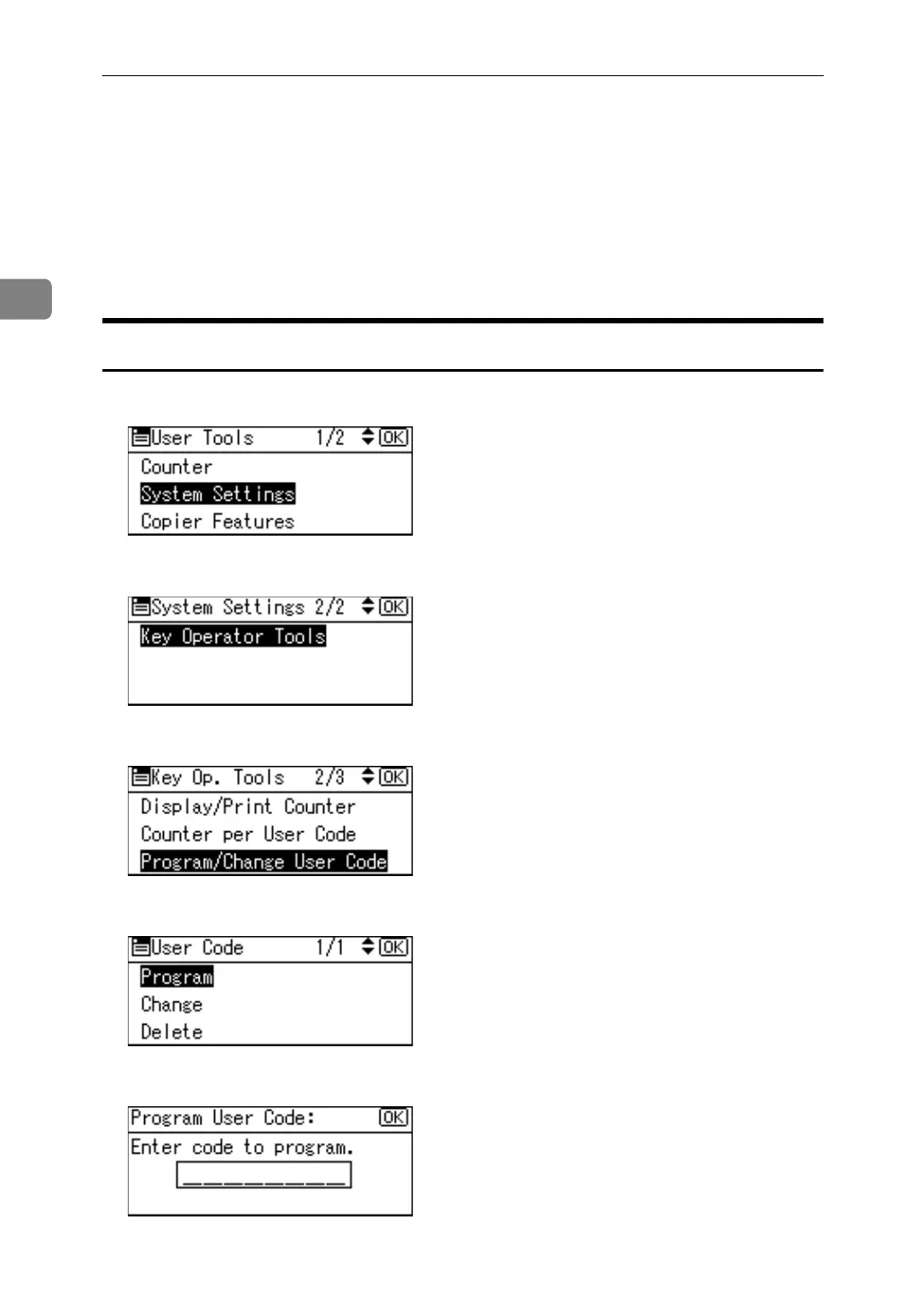
Registering a User Code
A Select [System Settings] using {U} or {T}, and then press the {OK} key.
B Select [Key Operator Tools] using {U} or {T}, and then press the {OK} key.
C Select [Program / Change User Code] using {U} or {T}, and then press the {OK} key.
D Select [Program] using {U} or {T}, and then press the {OK} key.
E Enter the user code using the number keys, and then press the {OK} key.
F Press the {User Tools/Counter} key.



 To Next Page