User Code (For machines with copier function only or with the DDST Unit)
75
2
Changing a User Code
Even if you change a user code, the counter value will not be cleared.
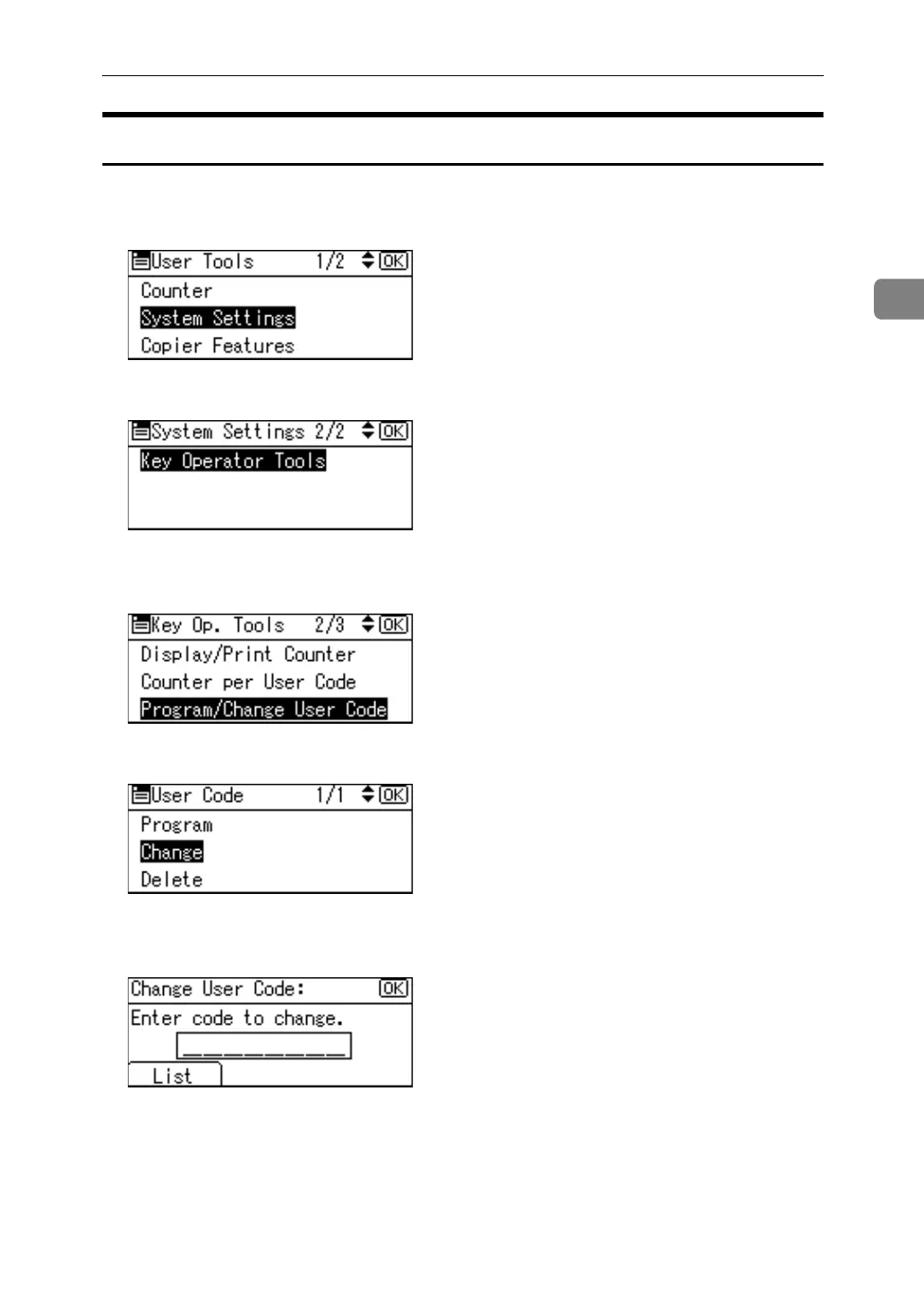
A Select [System Settings] using {U} or {T}, and then press the {OK} key.
B Select [Key Operator Tools] using {U} or {T}, and then press the {OK} key.
C Select [Program / Change User Code] using {U} or {T}, and then press the {OK}
key.
D Select [Change] using {U} or {T}, and then press the {OK} key.
E Enter the registered user code you want to change using the number keys,
and then press the {OK} key.
When you select the user code from the User Code List, press [List]. Select the
user code you want to change using {U} or {T}, and then press the {OK} key
twice.



 To Next Page