System Settings
76
2
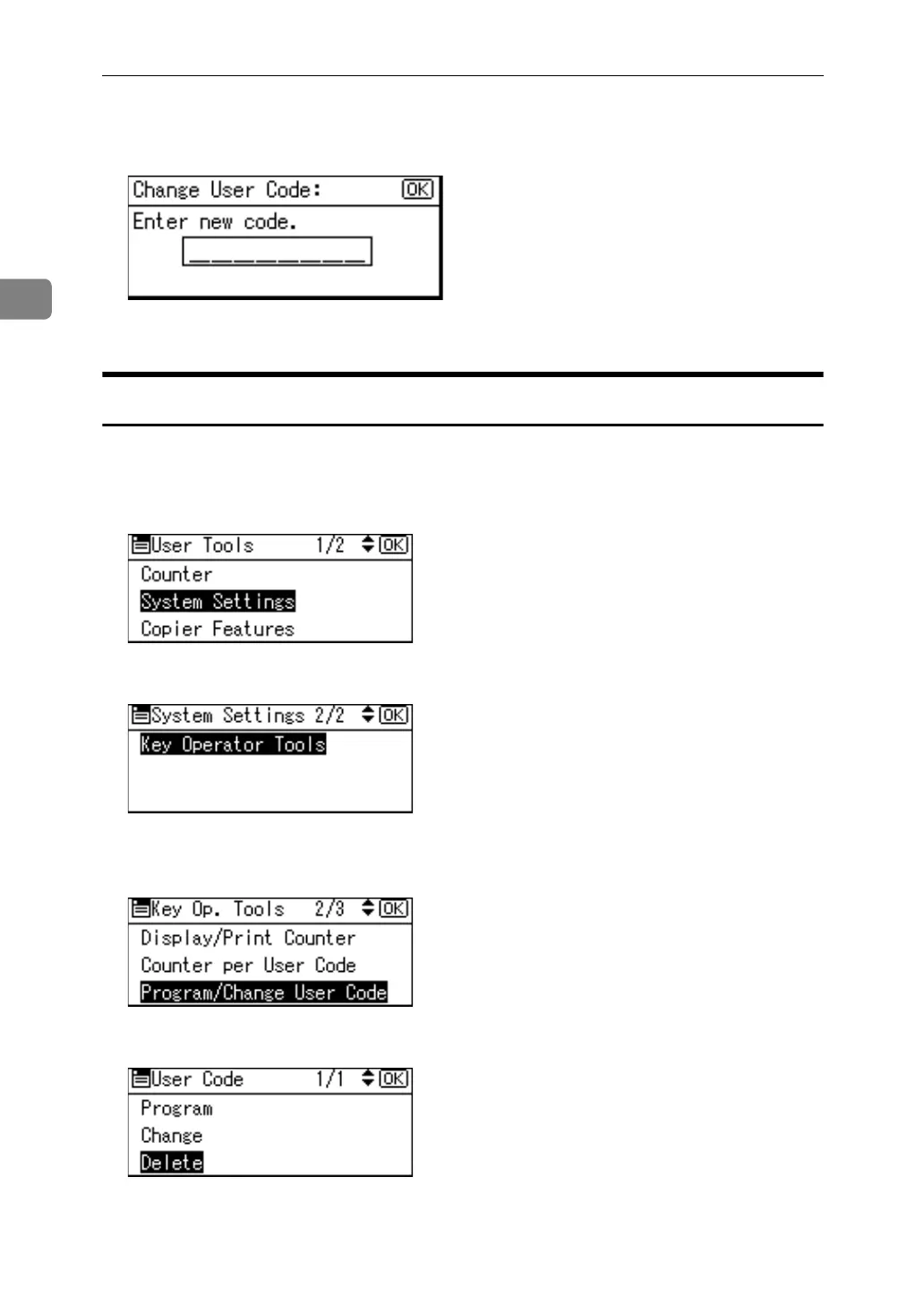
F Enter the new user code using the number keys, and then press the {OK}
key.
G Press the {User Tools/Counter} key.
Deleting a User Code
This operation also deletes user codes registered to multiple functions. User con-
trol via the deleted user code is no longer possible.
A Select [System Settings] using {U} or {T}, and then press the {OK} key.
B Select [Key Operator Tools] using {U} or {T}, and then press the {OK} key.
C Select [Program / Change User Code] using {U} or {T}, and then press the {OK}
key.
D Select [Delete] using {U} or {T}, and then press the {OK} key.



 To Next Page