System Settings
64
2
Program/Change/Delete LDAP Server
This section explains how to program the LDAP server settings.
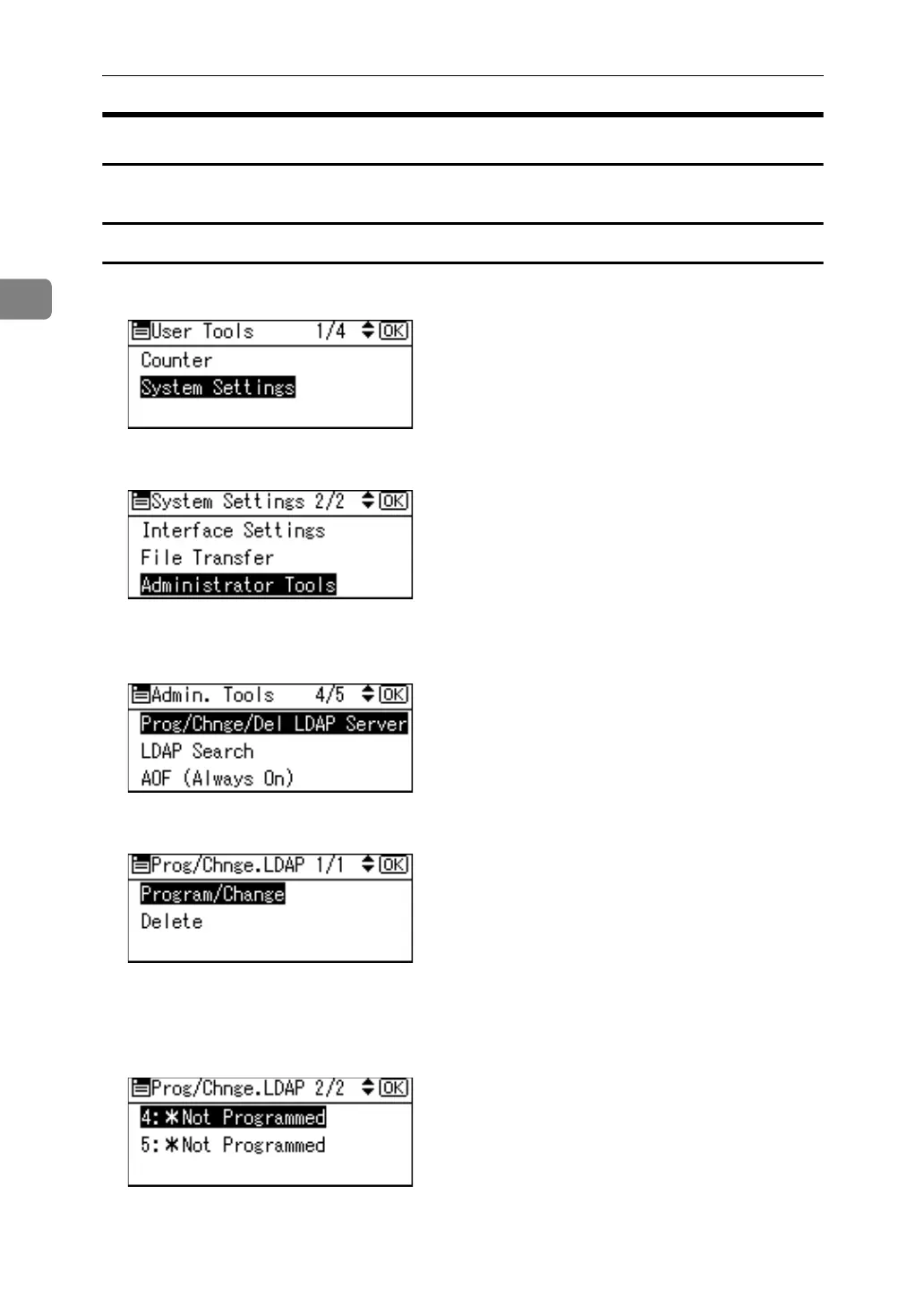
Programing / Changing the LDAP server
A Select [System Settings] using {U} or {T}, and then press the {OK} key.
B Select [Administrator Tools] using {U} or {T}, and then press the {OK} key.
C Select [Prog/Chnge/Del LDAP Server] using {U} or {T}, and then press the {OK}
key.
D Select [Program/Change] using {U} or {T}, and then press the {OK} key.
E Select the LDAP server you want to program or change using {U} or {T},
and then press the {OK} key.
When programming the server, select [*Not Programmed].
F Set each item as necessary.



 To Next Page