Fax Features
112
4
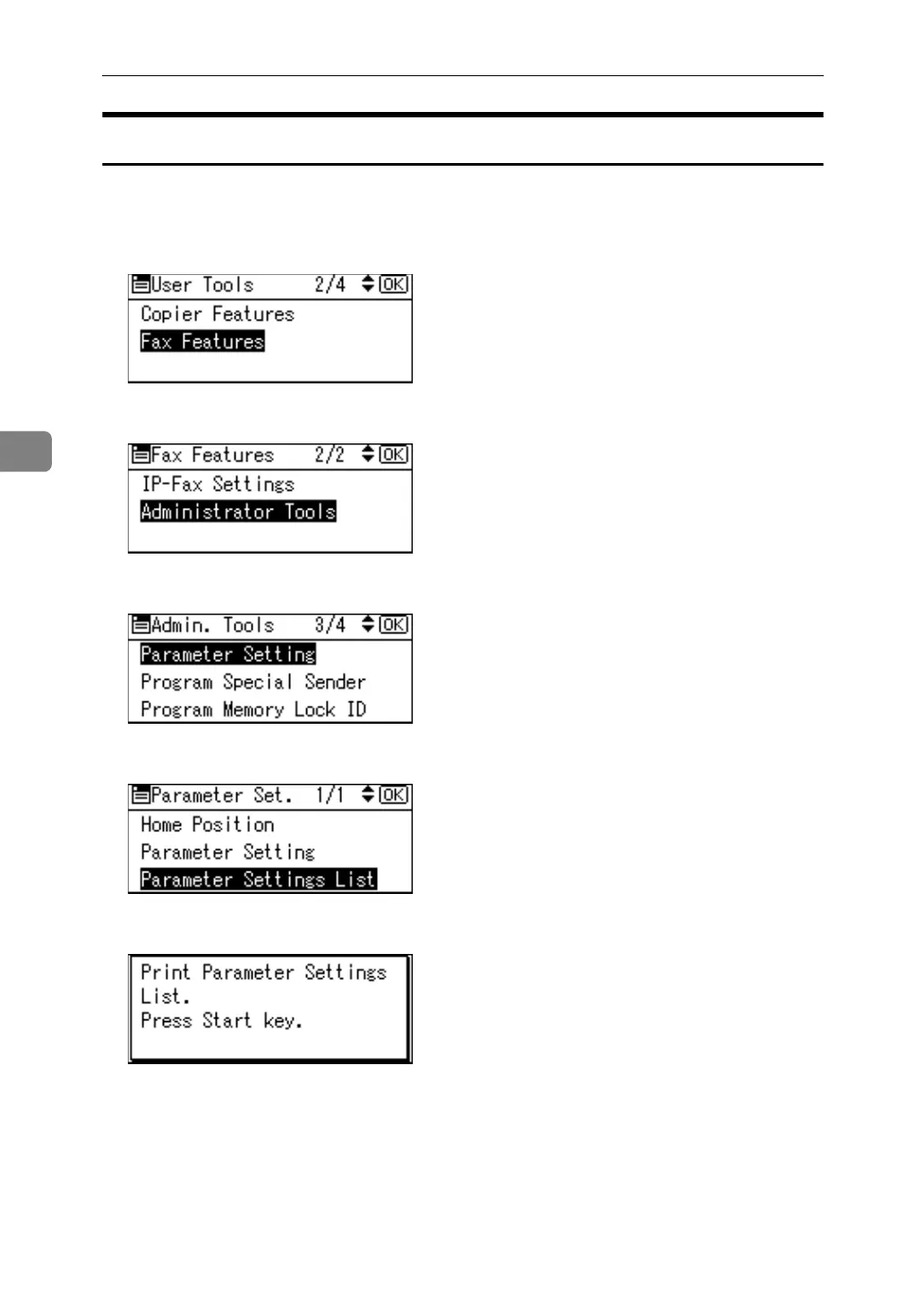
Printing the Parameter Settings List
Print this list to see the current Parameter Settings. However, only items of im-
portance or often-used items are included in the list.
A Select [Fax Features] using {U} or {T}, and then press the {OK} key.
B Select [Administrator Tools] using {U} or {T}, and then press the {OK} key.
C Select [Parameter Setting] using {U} or {T}, and then press the {OK} key.
D Select [Parameter Settings List] using {U} or {T}, and then press the {OK} key.
E Press the {Start} key.
To cancel printing a list, press the {Escape} key. The display returns to that of
step
C
.
F Press the {User Tools/Counter} key.



 To Next Page