Home Position
115
4
Changing the Home Position
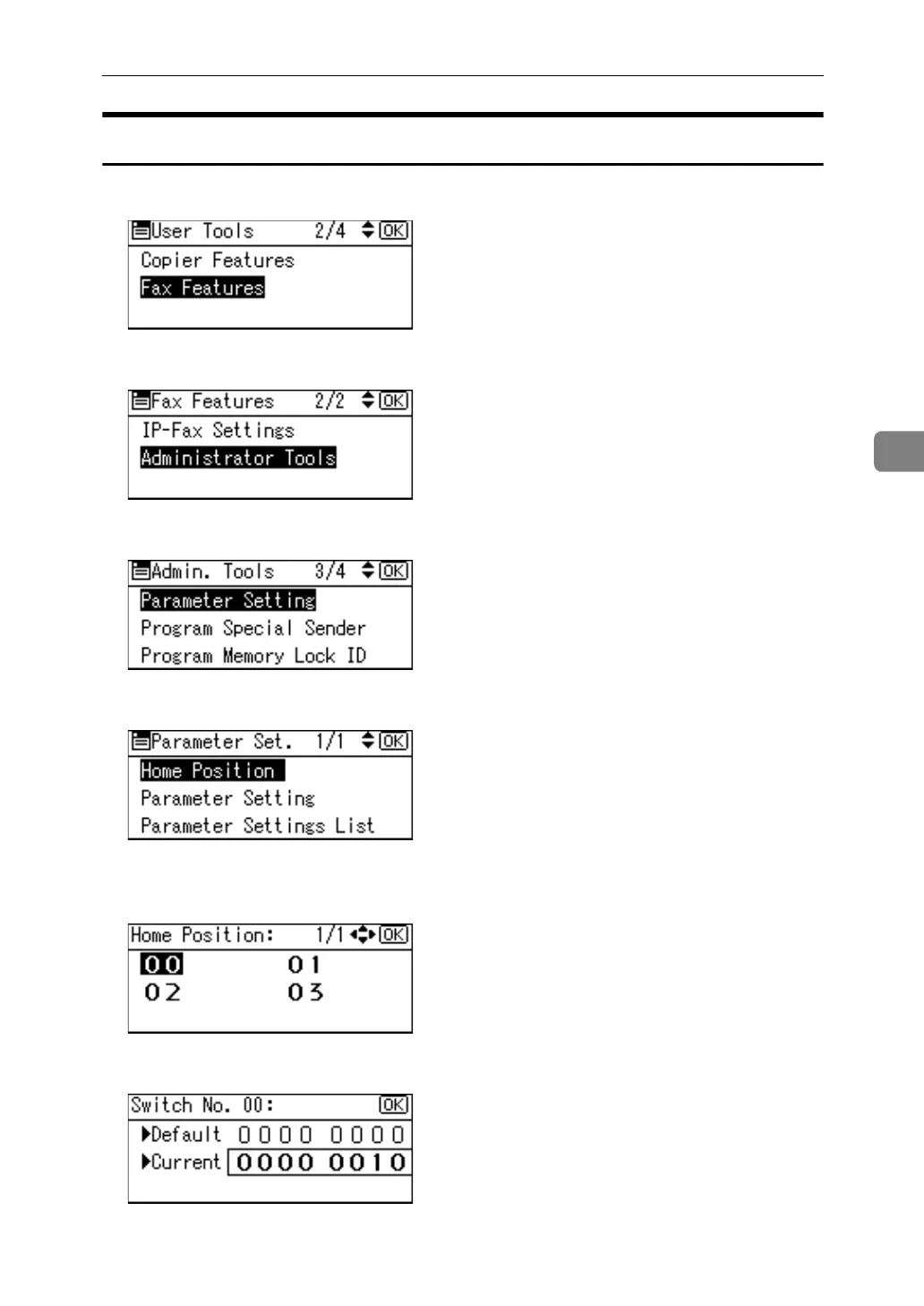
A Select [Fax Features] using {U} or {T}, and then press the {OK} key.
B Select [Administrator Tools] using {U} or {T}, and then press the {OK} key.
C Select [Parameter Setting] using {U} or {T}, and then press the {OK} key.
D Select [Home Position] using {U} or {T}, and then press the {OK} key.
E Select the switch number you want to change using the scroll keys, and
then press the {OK} key.
F Select the bit number you want to change.



 To Next Page