Registering Addresses and Users for Facsimile/Scanner Functions
260
7
Registering a Protection Code
You can stop sender's names or folders being accessed by setting a protection
code.
You can use this function to protect the following:
•Folders
You can prevent unauthorized access to folders.
•Sender's names
You can prevent misuse of sender's names.
Reference
p.158 “Registering a User Code”
Registering a Protection Code to a Single User
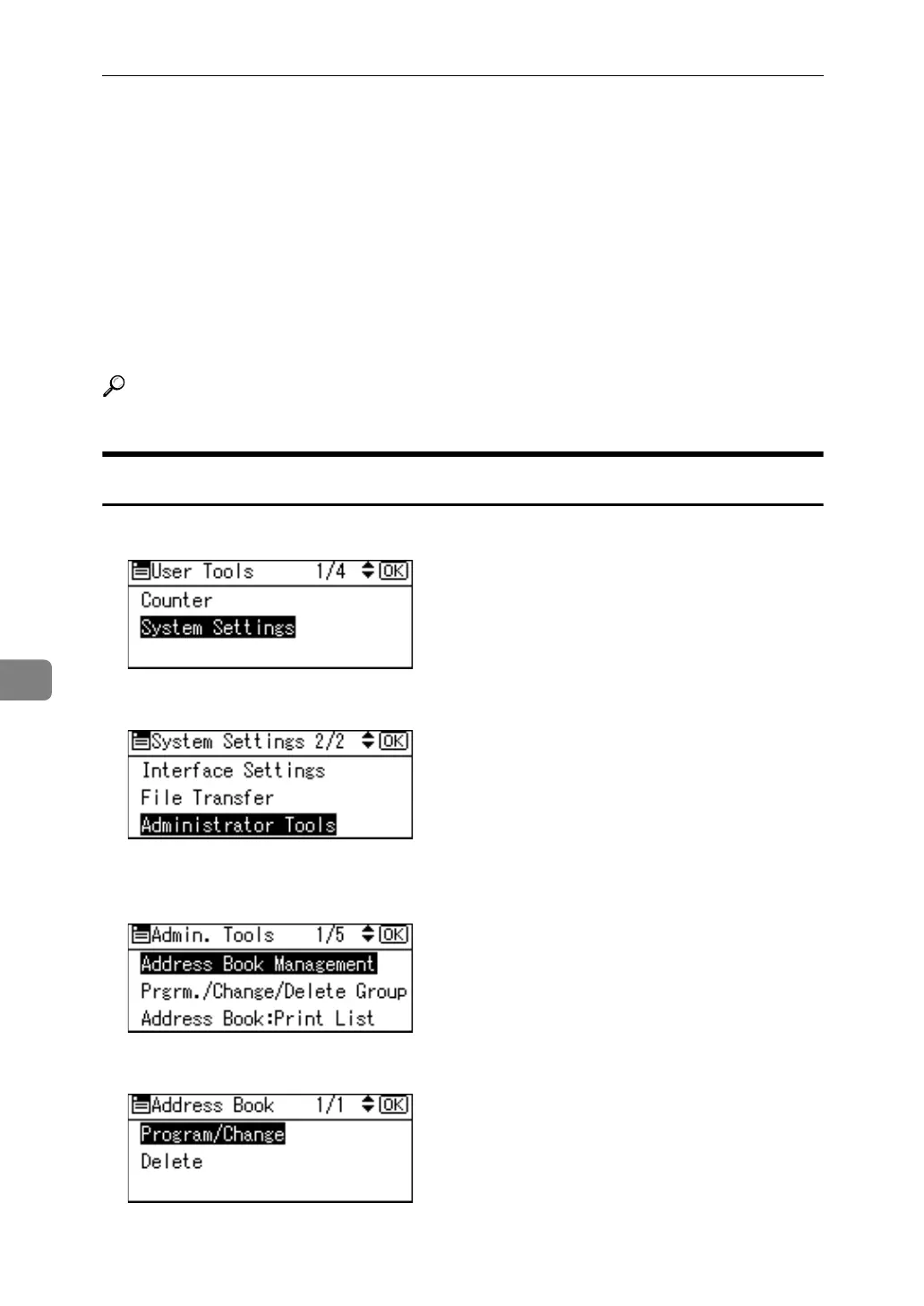
A Select [System Settings] using {U} or {T}, and then press the {OK} key.
B Select [Administrator Tools] using {U} or {T}, and then press the {OK} key.
C Select [Address Book Management] using {U} or {T}, and then press the {OK}
key.
D Select [Program/Change] using {U} or {T}, and then press the {OK} key.



 To Next Page