Registering Addresses and Users for Facsimile/Scanner Functions
160
7
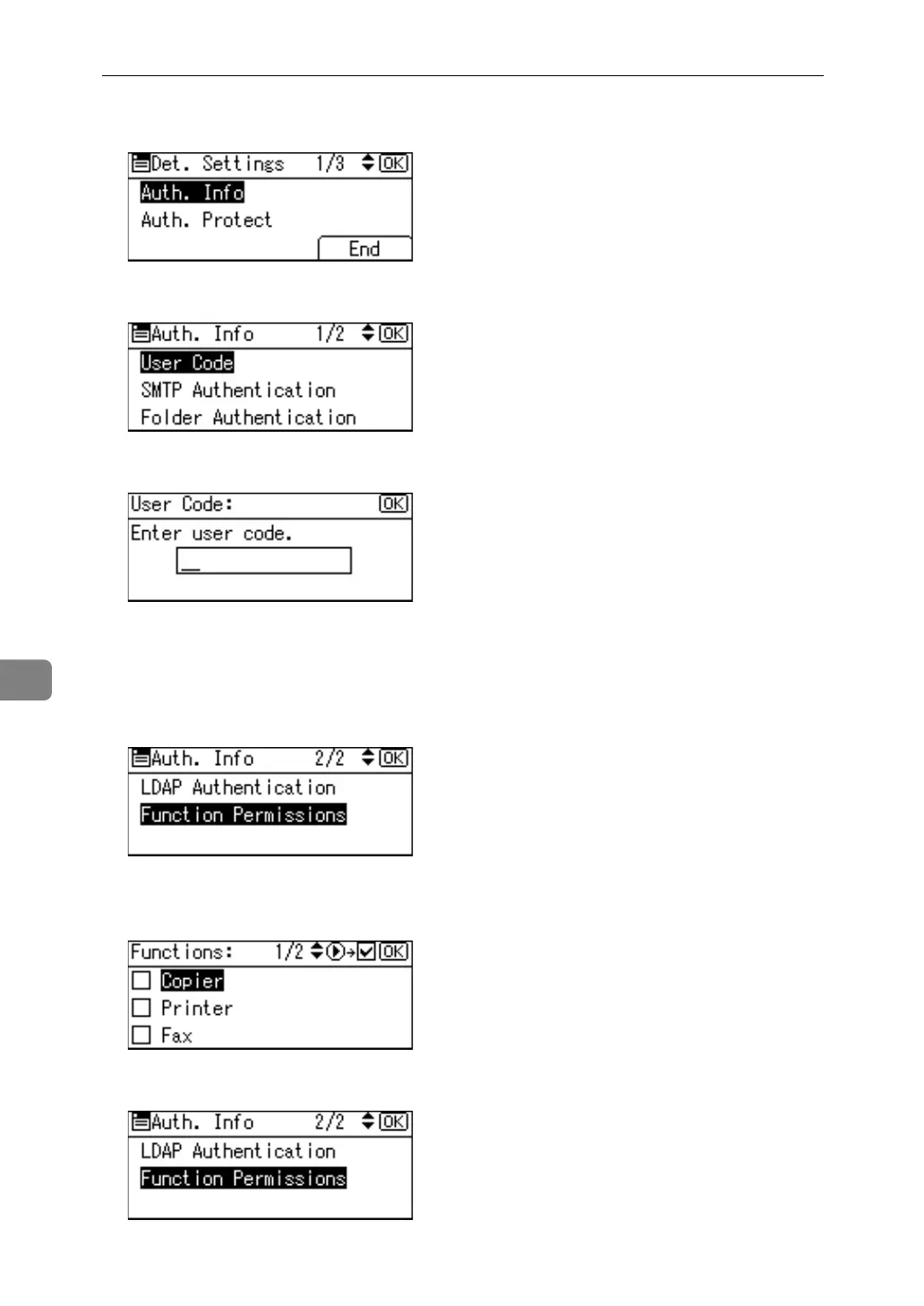
H Select [Auth. Info] using {U} or {T}, and then press the {OK} key.
I Select [User Code] using {U} or {T}, and then press the {OK} key.
J Enter the user code using the number keys, and then press the {OK} key.
If you have entered a wrong code, press the {Clear/Stop} key and then enter
the correct code again.
You can use up to eight digits for specifying the user code.
K Select [Function Permissions] using {U} or {T}, and then press the {OK} key.
L Select the function you want to set the user code for using {V}, and then
press the {OK} key.
M Press the {Escape} key.



 To Next Page