Fax Destination
185
7
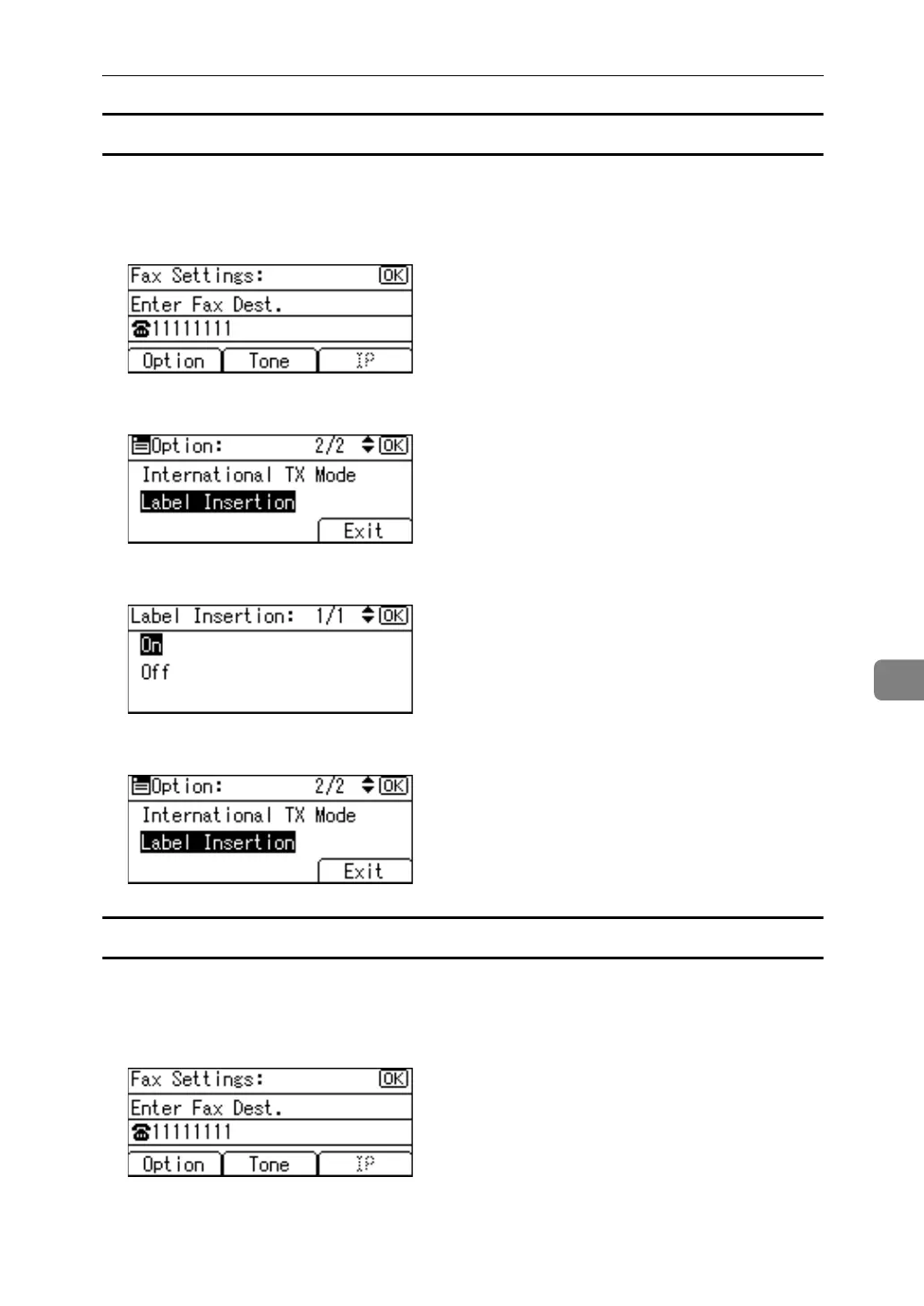
Setting label insertion
When Label Insertion is set to ON, the receiver's name and standard messages
are printed on the fax message when it is received at the other end.
A Press [Option].
B Select [Label Insertion] using {U} or {T}, and then press the {OK} key.
C Select [On] or [Off] using {U} or {T}, and then press the {OK} key.
D Press [Exit].
Using the tone
This function allows the machine to send tonal signals when it is connected to a
pulse dialing line (for example: to use a special service on a tone dialing line).
A Press [Tone].
A tone is shown as a "T" on the display.



 To Next Page