Registering Addresses and Users for Facsimile/Scanner Functions
190
7
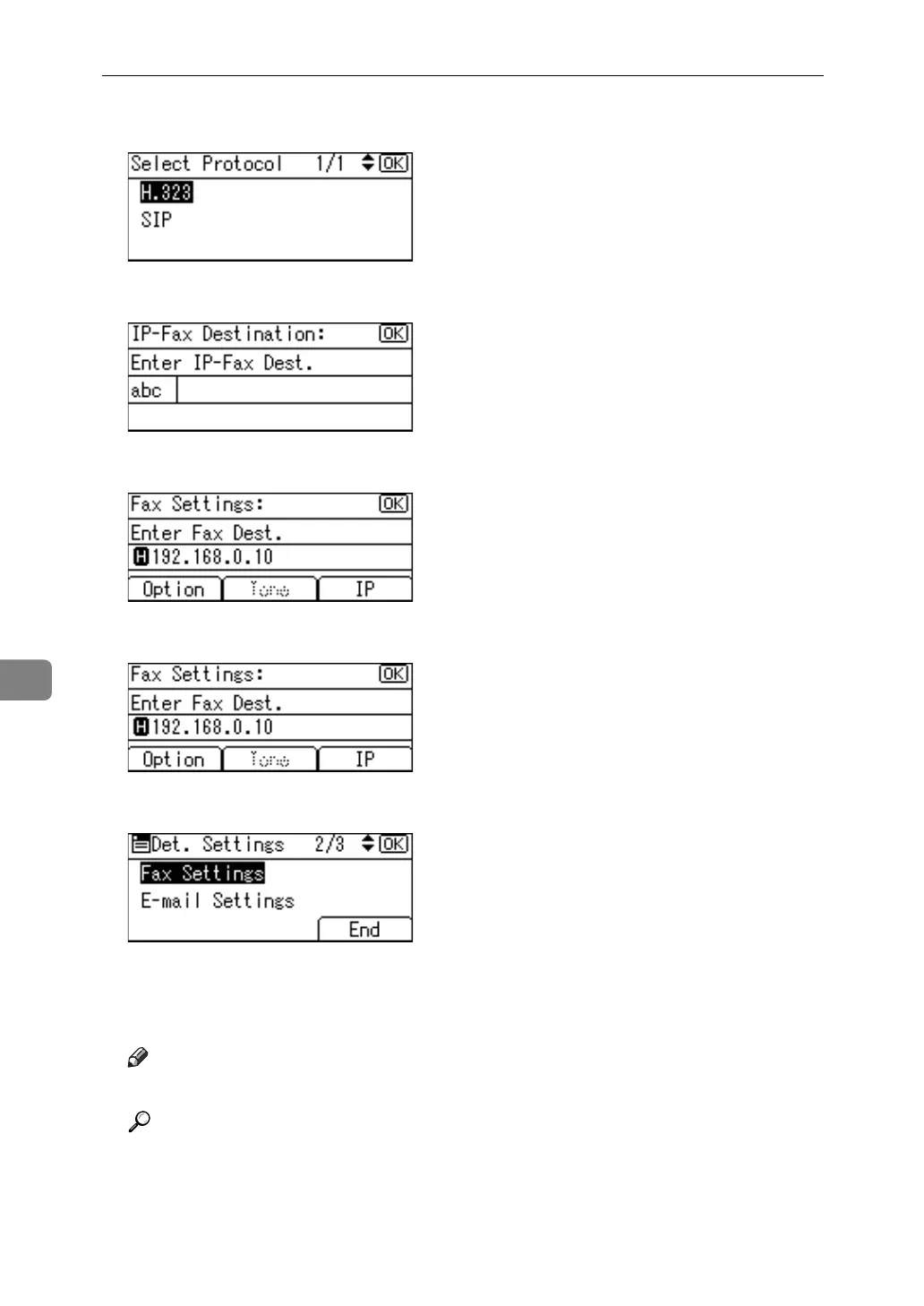
J Select the protocol using {U} or {T}, and then press the {OK} key.
K Enter the IP-Fax destination and then press the {OK} key.
L Press [Option] to select the items to be set.
M Press the {OK} key.
N Press [End].
O Press the {OK} key.
P Press the {User Tools/Counter} key.
Note
❒ For registration of a name, see "Registering Names".
Reference
p.152 “Registering Names”
p.158 “Registering a User Code”
p.244 “Registering Names to a Group”
"Entering Text", About This Machine



 To Next Page