Registering Addresses and Users for Facsimile/Scanner Functions
198
7
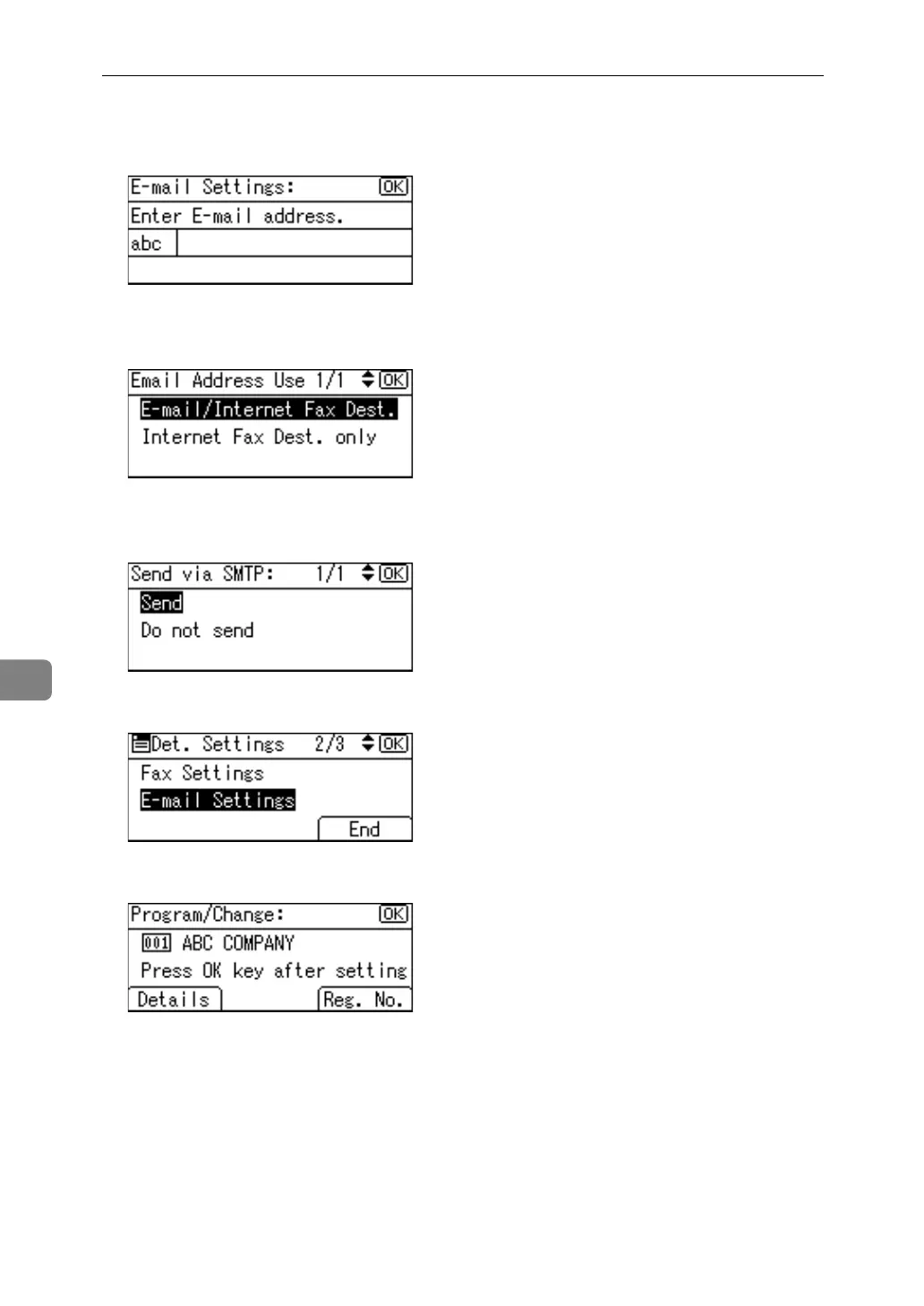
I Enter the e-mail address using the number keys and the Quick Dial keys,
and then press the {OK} key.
J Select [E-mail/Internet Fax Dest.] or [Internet Fax Dest. only] using {U} or {T}, and
then press the {OK} key.
K Select [Send] or [Do not send] to specify whether or not SMTP server is to be
used using {U} or {T}, and then press the {OK} key.
L Press [End].
M Press the {OK} key.



 To Next Page