Registering Folders
211
7
Locating the SMB folder using Browse Network
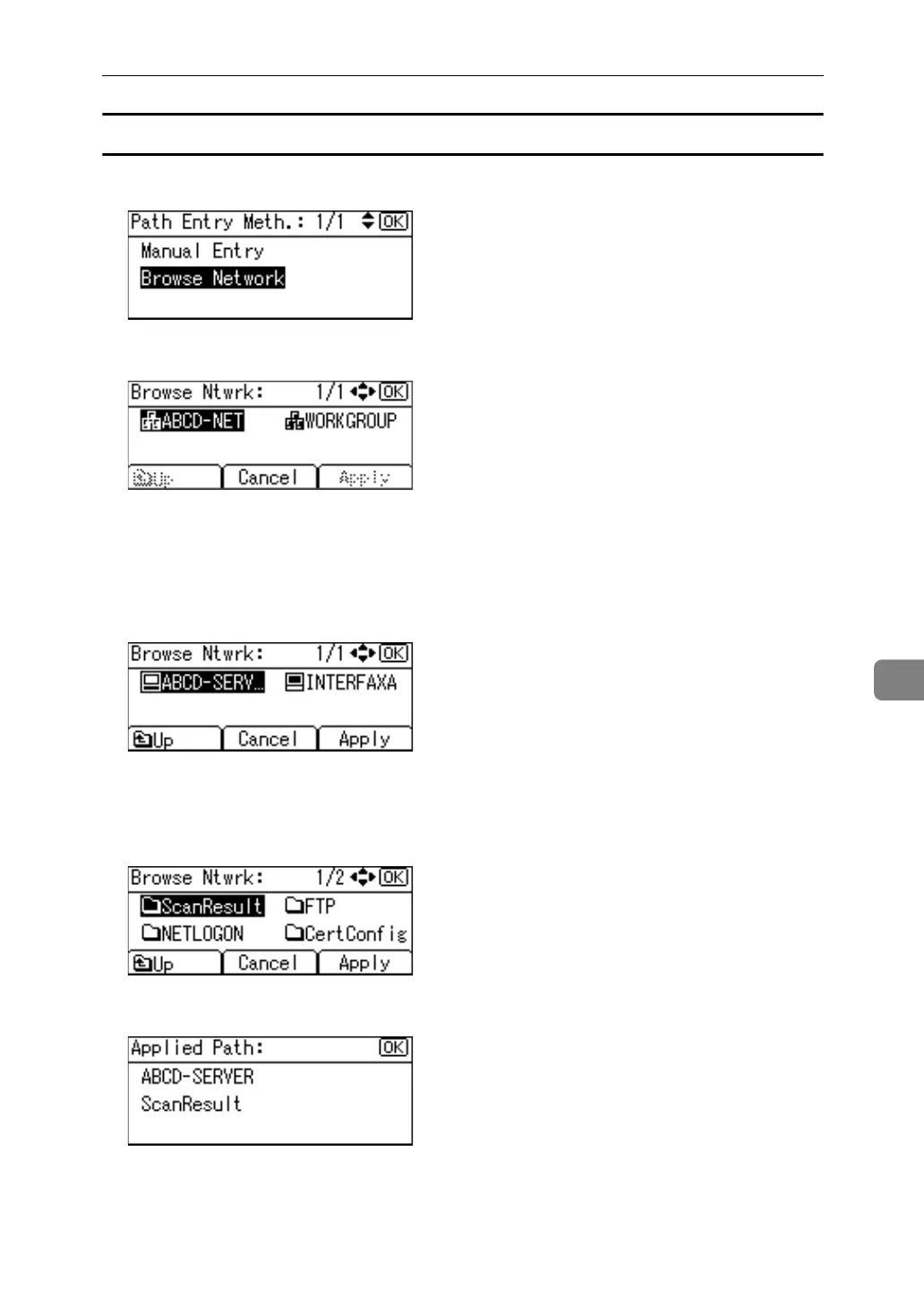
A Select [Browse Network] using {U} or {T}, and then press the {OK} key.
B Select a work group using the scroll keys, and then press the {OK} key.
The client computers sharing the same network as the machine appear.
Network display only lists client computers you are authorized to access.
C Select a client computer using the scroll keys, and then press the {OK} key.
Shared folders under it appear.
You can press [Up] to switch between levels.
D Select the folder you want to register using the scroll keys, and then press
[Apply].
E Press the {OK} key.



 To Next Page