Registering Addresses and Users for Facsimile/Scanner Functions
222
7
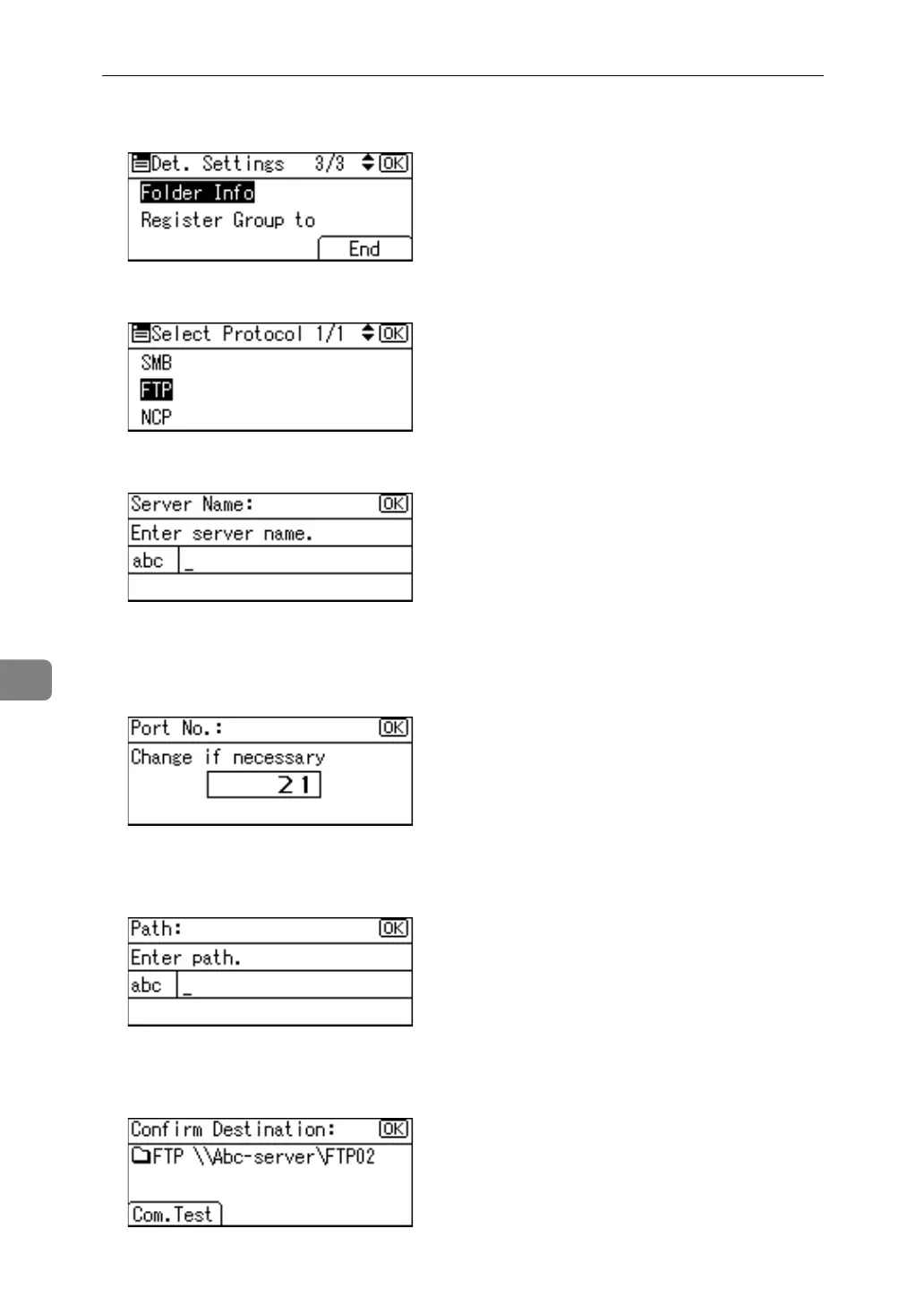
Q Select [Folder Info] using {U} or {T}, and then press the {OK} key.
R Select [FTP] using {U} or {T}, and then press the {OK} key.
S Enter the server name, and then press the {OK} key.
T If you want to change the port number, enter the new port number, and
then press the {OK} key.
Otherwise, just press the {OK} key.
You can enter 1 to 65535.
U Enter the path, and then press the {OK} key.
You can also enter an IPv4 address.
V Press [Com.Test] to check the path is set correctly.



 To Next Page