Registering Addresses and Users for Facsimile/Scanner Functions
262
7
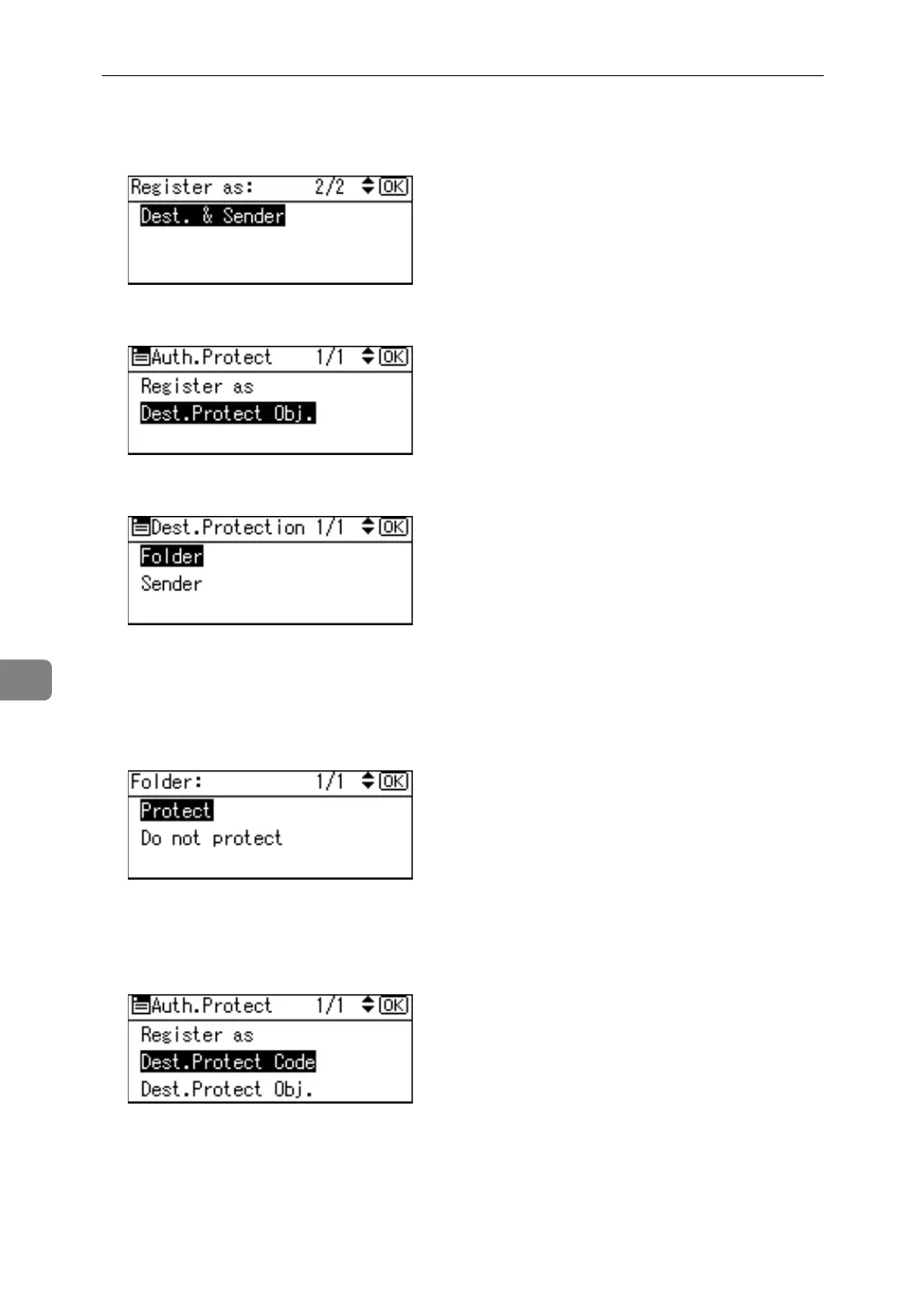
J Select [None], [Destination Only ], [Sender Only] or [Dest. & Sender] using {U} or
{T}, and then press the {OK} key.
K Select [Dest.Protect Obj.] using {U} or {T}, and then press the {OK} key.
L Select [Folder] or [Sender] using {U} or {T}, and then press the {OK} key.
If you select [Destination Only ] in [Register as], only [Folder] can be selected.
If you select [Sender Only] in [Register as], only [Sender] can be selected.
M Select [Protect] or [Do not protect] using {U} or {T}, and then press the {OK}
key.
[Protect] or [Do not protect] can be selected for both [Folder] and [Sender] at the
same time.
N Select [Dest.Protect Code] using {U} or {T}, and then press the {OK} key.



 To Next Page