1.Detailed Descriptions
33
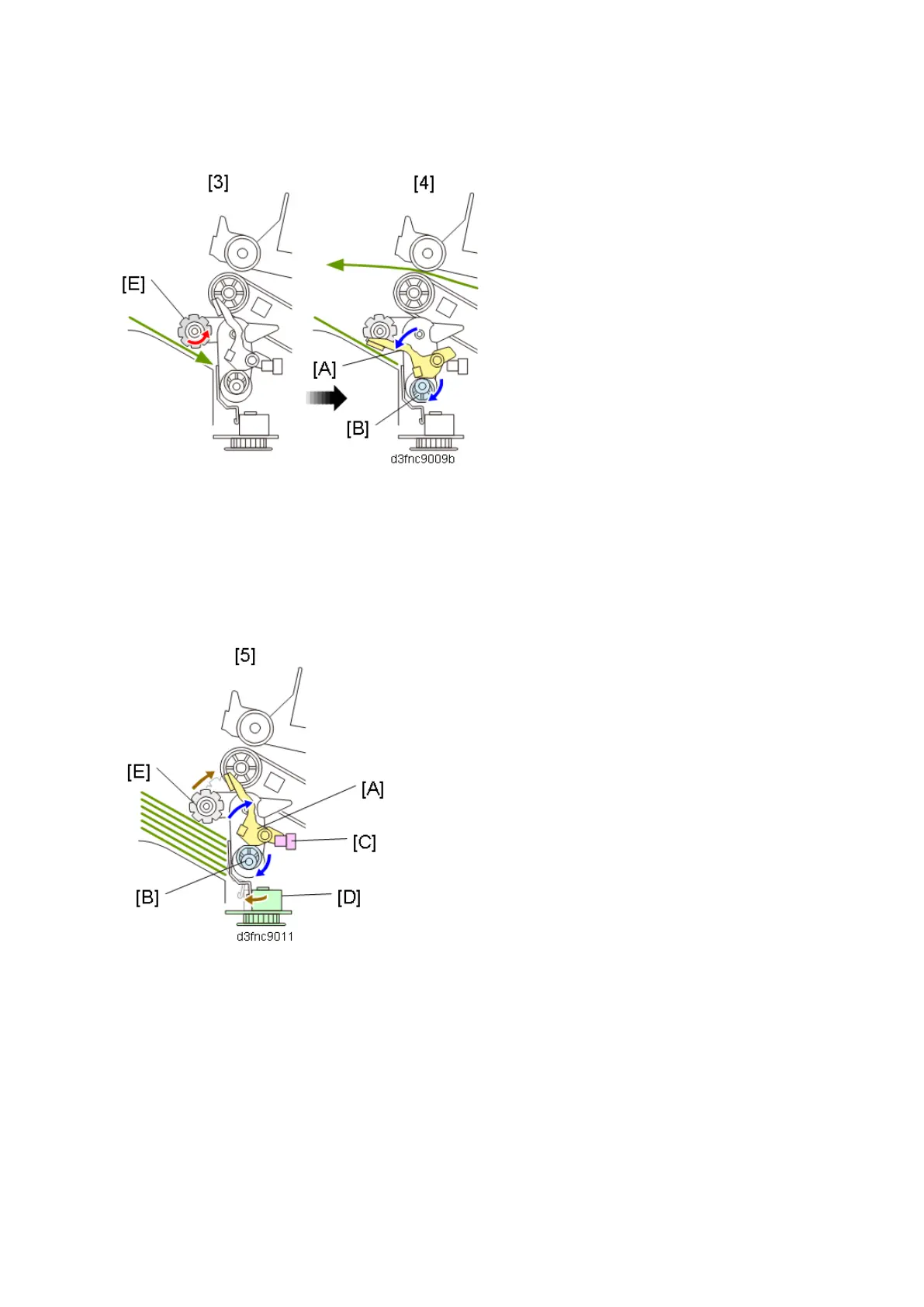
paper stacking holder [B] (until job end, the machine repeats step 3 and step 4).
5. After job end, the paper stacking holder lift motor rotates the stacking sponge roller cam [D] to lift
the stacking sponge roller [A] up to its HP position. At the same time, the Paper Stacking Holder
Motor (DCM8) rotates the holder cam [E] to lift the paper stacking holder [B] up to its HP (until the
Paper Stacking Holder HP Sensor (S24) [C] detects the end of the paper stacking holder [B]).
Staple Mode Operation
On this machine, the stacking sponge roller [A] and actuator [B] are completely retracted within the
end fence [C] when delivering stapled sheets (staple job) to improve their stackability.



 To Next Page