1.Replacement and Adjustment
55
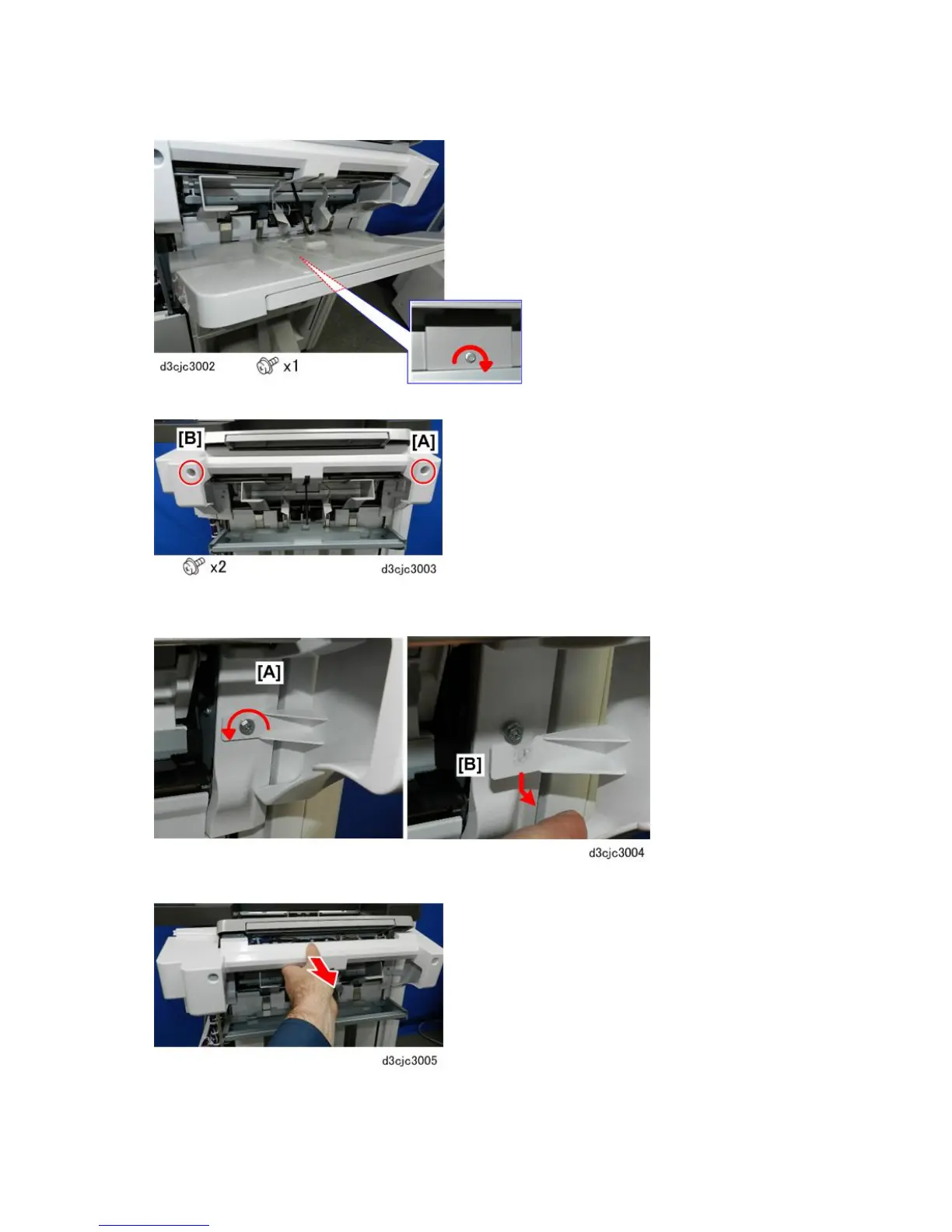
2. Remove the shift tray.
3. Disconnect the jogger unit cover at the front [A] and rear [B].
4. Below the front end of the jogger unit cover [A], loosen the screw (do not remove).
5. Pull the V-notch of the arm [B] out from under the loosened screw.
6. Remove the jogger unit cover.



 To Next Page