2.Detailed Descriptions
75
Condition 2
When the feeler is pushed up as far as "1", and remains there for 13 sec., the tray is detected full. The purpose is to
accurately detect “tray full” for stacks of Z-folded paper, or poorly stacked documents.
Condition 3
Shift tray detection input check: SP6123-35 is normally set to "0" (default), tray not full.
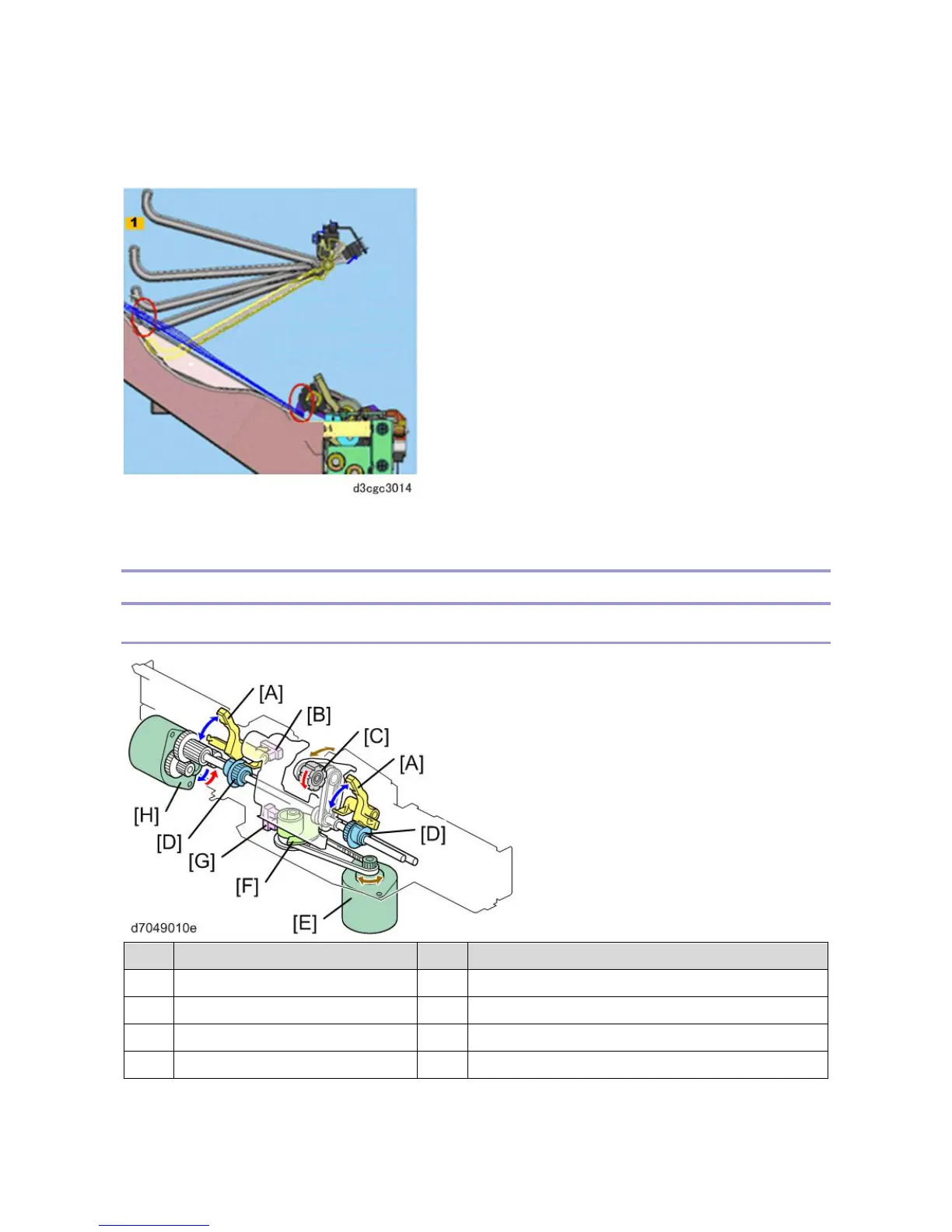
Pull-in Roller / Paper Stack Holder
Components
No. Name No. Name
A Paper Stacking Holder E Stacking Sponge Roller Fluctuation Motor
B Holder HP Sensor F Stacking Sponge Roller Cam
C Stacking Sponge Roller G Stacking Sponge Roller HP Sensor
D Paper Stacking Holder Cam H Paper Stacking Holder Motor



 To Next Page