1.Replacement and Adjustment
59
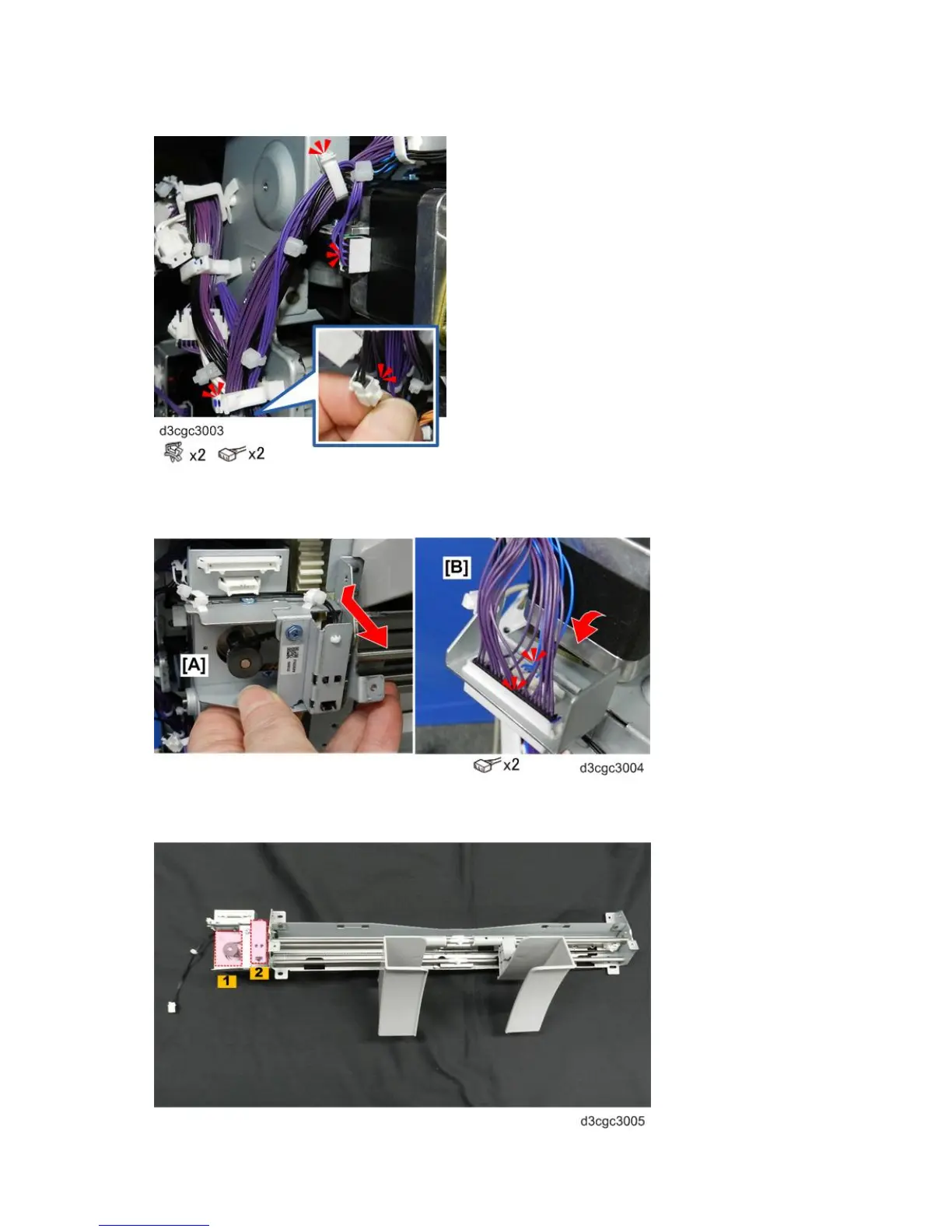
7. At the rear, open the clamps and disconnect the motor and sensor harnesses.
8. Hold the unit bracket with both hands, lower the rear end [A], roll it toward you slightly, and then disconnect
the harnesses [B].
9. Lay the unit on a flat clean surface so that you can see the paper guide motor [1] and paper guide position
sensor bracket [2].



 To Next Page