2.Detailed Descriptions
81
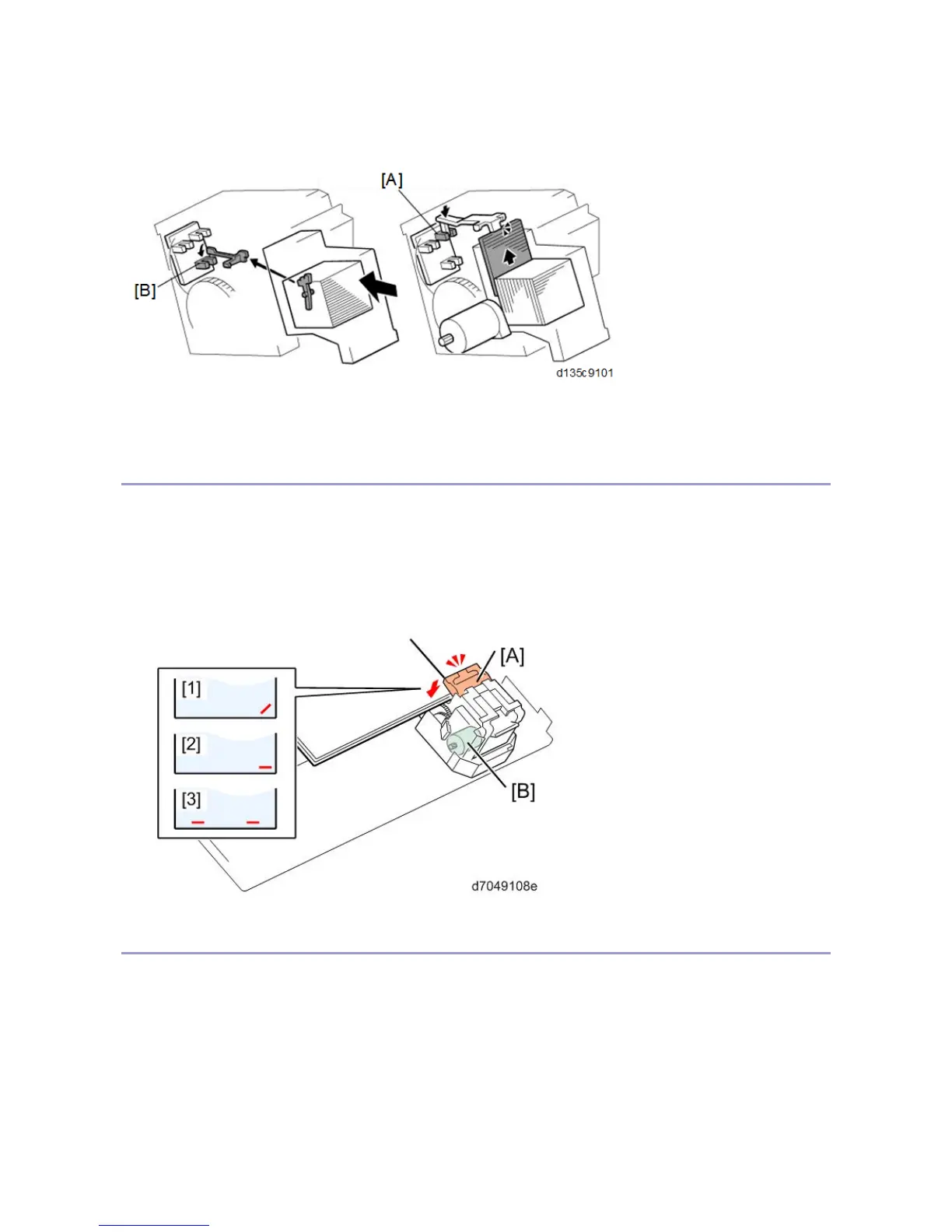
• The cartridge set sensor [B]: It detects the cartridge at the correct position. It also detects the staple end
condition. (If the sensor is OFF, the "Add Staple" icon is displayed on the operation panel)
If staple end is detected during copying, the "Add Staple" icon is displayed on the operation panel after the end of
the job.
Stapling
The staple hammer motor [B] lets the staple hammer [A] down in order to staple the paper stack. There are three
stapling methods:
• Oblique stapling: [1]
• Horizontal stapling (one posiiton): [2]
• Horizontal stapling (two posiitons): [3]
Feeding-out
The bottom pawl [B] moves the stapled paper stack up to the proper position to output. Then the stack feed-out
pawl [A] that is attached to the stack feed-out belt [C] pushes the paper out. The stack feed-out motor [D] moves
the stack feed-out pawl [A] and the bottom pawl [B]. After a stack has been output, both of the pawls [A] [B]
return to their HP.
There are two types of stack output.
1. Pawl, exit roller: Small sizes (A4, LT, B4 SEF)



 To Next Page