− 21 −
ME12058B
Maintenance Section
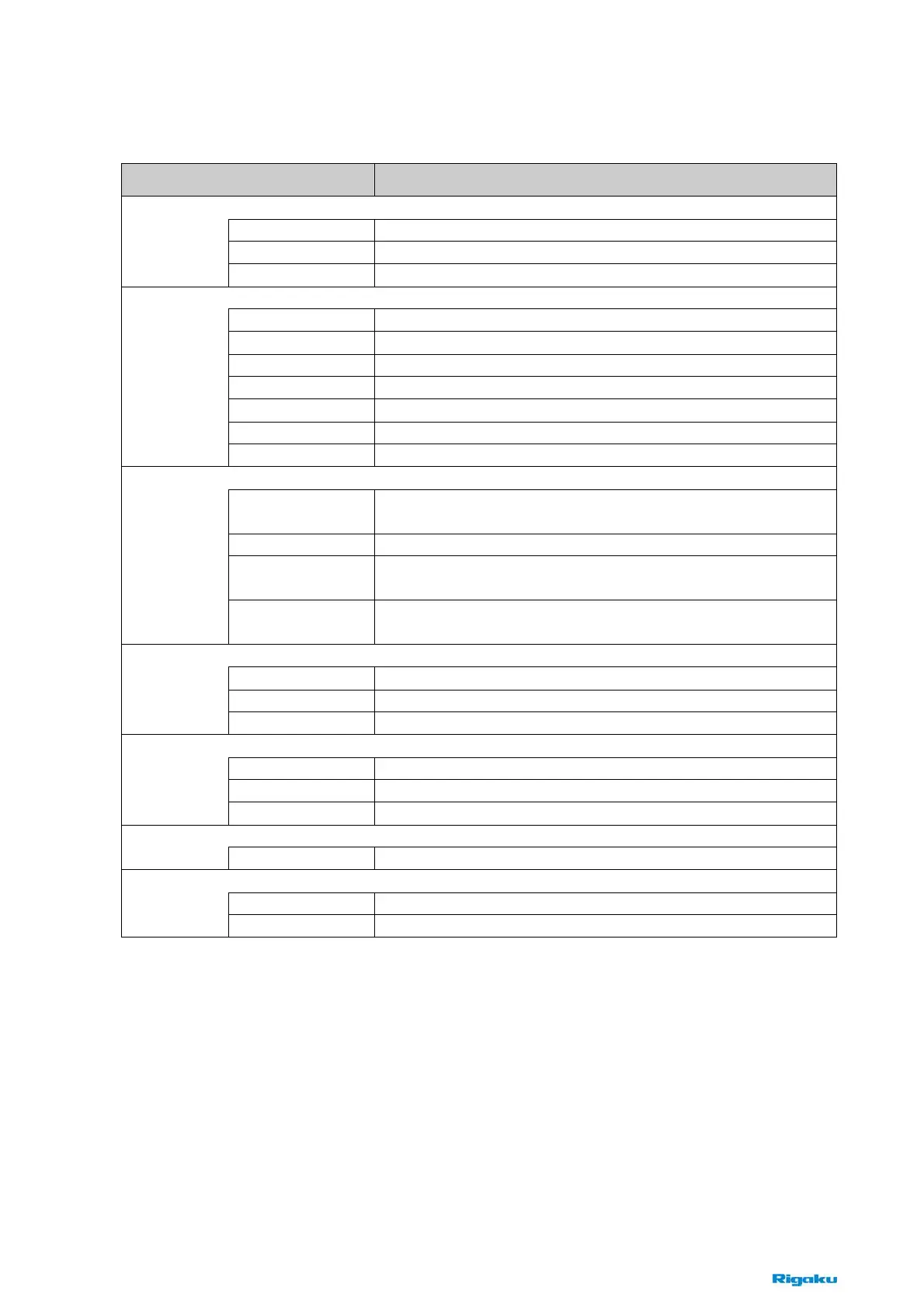
3.6 Explanation of Software
Navigation Buttons Contents
Daily operation using recipes
Loadport1 Executes recipes for load port 1.
Loadport2 Executes recipes for load port 2.
Job
Chart Displays graphs on the main window.
Enables manual operation for maintenance purposes.
EFEM Loads or unloads a wafer from the carrier to the sample stage.
Optics1 Sets x-ray power for optics 1.
Optics2 Sets x-ray power for optics 2.
Optics3 Sets x-ray power for optics 3.
Manual Operates actuators of this equipment manually.
Sequence Test Tests the sequence of recipes.
System
MFM Status Displays the equipment conditions visually.
Constructs recipes to execute jobs.
Process Recipe Creates and edits process recipes by combining analysis recipe
and wafer recipe.
Analysis Recipe Creates and edits analysis recipes at an arbitrary point on wafers.
Wafer Map Creates and edits recipes for the mapping of points on
non-patterned wafers.
Recipes
Pattern Map Creates and edits recipes for the mapping of points on patterned
wafers.
Displays recent LOGs.
Equipment Log Displays the current equipment log on the main window.
Process Log Displays the current process log on the main window.
Data Log
Alarm Displays the current alarms and the history log of past alarms.
Sets the equipment parameters for the MFM65 system.
EFEM setting Sets the equipment parameters for EFEM.
Optics Setting Sets the equipment parameters for optics.
Setup
System Setup Sets the system parameters.
Sets the equipment parameters for the MFM65 system.
Startup
Startup/Shutdown Executes startup or shutdown of this equipment.
Displays the current alarm information and the history log of past alarms.
Alarm Displays the current alarm information.
Alarms
Alarm Log Displays the history log of past alarms.



 To Next Page