− 60 −
ME12058B
Maintenance Section
10.1 EFEM Settings
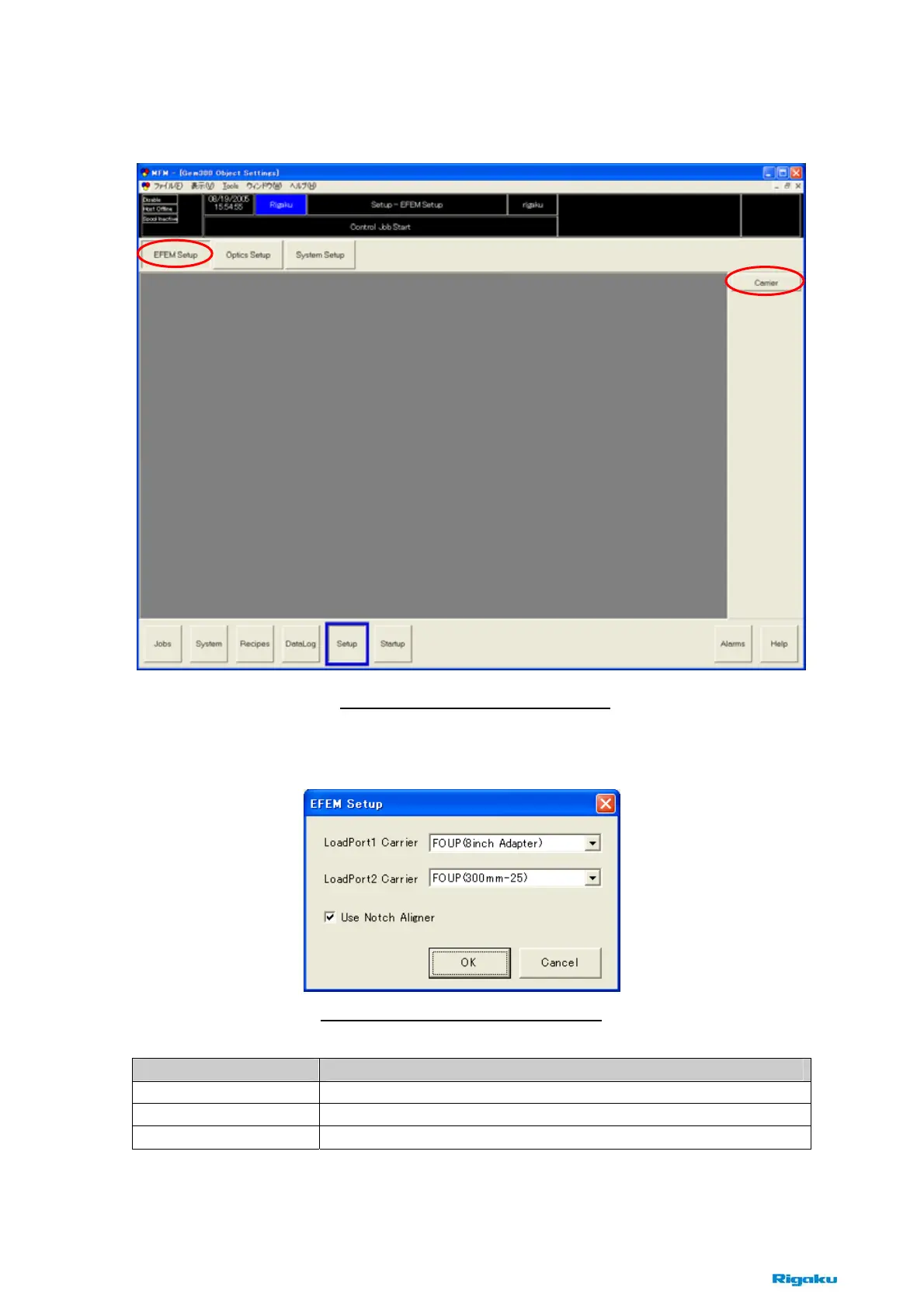
Click [Carrier], and open the [EFEM Setup] dialog box.
Items Contents
Load Port 1 Carrier
Chooses the type of carriers to use on the load port 1.
Load Port 2 Carrier
Chooses the type of carriers to use on the load port 2.
Use Notch Aligner
Check on the case of using wafer aligner. (Default : Checked)
Fig. 10-1-1 [EFEM Settings] button
Fig. 10-1-2 [EFEM Setup] dialog box



 To Next Page