INFORMATION ABOUT THE USE
Activation
mode
abbreviation
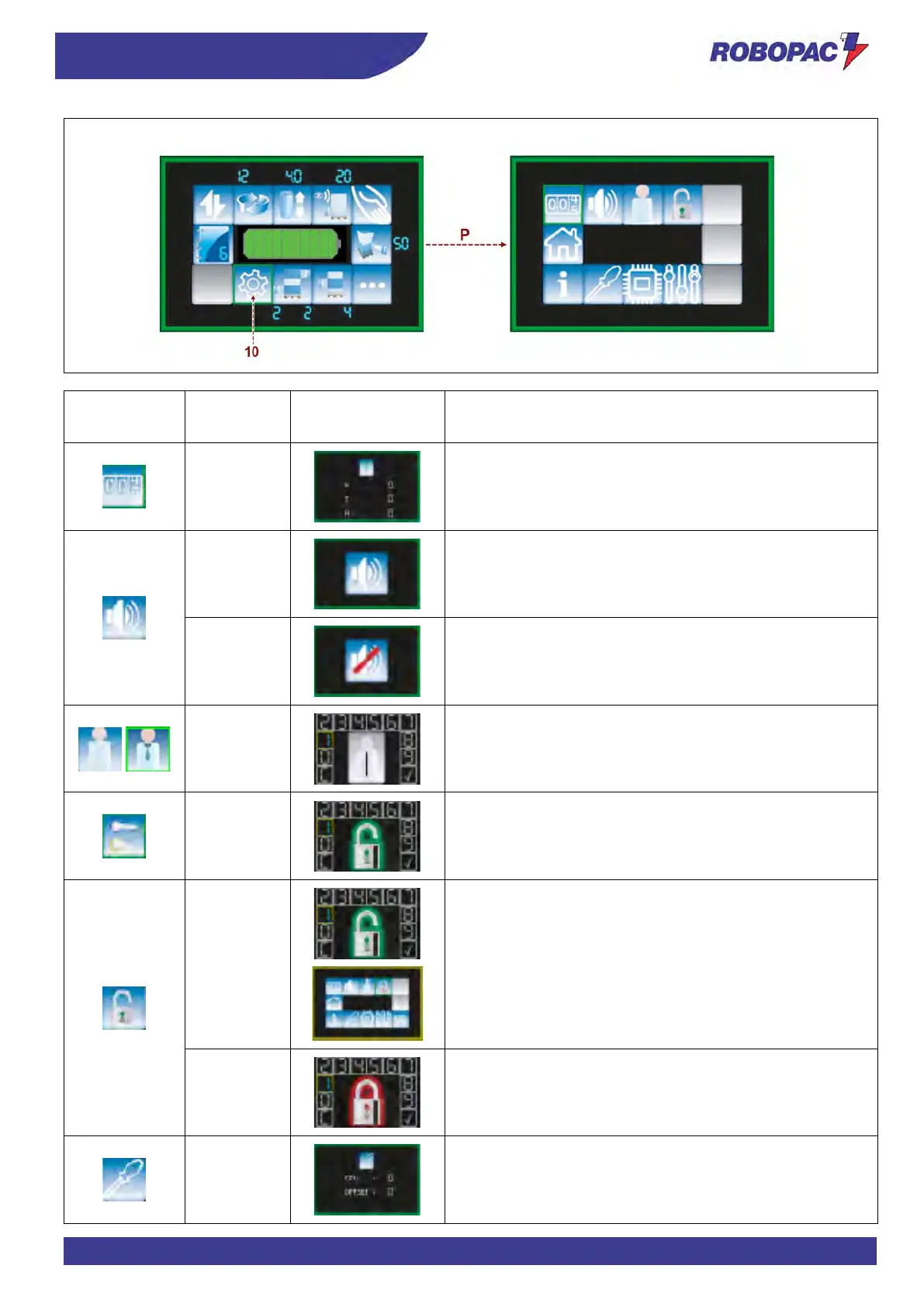
View counters:
= Partial
= Total
= hours.
Acoustic signal ON.
Acoustic signal OFF.
Password entry page for user change.
Turn to select the digit and press to confirm.
"
" to delete the password.
Check to confirm the password.
To change the panel lock password, enter the new password
and press on the checkmark.
Enter the chosen password again and confirm to update its
value.
Enter the password (default 9999) to lock the panel.
When the panel is locked, the edge of the screen is yellow.
Enter the password to unlock the panel.
= Film tensioning instant value,
= Offset value (with film tensioning = 0).
Press and keep pressed (for about 3 seconds) to set the
parameter (Only after logging in).



 To Next Page