7.3. PERIODICAL PROTECTION DEVICE TESTS AND CHECKS
The user must check the “Emergency bumper” protection device to assess its efficiency and effectiveness.
The manufacturer has provided that the user performs scheduled maintenance operations to preserve the device safety
level.
Below are the checks and maintenance interventions to be performed.
7.3.1. DAILY CHECK
Perform the check with the machine on but not moving.
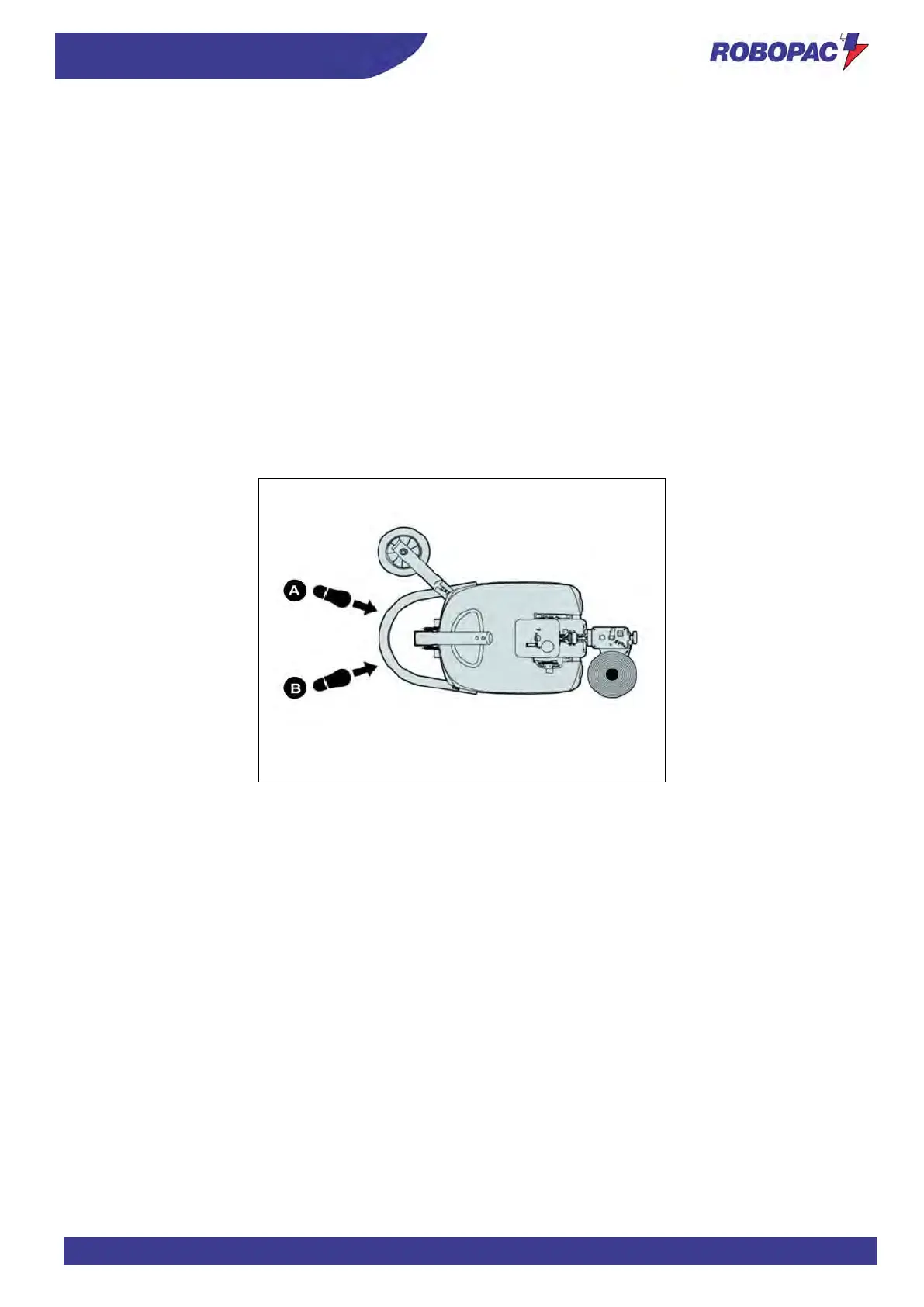
1. Apply a strong pressure with your foot on the “emergency bumper” sensitive edge, first on point (A) and then on
point (
B).
2. Check that the message “E10” is displayed upon each pressure and that the message “RES” (Machine in
emergency mode) appears upon release.
3. Press the “Reset” button to reset and reactivate the machine.
If the display does not show any message, this means that a failure or a fault occurred in the protection device safety
system.
Immediately contact the manufacturer or authorised service centres.



 To Next Page