1. In the program tree, tap Robot Program at the very top.
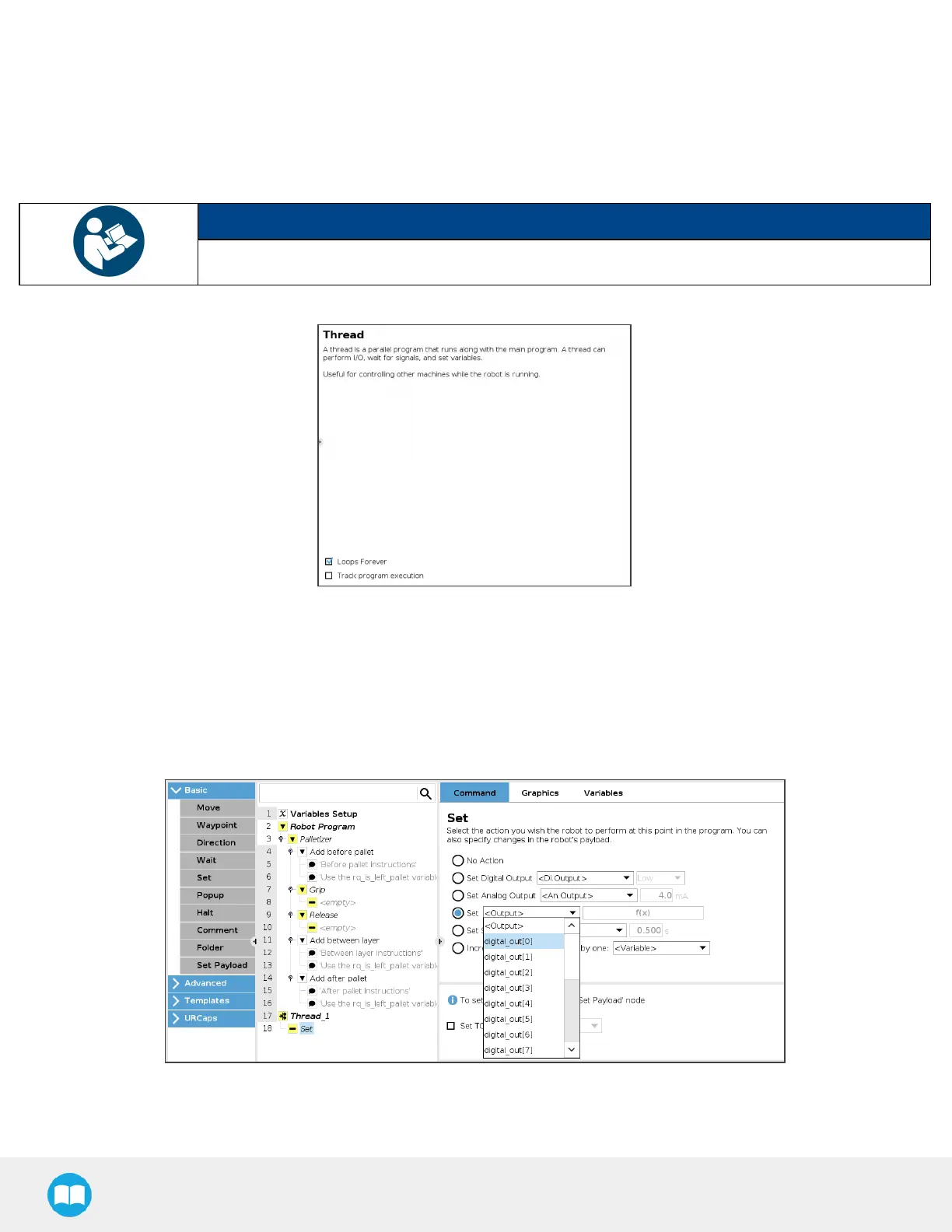
2. Go to Program > Advanced and select Thread.
3. Tick the LoopsForever box at the bottom of the Thread screen (if not already ticked).
NOTICE
Thread nodes display at the end of the program tree; they work in parallel of the main program.
Fig. 5-28: Thread node
4. Insert a child Set node in the Thread parent node (Program > Basic).
5. Select the Set node, then tick the fourth radio button from the top
6. In the dropdown menu, select the digital output that hasbeen connected to a digital input (please refer to the BoxSensors
(Multiple BoxTypes- Multi-PickFeature) section if thisstep hasnot been completed yet).
Fig. 5-29: Set Node in the Thread Node
100



 To Next Page