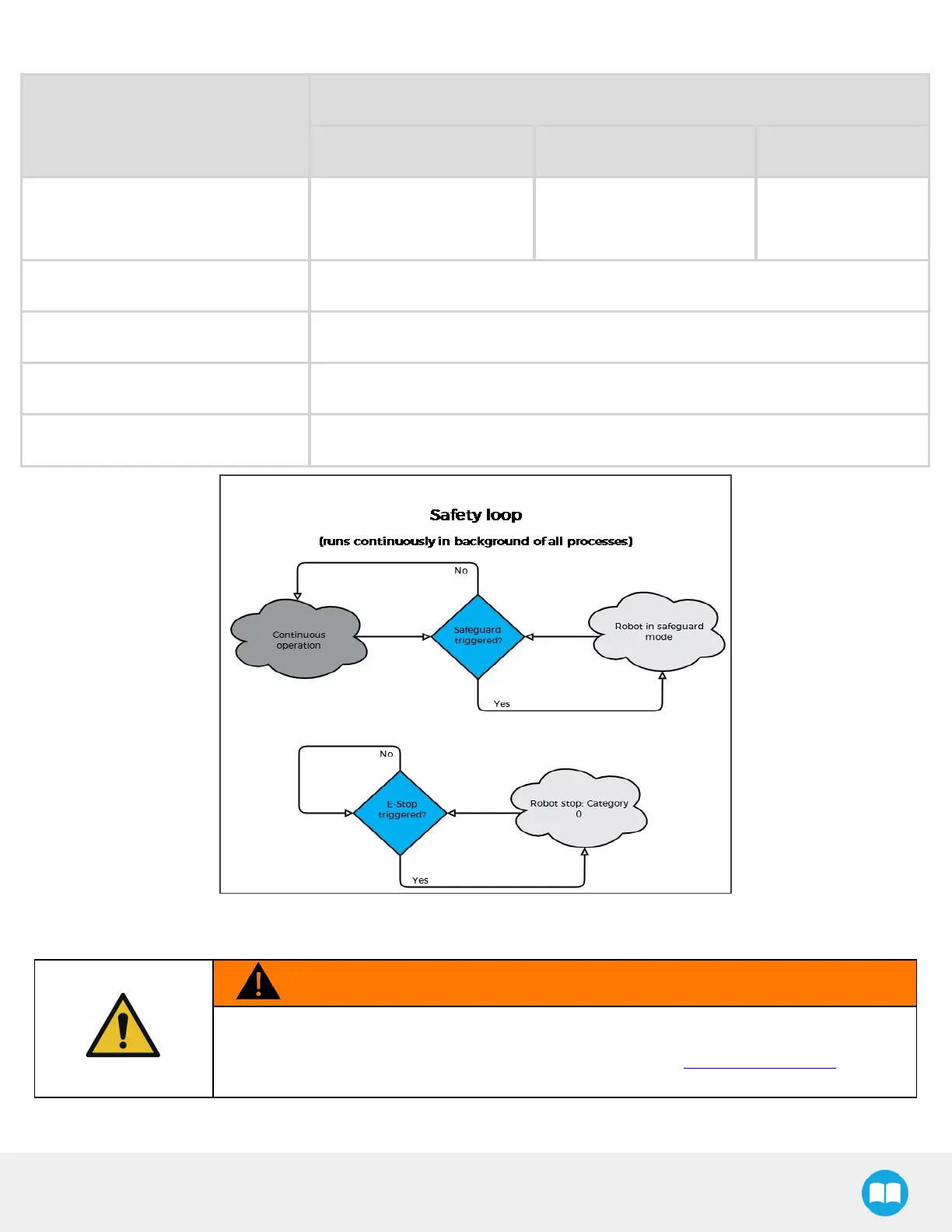
The following table indicateswhich stop category based on the operation mode.
Operation mode
Robot
Force (N) Power (W) Speed (mm/s)
Normal mode
(Up to safetylimits)
Up to 250 Up to 1,000 Up to 10,000
Protective stop Category 2 Stop
Safeguard stop Category 2 Stop
Emergencystop Category 1 Stop
Reduced mode Please refer to the Universal Robotsuser manual for more details.
Fig. 2-1: Safety Logic Diagram
WARNING
After a collision or an emergency stop, an inspection of the Solution must be performed before
resuming the use of the machine. Special attention must be given to the pedestal, the cable
management system, and the gripper components. Please contact support@robotiq.com if any
sign of damage is detected.
18



 To Next Page