Printing Area
7
Main
Specications
139
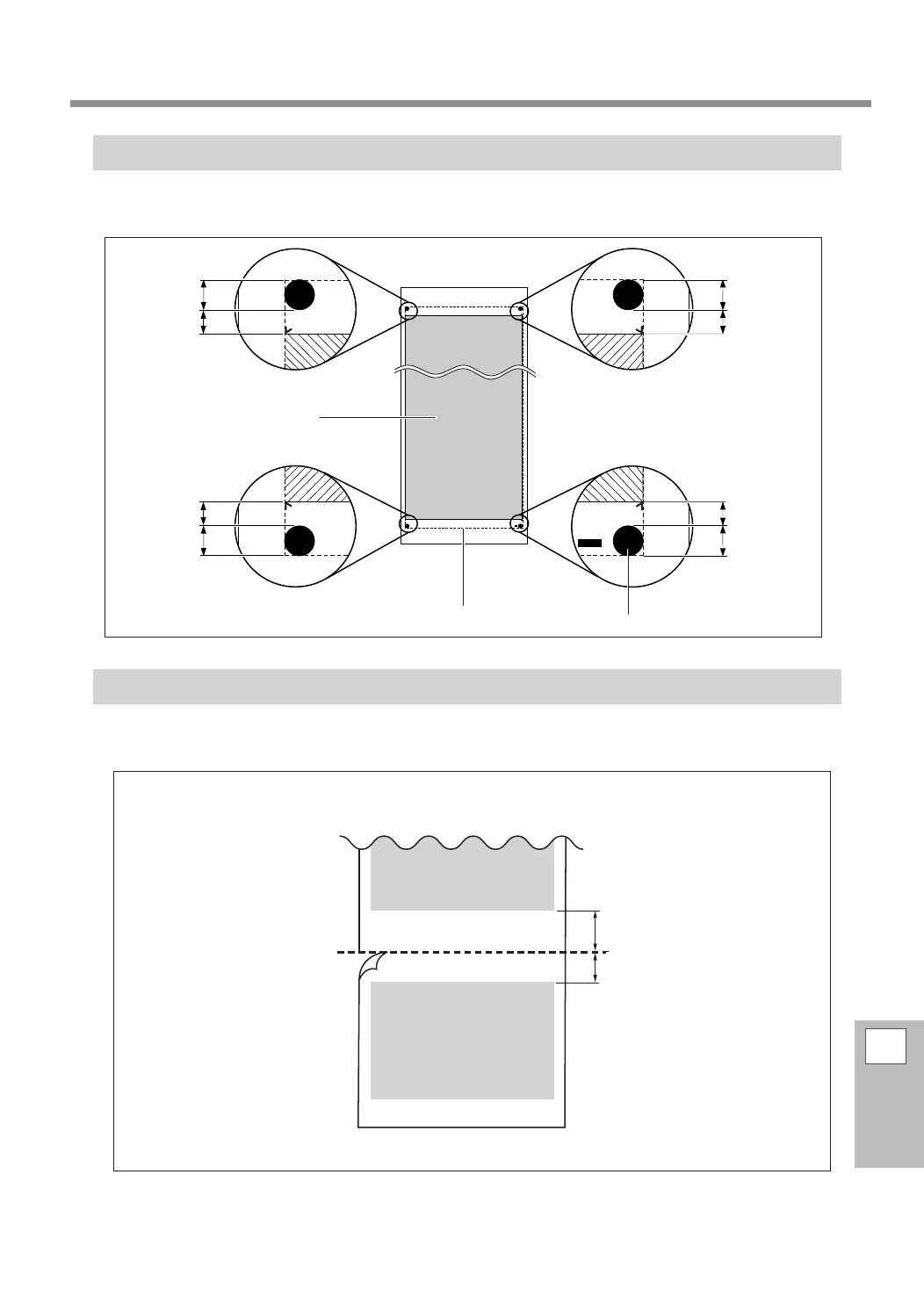
Maximum Area When Using Crop Marks
When crop marks are used, the printing area is reduced from the maximum area by an amount equal to the
crop marks.
The Media-cutoff Location during Continuous Printing
When a media-cuto command is sent from the computer, the cuto location on the media is as shown in
the gure below.
Cutoff location
75 mm (3.0 in.)
Margin
(software RIP setting value)
Second page
First page
10 mm
(0.4 in.)
12.5 mm
(0.5 in.)
10 mm
(0.4 in.)
12.5 mm
(0.5 in.)
12.5 mm
(0.5 in.)
10 mm
(0.4 in.)
12.5 mm
(0.5 in.)
10 mm
(0.4 in.)
Printing area
Crop mark
Maximum area















 To Next Page