Fully Utilizing the Preset Function
4
Advanced
Functions
83
[PRE] (Preheater), [PRINT] (Print heater), [DRYER] P. 86, "Making the Temperature Setting for the
Media Heating System"
[PREHEATING] P. 87, "Controlling the Media Heating System dur-
ing Preheating"
[FEED FOR DRY] P. 88, "Drying the Trailing Edge of the Printing
Area on the Dryer"
[DRYING TIME] P. 89, "Setting the Drying Time after Printing"
[ADJUST BI-DIR SIMPLE SETTING] P. 91, "Correcting for Misalignment in Bidirectional
Printing"
[ADJUST BI-DIR DETAIL SETTING] P. 91, "Correcting for Misalignment in Bidirectional
Printing More Precisely"
[CALIBRATION] P. 92, "Alleviating Horizontal Bands (Feed Correc-
tion Function)"
[SHEET TYPE], [SHEET WIDTH], [SHEET POS.] P. 96, "Using Transparent Media"
[SCAN INTERVAL] P. 98, "Using Hard-to-dry Media"
[VACUUM POWER] P. 98, "Using Media That Wrinkles Easily/Does Not
Move Smoothly"
[FULL WIDTH S] P. 99, "Changing the Range of Print-head Carriage
Movement"
[SIDE MARGIN] P. 100, "Expanding the Printing Area by Reducing
the Margins"
[MEDIA RELEASE] P. 102, "Using Sticky Media"
P. 83, "Loading a Saved Preset"
Loading a Saved Preset
Procedure
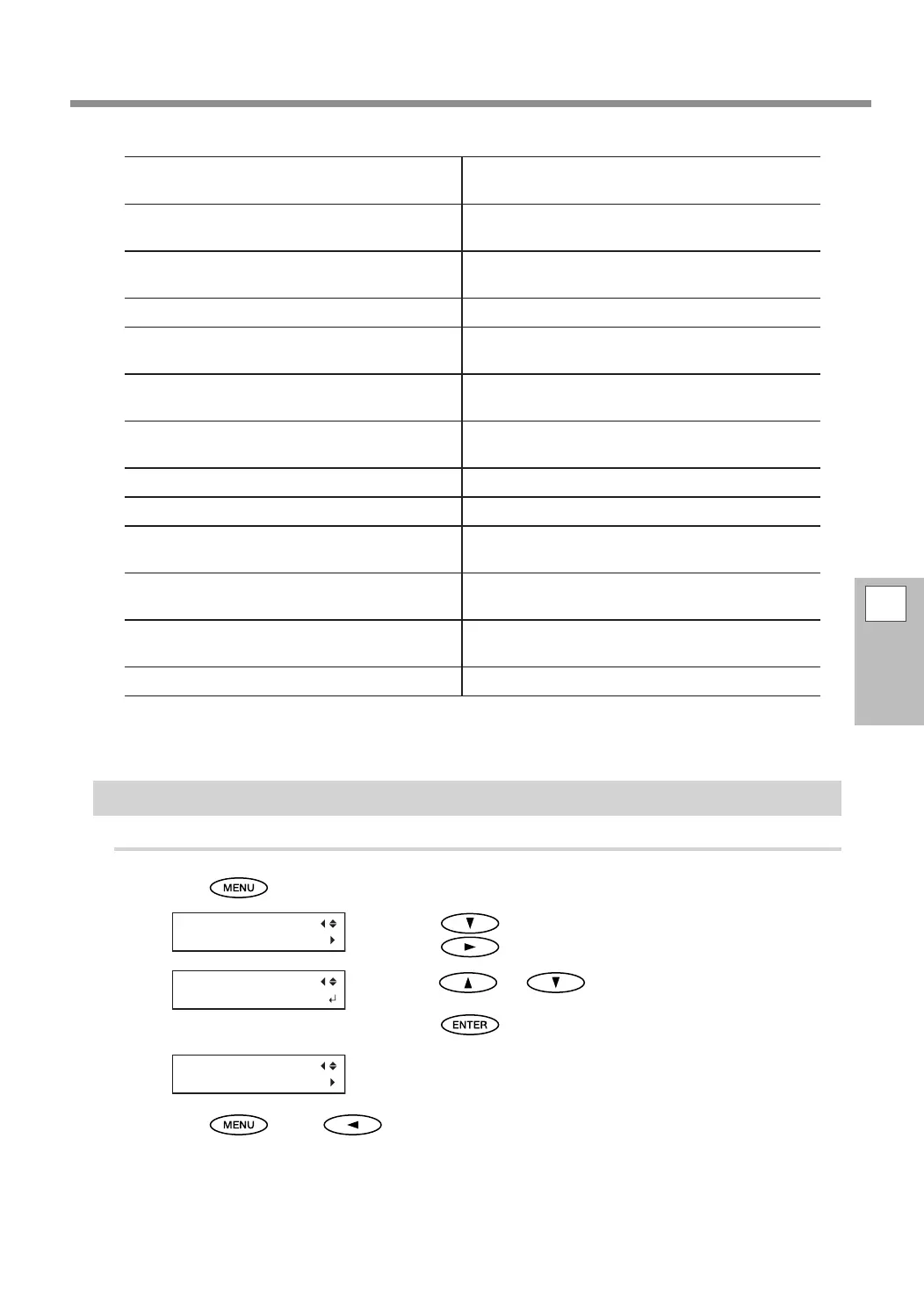
Press .
Press to display the screen shown on the left.
Press
twice.
Press or to select the name of the preset
you want to load.
Press
to conrm your entry.
The settings are changed and the screen shown in the gure appears.
Press , then to go back to the original screen.















 To Next Page