Fully Utilizing the Media Heating System
4
Advanced
Functions
90
Description
This switches the setting for the optional dryer between "ENABLE" and "DISABLE." When using an optional
dryer, set [OPTION DRYER] to "ENABLE." This speeds up the drying of the ink. For recommended dryer models,
contact your authorized Roland DG Corp. dealer. For details on how to use the optional dryer, refer to the
documentation of the dryer you are using.
Default Setting
[OPTION DRYER]: DISABLE
Using a Blower-fan Unit
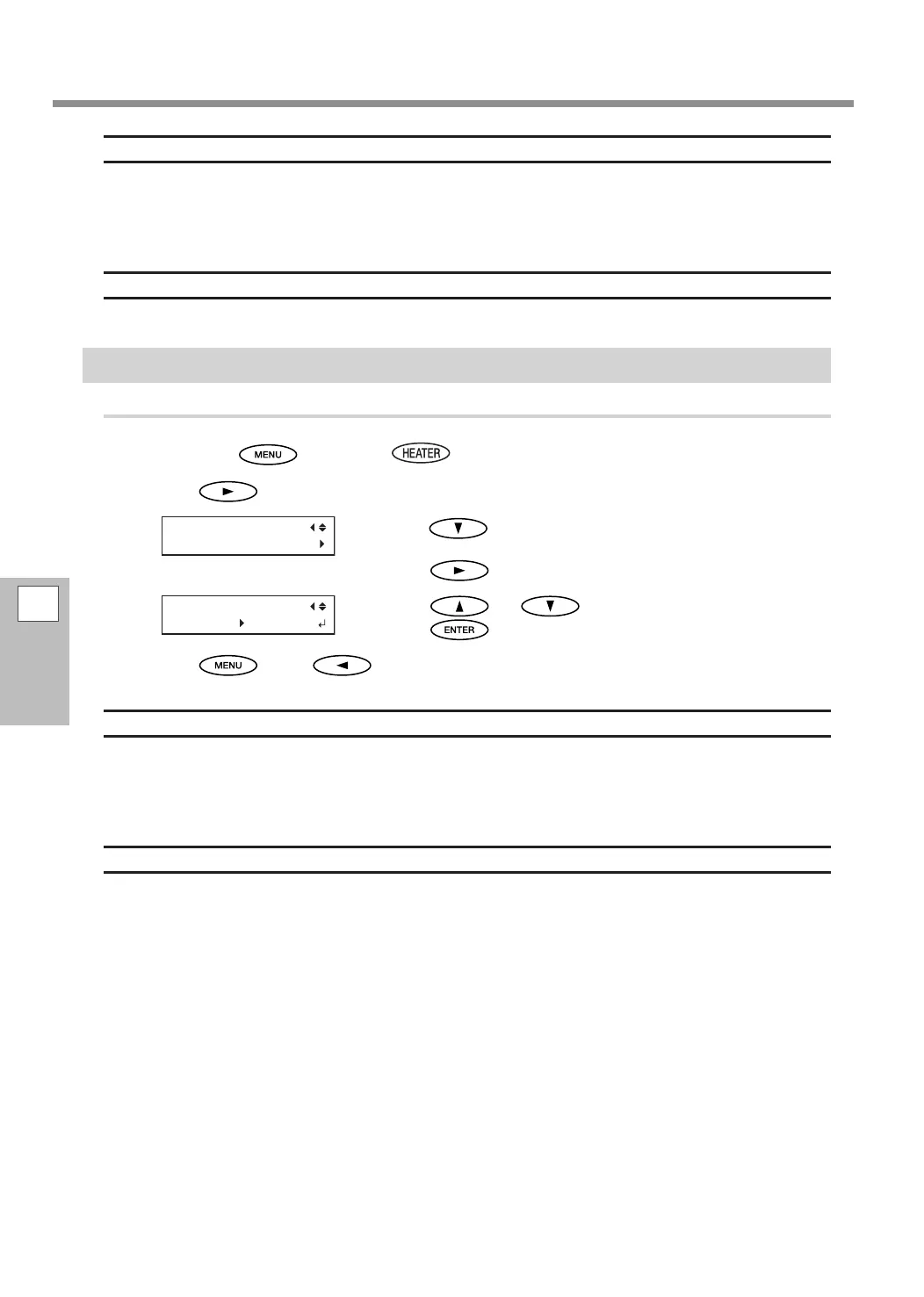
Procedure
Hold down and press .
Press .
Press several times to display the screen shown
on the left.
Press
.
Press or to select "ENABLE."
Press
to conrm your entry.
Press , then to go back to the original screen.
Description
This switches the setting for the optional blower-fan unit between "ENABLE" and "DISABLE." When using a
blower-fan unit, select "ENABLE." This speeds up the drying of the ink. For recommended blower-fan unit
models, contact your authorized Roland DG Corp. dealer. For details on how to use the blower-fan unit, refer
to the documentation of the blower-fan unit you are using.
Default Setting
[BLOWER FAN]: DISABLE















 To Next Page