1
Machine
Highlights
6
Part Names and Functions
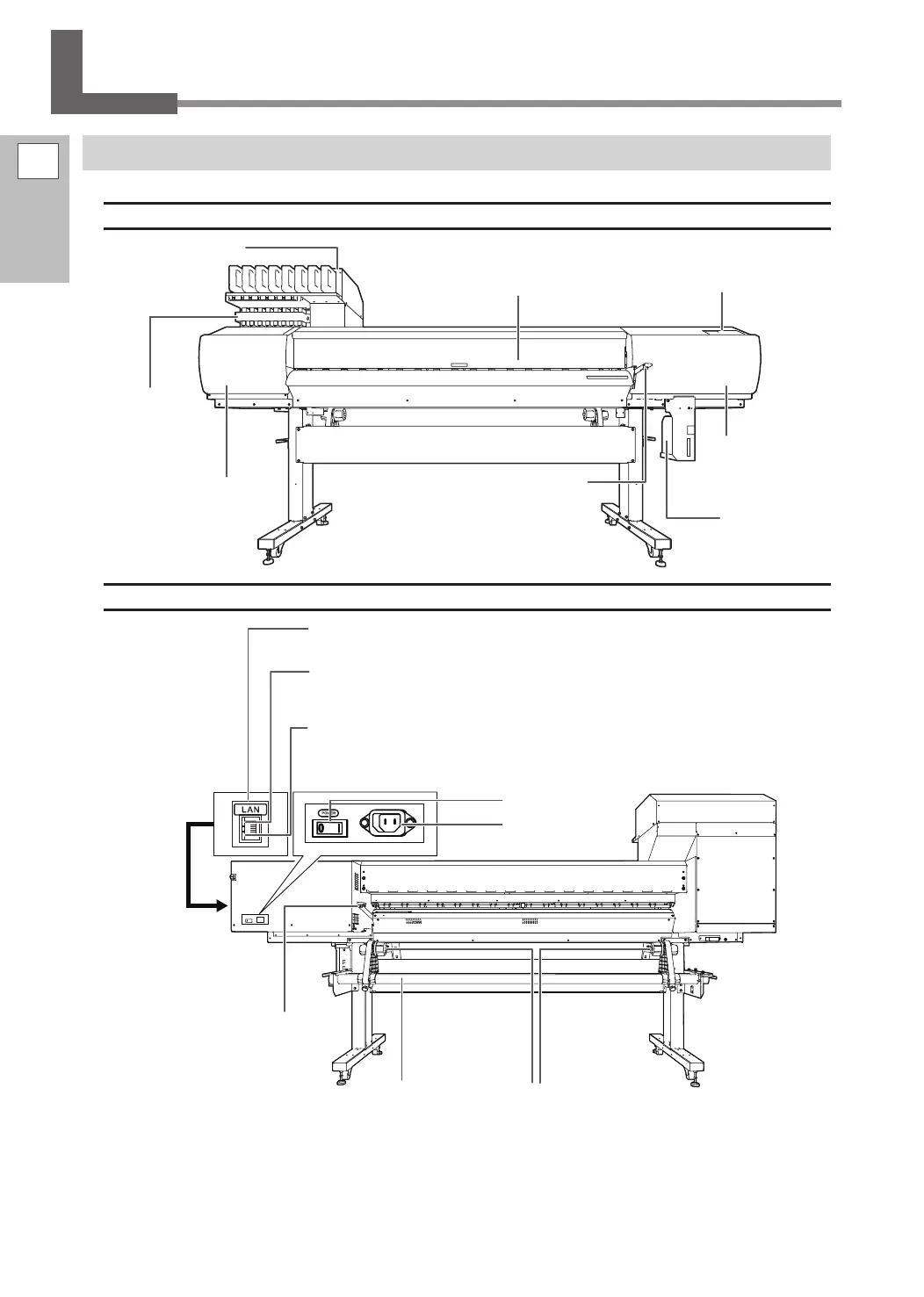
Printer Unit
Front
Rear
Front cover
Keep this closed except when neces-
sary such as when loading media.
Ink cartridge slots
Operation panel
P. 8, "Operation Panel"
Loading lever (front)
Operate this when you
load media.
Left cover
Remove this when
you perform mainte-
nance.
Right cover
Remove this when
you perform main-
tenance.
Subtank slots
This is where sub-
tanks are installed.
Drain bottle
Main power switch
Power-cord
connector
Ethernet connector
This is used to connect the machine to a network.
Status LED
This indicates the status of the machine’s network
feature. It lights in green when the status is normal.
Activity LED
This ashes in yellow while data is being received
from the network.
Shaft
Media holder
Loading lever (rear)
Operate this when you load
media.















 To Next Page