38
2
Basic
Operation
Outputting
Setting the Output-start Location
The output-start location can be set to any location you desire. (It is possible to print even if this setting is not
congured.) Note, however, that this setting must be made for each individual page. When the printing of
one page nishes, the output-start location returns to its default value.
Procedure
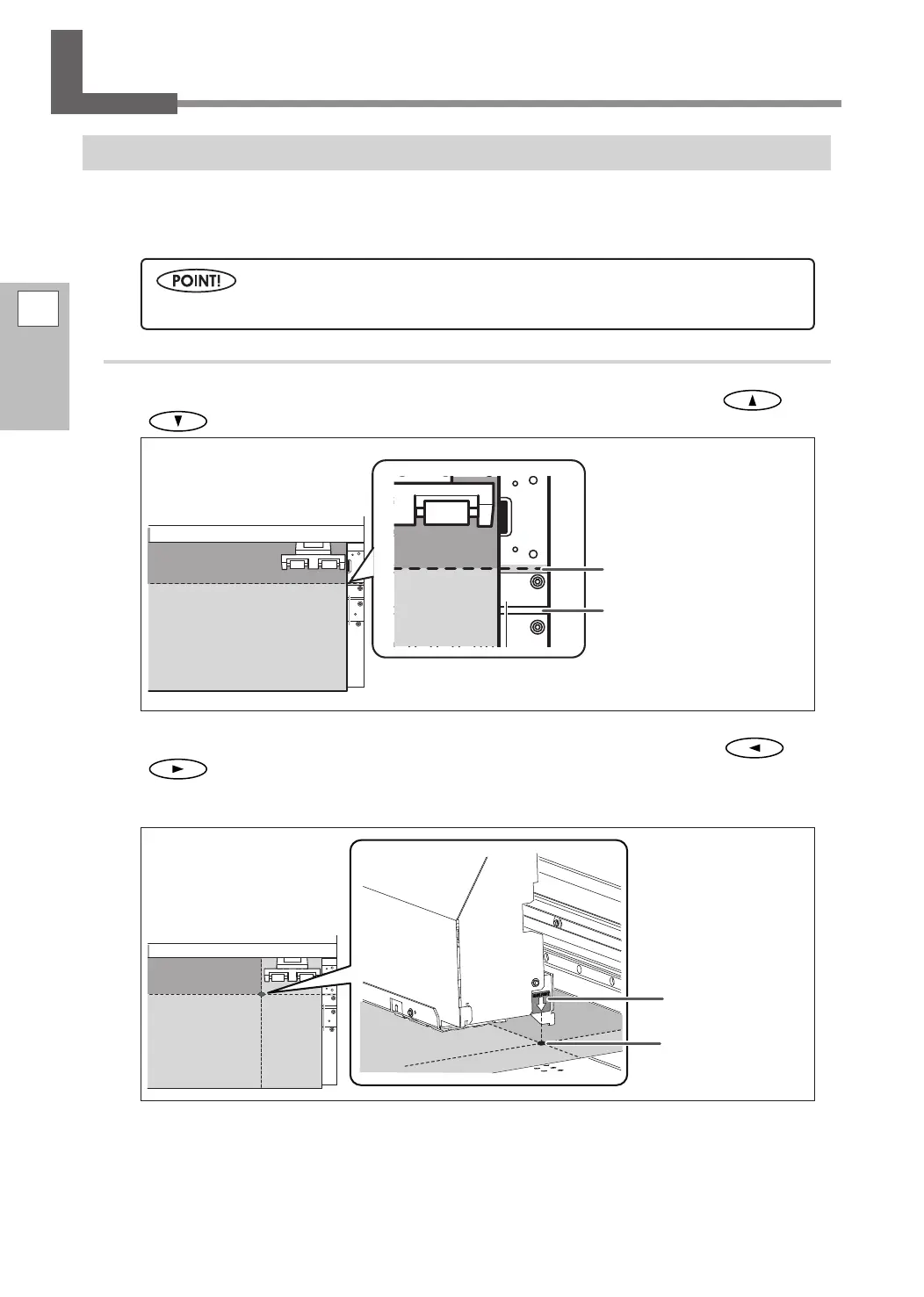
Set the output-start location in the vertical (feed) direction by pressing and
to move the media.
Set the output-start location in the horizontal (scan) direction by pressing and
to move the print heads.
When a cursor key is pressed, preparations for moving the print heads are started. When the preparations
are finished, move the print heads.
Note that the left and right positions are not restored to their defaults for test patterns.
Base point mark
Knife guide
Horizontal (scan)
direction output-
start location
Vertical (feed) direction
output-start location















 To Next Page