Loading Media
2
Basic
Operation
29
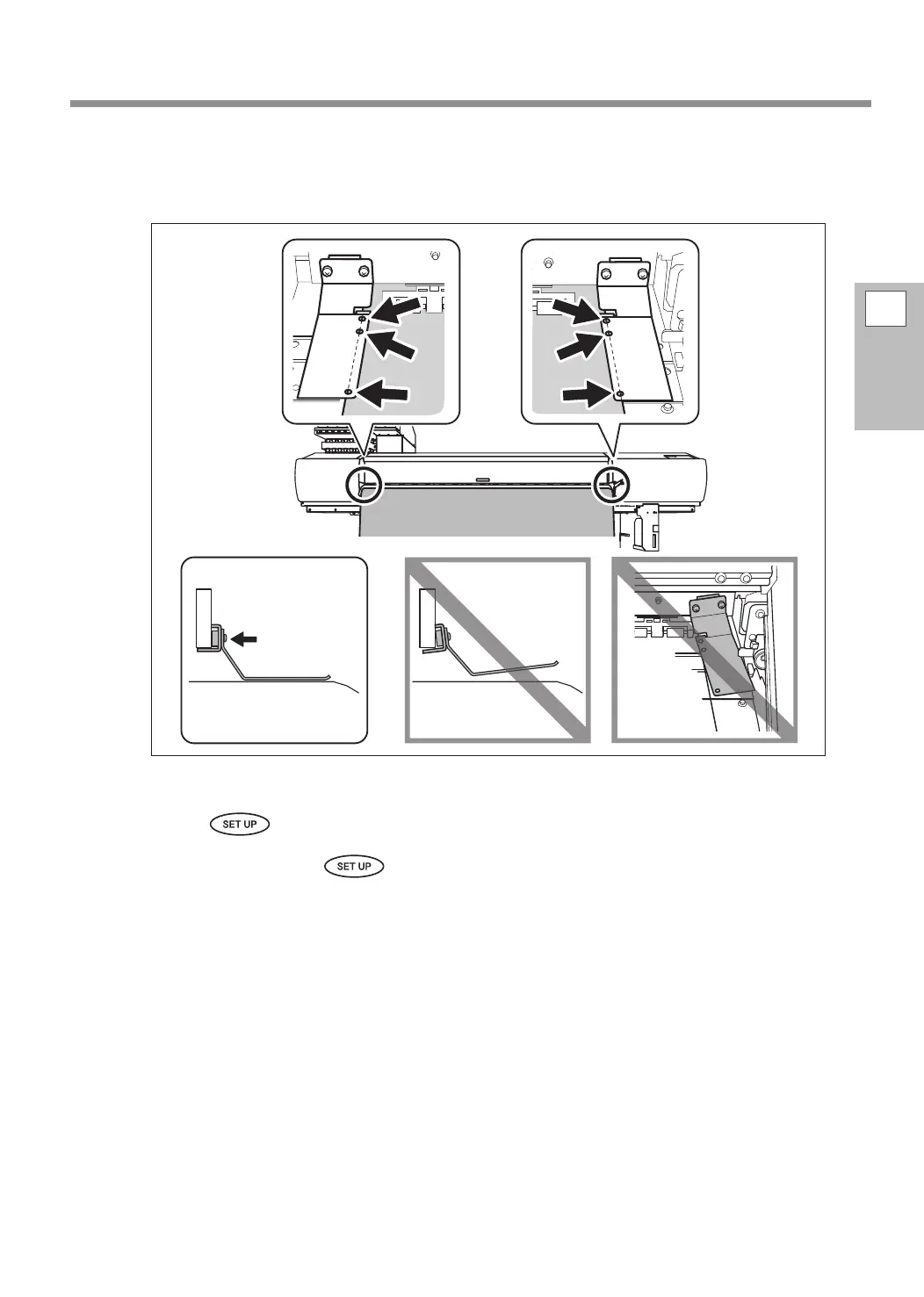
Clamp the edges of the media with the media clamps.
The media clamps are magnetic, and the left and right clamps are distinct. Refer to the gure and install
the clamps in the correct positions, making sure to not confuse the right and left clamps.
Close the front cover.
Press .
The print-head carriage moves and detects the width of the media. This operation is called initialization.
When initialization ends,
lights, and the printable width is displayed on the screen. This com-
pletes the loading of the media.
Line up the edge
of the media
with the centers
of the holes.
Correct
attachment















 To Next Page