Sampling (SAMPLING)
38
Empty pads to which samples haven’t been assigned blink red.
2.
Press the [START/END] button.
END Snap is enabled. “END Snap ON” is displayed, and the [START/END] button lights up.
To disable END Snap, press the [START/END] button again. “END Snap OFF” is displayed, and the [START/END] button blinks.
3.
Sample by following steps 2 and onward in “Sampling (SAMPLING)(P.35)”.
You can use the END SNAP function when resampling or a rehearsing a pattern.
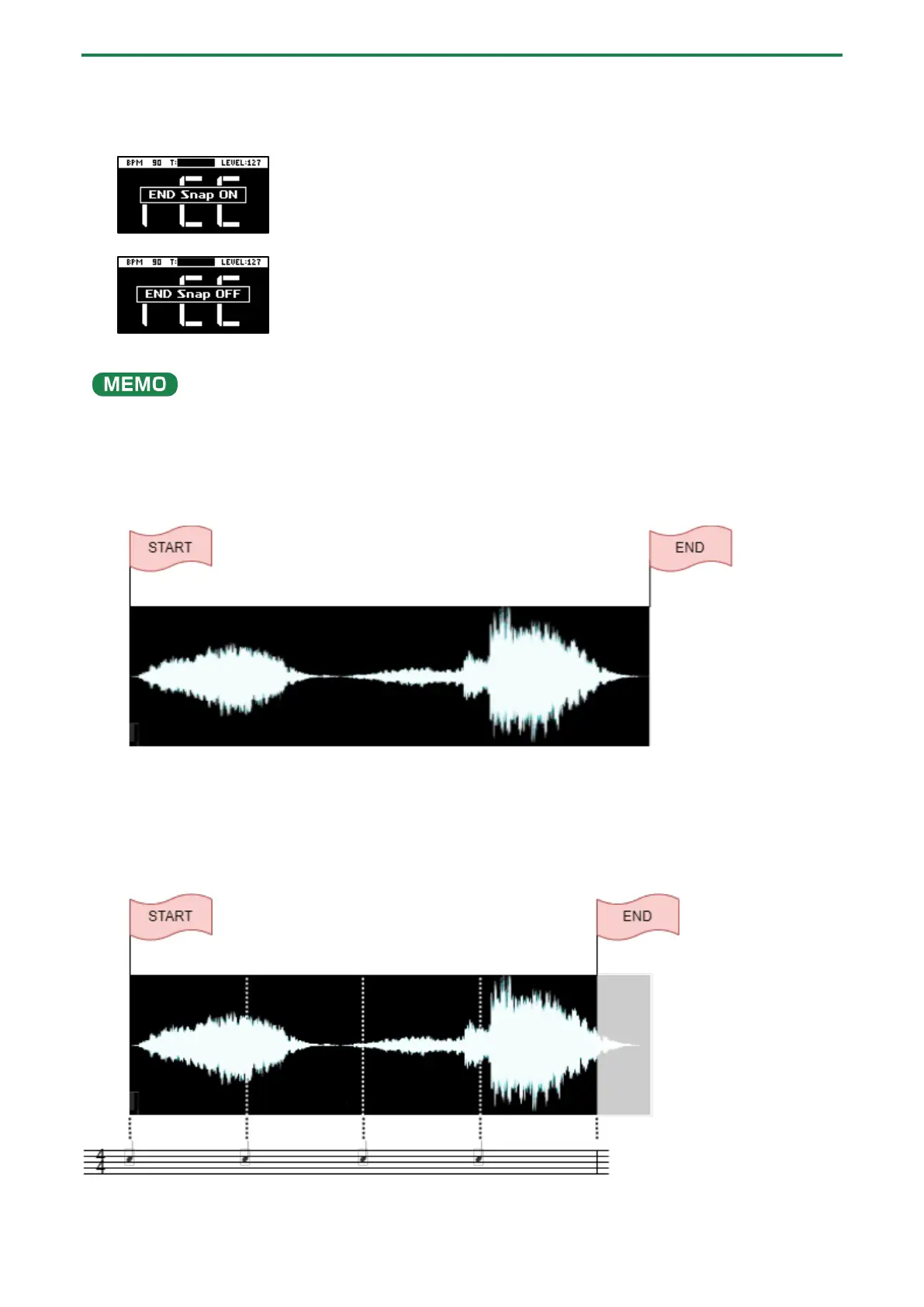
Sampling result when END SNAP is off
The end point is set at the end of the sample.
Sampling result when END SNAP is on
The end point is set at the beat near the end of the sample.



 To Next Page