Mixing the Samples (DJ MODE)
77
Mixing the Samples (DJ MODE)
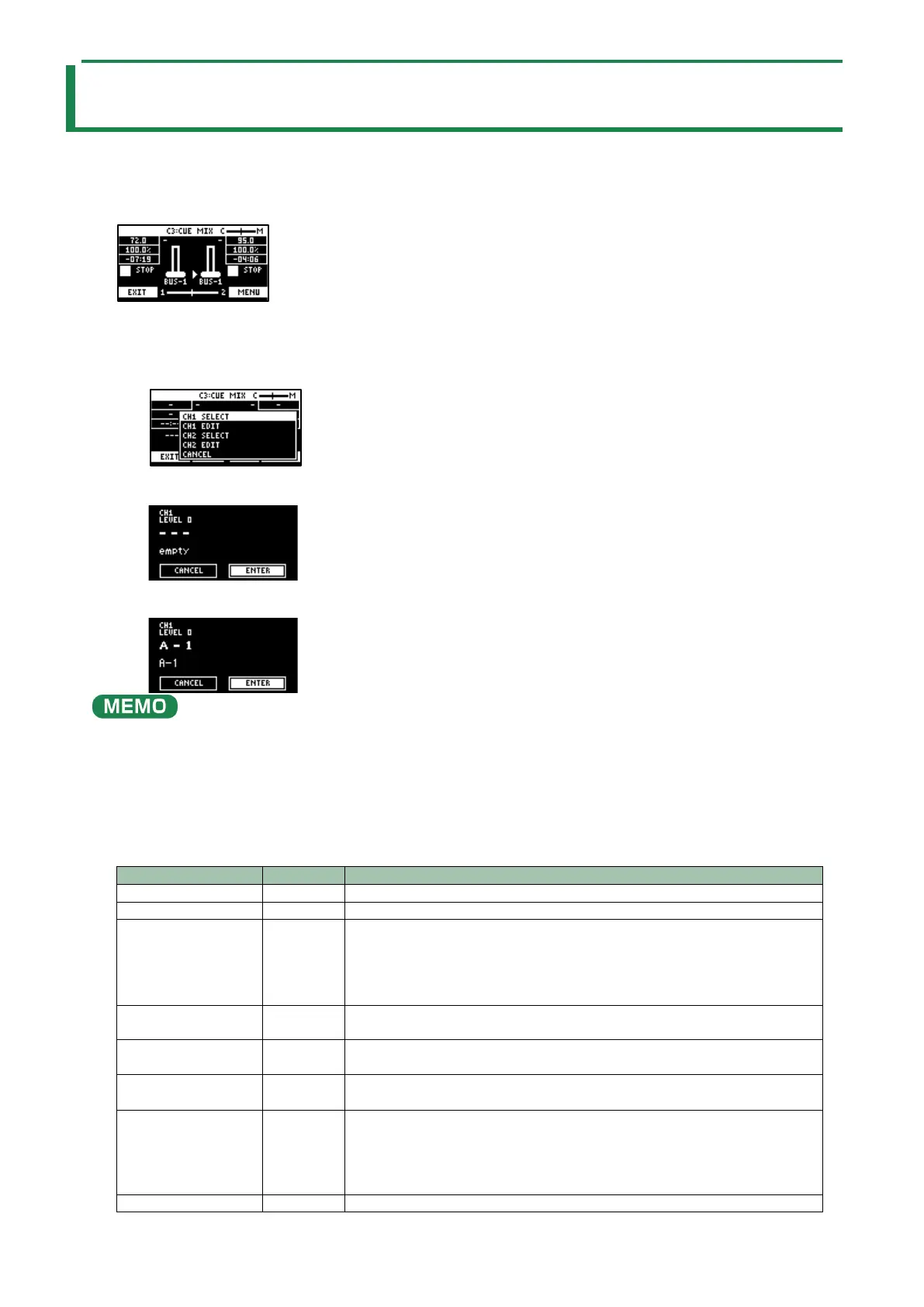
You can assign two samples to CH1 and CH2 and mix them freely.
1.
Press the bank [D/I] button and the [E/J] button simultaneously.
The unit enters DJ MIXER mode.
2.
Select the samples to respectively assign to CH1 and CH2.
1.
Press the [VALUE] knob.
A menu appears.
2.
Use the [VALUE] knob to select “CH1 SELECT” or “CH2 SELECT”, and press the [VALUE] knob.
3.
Press pads [1]–[16] to select the sample to assign to either CH1 or CH2.
Press a pad to preview its sample. You may not be able to hear the samples at this time if the CH1 LEVEL or CH2 LEVEL is too
low. Turn the [CTRL 1] or [CTRL 2] knobs to adjust the volume.
4.
Use the [VALUE] knob to select “ENTER”, and press the [VALUE] knob.
5.
Once you’ve assigned a sample to CH1, use the same operation to assign a sample to CH2.
3.
Use the [CTRL 1]–[CTRL 3] knobs and press pads [1]–[16] to mix the sound.
Adjusts the volume of CH1.
Adjusts the volume of CH2.
[CTRL 3] knob
Adjusts the balance of the audio you monitor via the PHONES jack.
When this is set to the “C” side, you can monitor the sample audio sent to CUE.
When this is set to the “M” side, you can monitor the audio output to the LINE
OUT jacks and the USB port.
→
“Monitoring with Headphones (CUE)(P.80)”
CH1: Pad [13]
CH2: Pad [15]
Switches between play/pause.
CH1: Pad [9]
CH2: Pad [11]
Returns to the playback start position.
CH1: Pad [14]
CH2: Pad [16]
Sends the sample audio to CUE.
→
“Monitoring with Headphones (CUE)(P.80)”
Pad [10] or pad [12]
Synchronizes the tempo (BPM) of two samples.
When pad [10] is pressed, the CH1 sample follows the tempo of the CH2
sample.
When pad [12] is pressed, the CH2 sample follows the tempo of the CH1



 To Next Page