4-8
MODEL 2700 SECTION 4.0
CONFIGURATION
1. Select Output
➻
Press
➻
2. Select Output 1
➻
Press
➻
3. See
➻
4. Move to Auto range
➻
5. See
➻
6. Toggle ON or
➻
Press
➻
7. Twice to enter
OFF with to memory
FIGURE 4-13. Selecting Auto Range Feature
––
l
▲
––
l
▲
OUTPUT STATUS
OUTPUT 1
RS485 NON-ISOLATED
INSTALL OPTION CARD
EXIT
F4
NEXT
F3
––
l
▲
MAIN MENU
ALARMS
OUTPUTS
PROGRAM
CURRENT 1
SENSOR 1 mS/cm
4 mA .0000
20 mA 10.00
AUTO RANGE OFF
CURRENT 1
SENSOR 1 mS/cm
4 mA .0000
20 mA 10.00
AUTO RANGE OFF
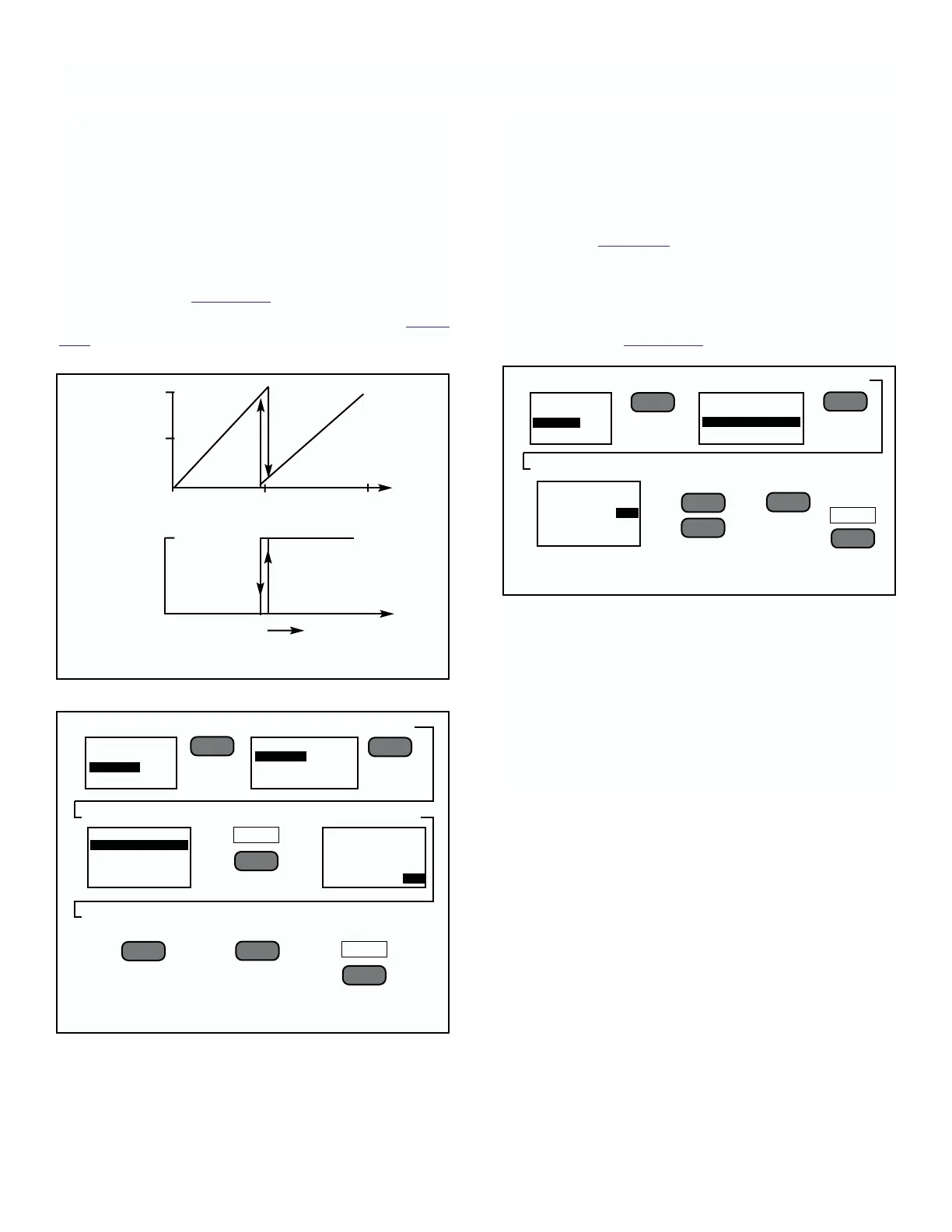
To Enable or Disable Auto Ranging.
This feature is only available for Output 1, and only for
conductivity. It will work with either the Current Output
or Voltage Output. This feature extends the range set-
ting, when enabled, of the sensor by multiplying the
maximum value of the original range by a factor of 10.
There may be some hysteresis in the crossover point
from the original range to the extended range. This can
be eliminated by always setting the lower value of the
range to zero. See Figure 4-12.
To enable this feature, follow the steps outlined in Figure
4-13.
To Set-up Serial Port Output.
A non-isolated, RS485 serial port is available on the
basic instrument. This serial port may be changed with
options to be either an isolated RS485 or isolated
RS232. The isolated RS485 output is shipped with a
small black plastic jumper on 2-pins of the option card
(see “25” on Figure 5-1). This may need to be removed
to initialize communications.
Baud rates may be set to match those of the device
with which it is communicating. Default baud rate for
these ports is 1200. To change the baud rate follow the
steps outlined in Figure 4-14.
Output Protocol.
The user may select either the “Solu Cube” protocol, or
the Modbus
®
RTU protocol (refer to Appendix A).
NOTE
If the Modbus RTU protocol is chosen, the
analog output signals will be fixed at zero
mA.
1. Select Outputs
➻
Press
➻
2. Select Type of Port
➻
Press
➻
3. See
➻
4. Use to Select
➻
Press
Baud
––
l
▲
––
l
▲
▲
▼
EXIT
F4
MAIN MENU
ALARMS
OUTPUTS
PROGRAM
OUTPUT STATUS
OUTPUT 1
RS485 NON-ISOLATED
INSTALL OPTION CARD
RS485 SETUP
NON-ISOLATED
BAUD 1200
TYPE SLAVE
20mA
Output
current
level
0mA
0 10 100
Conductivity in uS/cm
Closed
Relay
condition
Open
Extended Range.
0-10uS/cm →0-100 uS/cm
Conductivity level
FIGURE 4-12. Auto Range Feature Operation.
▲
––
l
▲
5. Press two
times to enter
to memory
FIGURE 4-14. Setting Serial Ports Baud Rate











 To Next Page