Installation Guide
GM
Series
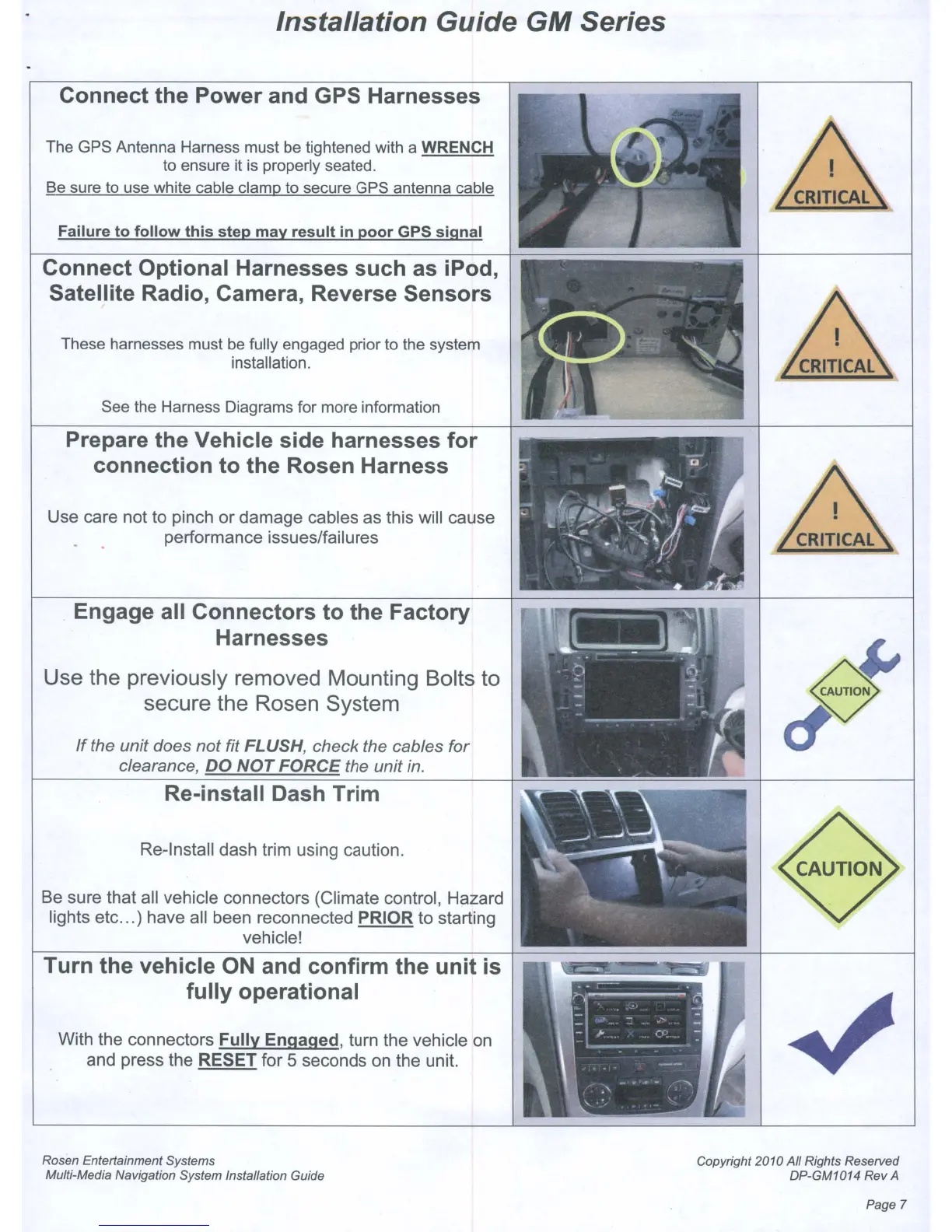
Connect the Power and GPS Harnesses
The GPS Antenna Harness must be tightened with a WRENCH
to ensure it is properly seated.
Be sure to use white cable clamp to secure GPS antenna cable
Failure to follow this step may result in poor GPS signal
Connect Optional Harnesses such as iPod,
Satellite Radio, Camera, Reverse Sensors
These harnesses must be fully engaged prior to the system
installation.
See the Harness Diagrams for more information
Prepare the Vehicle side harnesses for
connection to the Rosen Harness
Use care not to pinch or damage cables as this will cause
performance issues/failures
Engage all Connectors to the Factory
Harnesses
Use the previously removed Mounting Bolts
to
secure the Rosen System
If
the unit does not fit FLUSH, check the cables for
clearance,
DO
NOT
FORCE
the unit
in.
Re-install Dash Trim
Re-Install dash trim using caution.
Be
sure that all vehicle connectors (Climate control, Hazard
lights etc...) have all been reconnected
PRIOR to starting
vehicle!
Turn the vehicle
ON
and confirm the unit
is
fully operational
With the connectors Fully Engaged, turn the vehicle
on
and press the RESET for 5 seconds
on
the unit.
Rosen Entertainment Systems
Multi-Media Navigation System Installation Guide
Copyright 2010 All Rights Reserved
DP-GM1014 Rev
A
Page 7



 To Next Page