Installation
Guide
GM Series
Insert
a DVD
to
confirm
the
Video
Disable
Circuit
is
properly
Operating.
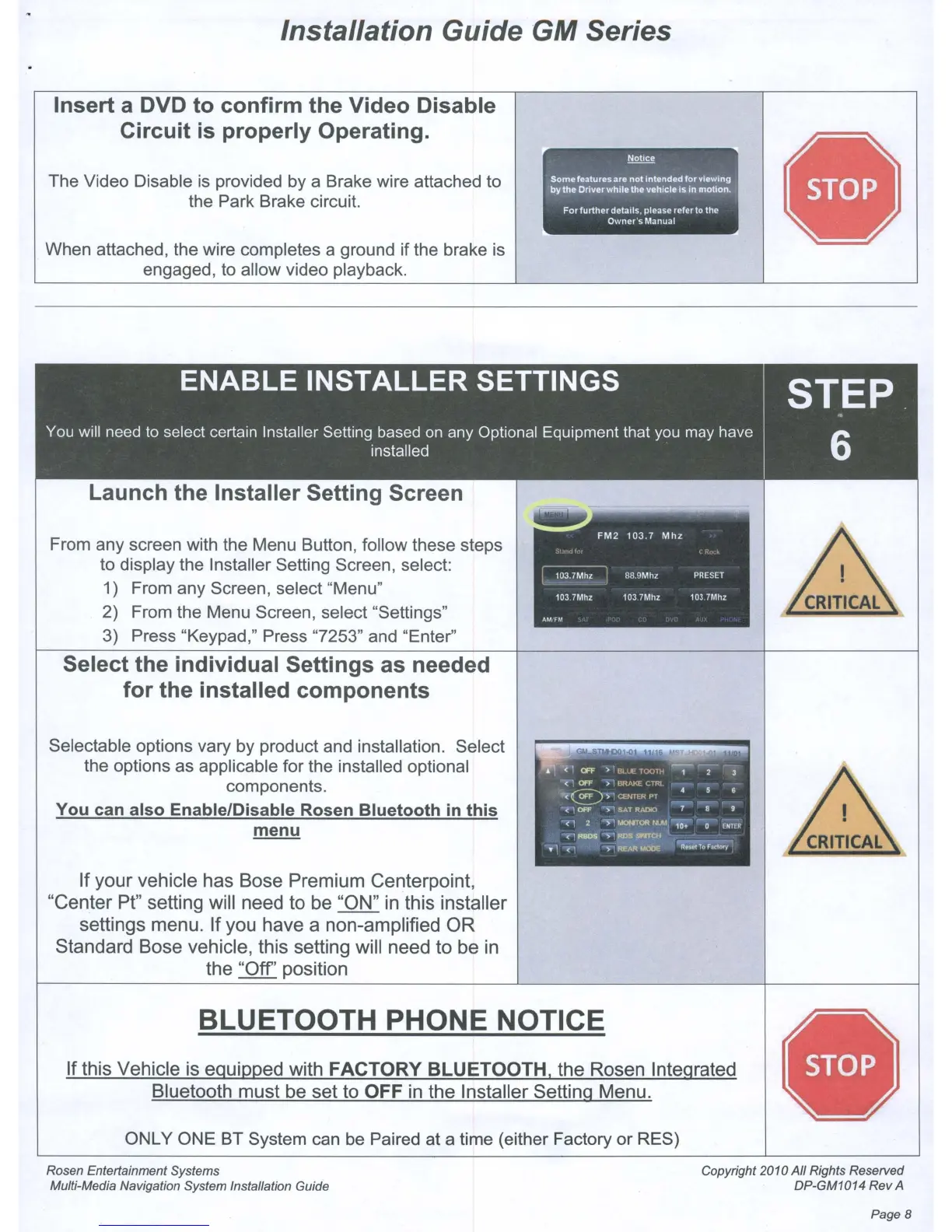
The Video Disable
is
provided by a Brake wire attached to
the Park Brake circuit.
When attached, the wire completes a ground if the brake
is
engaged, to allow video playback.
Launch
the
Installer
Setting
Screen
From any screen with the Menu Button, follow these steps
to display the Installer Setting Screen, select:
1) From any Screen, select "Menu"
2) From the Menu Screen, select "Settings"
3)
Press "Keypad," Press "7253" and "Enter"
Select the
individual
Settings
as needed
for
the
installed
components
Selectable options vary by product and installation. Select
the options
as
applicable for the installed optional
components.
You
can
also
EnablelDisable Rosen
Bluetooth
in
this
menu
If
your
vehicle
has
Bose
Premium
Centerpoint,
"Center
Pt" setting will
need
to
be "ON" in this installer
settings menu.
If
you
have
a non-amplified
OR
Standard
Bose
vehicle, this setting will need
to
be in
the
"Off'
position
Notice
Somefeatures are
not
mtended
for
Vlewmg
j
by
the
Driver
while
the ve!llcle
IS
10
motion.
~
For
further
details. please refer
to
the
Owner's
Manual
BLUETOOTH PHONE NOTICE
If
this Vehicle is equipped with FACTORY BLUETOOTH,
the
Rosen Integrated
Bluetooth
must
be
set
to
OFF in the Installer Setting Menu.
ONLY ONE BT System
can
be
Paired at a time (either Factory or RES)
Rosen Entertainment Systems
Multi-Media Navigation System Installation Guide
Copyright 2010
All
Rights Reserved
DP-GM1014
Rev
A
Page 8



 To Next Page