Installation Guide
GM
Series
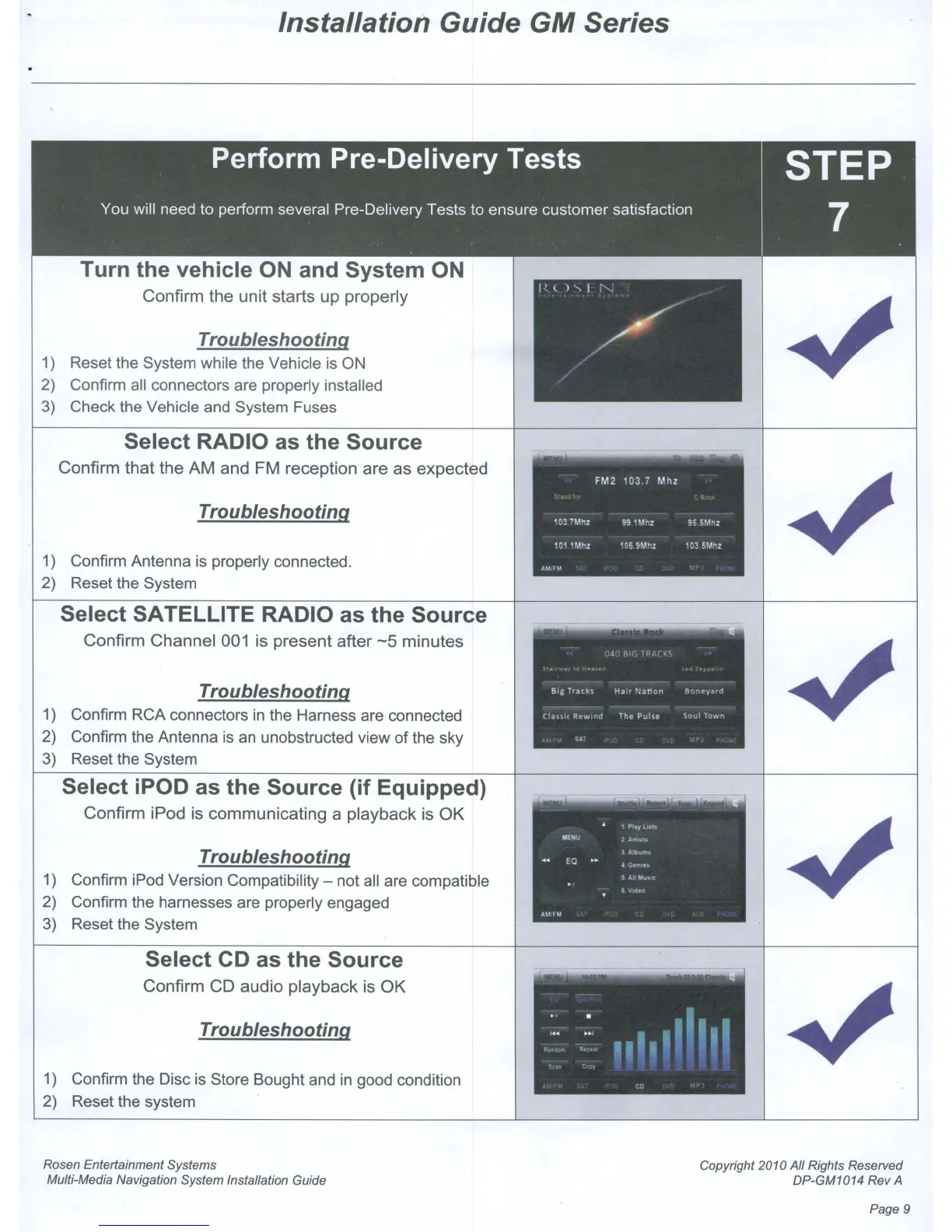
Turn the vehicle
ON
and System
ON
Confirm
the
unit
starts
up
properly
Troubleshooting
1)
Reset the System while the Vehicle
is
ON
2) Confirm
all
connectors are properly installed
3) Check the Vehicle and System Fuses
Select RADIO as the Source
Confirm
that
the
AM
and
FM
reception
are
as
expected
Troubleshooting
1) Confirm Antenna is properly connected.
2) Reset the System
Select SATELLITE RADIO as the Source
Confirm
Channel
001 is
present
after
-5
minutes
Troubleshooting
1) Confirm RCA connectors
in
the Harness are connected
2) Confirm the Antenna
is
an
unobstructed view of the sky
3) Reset the System
Select iPOD as the Source (if Equipped)
Confirm
iPod is
communicating
a
playback
is
OK
Troubleshooting
1) Confirm iPod Version Compatibility - not
all
are compatible
2) Confirm the harnesses are properly engaged
3) Reset the System
Select CD as the Source
Confirm
CD
audio
playback
is
OK
Troubleshooting
1)
Confirm the Disc
is
Store Bought and
in
good condition
2) Reset the system
Rosen Entertainment Systems
Multi-Media Navigation System Installation Guide
Copyright 2010
All
Rights Reserved
DP-GM1014 Rev A
Page 9



 To Next Page