4.
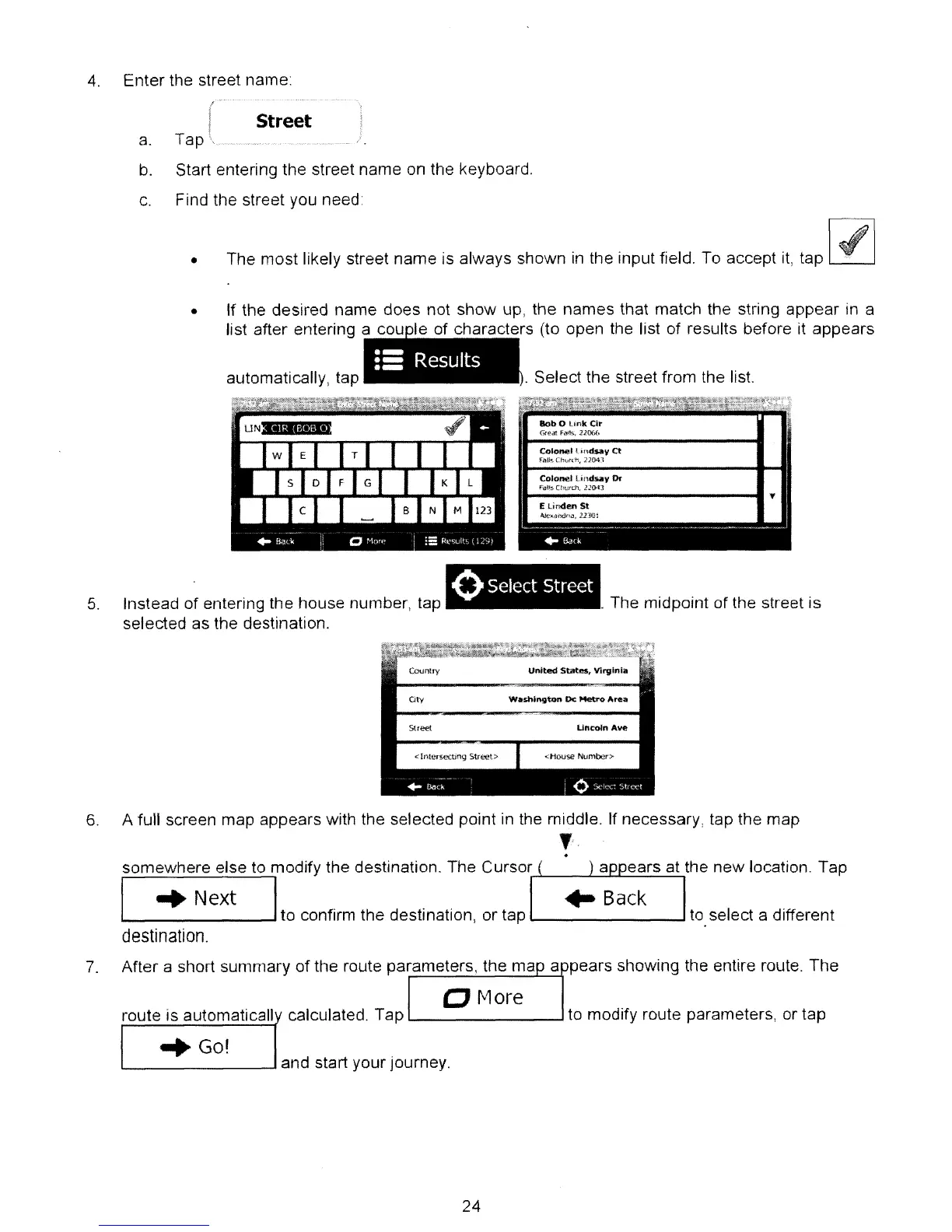
Enter the street name:
r
I Street
a. Tap \
....
_~
.. _ ..
b.
Start entering the street name on the keyboard.
c.
Find the street you need:
• The most likely street name is always shown
in
the input field. To accept
it,
tap
"-----J
. Select the street from the list.
•
iii
Results
• If the desired name does not show up, the names that match the string appear
in
a
list after entering a I f h t
rs
(to open the list of results before it appears
automatically, tap
lob
0
link
elr
[")feat
FiVfs,
12006
CoI~1
lindsay
Ct
,fan-.
ChlJrd\
22M.l
Colonel
Lind
...
,
Or
Fal~
t
!1"
..
jrd'",
lJ04]
11------------
....
"
E
Lind..,
St
o\.lc
..
andn..,.1130:
5.
Instead
of
entering the house number, tap
selected as the destination.
oSelect Street
. The midpoint of the street is
Country
United
States, Virginia
cry
Washington
Dc
Metro
Area
Street
lincoln
Ave
6.
A full screen map appears with the selected point in the middle. If necessary, tap the map
,.
.
somewhere else to modify the destination. The
Cursof,-lo-
__
.L....::::.=-=,;,.,;;,...=..,
I
..
Next I
to confirm the destination, or tap
'--
.......J to select a different
destination.
7.
After a short summary
of
the route parameters. the ma a pears showing the entire route. The
o
f\1ore
route is automaticall calculated. Tap
L..-
--J
to modify route parameters, or tap
",Go!
L-
--'
and start your journey.
24



 To Next Page