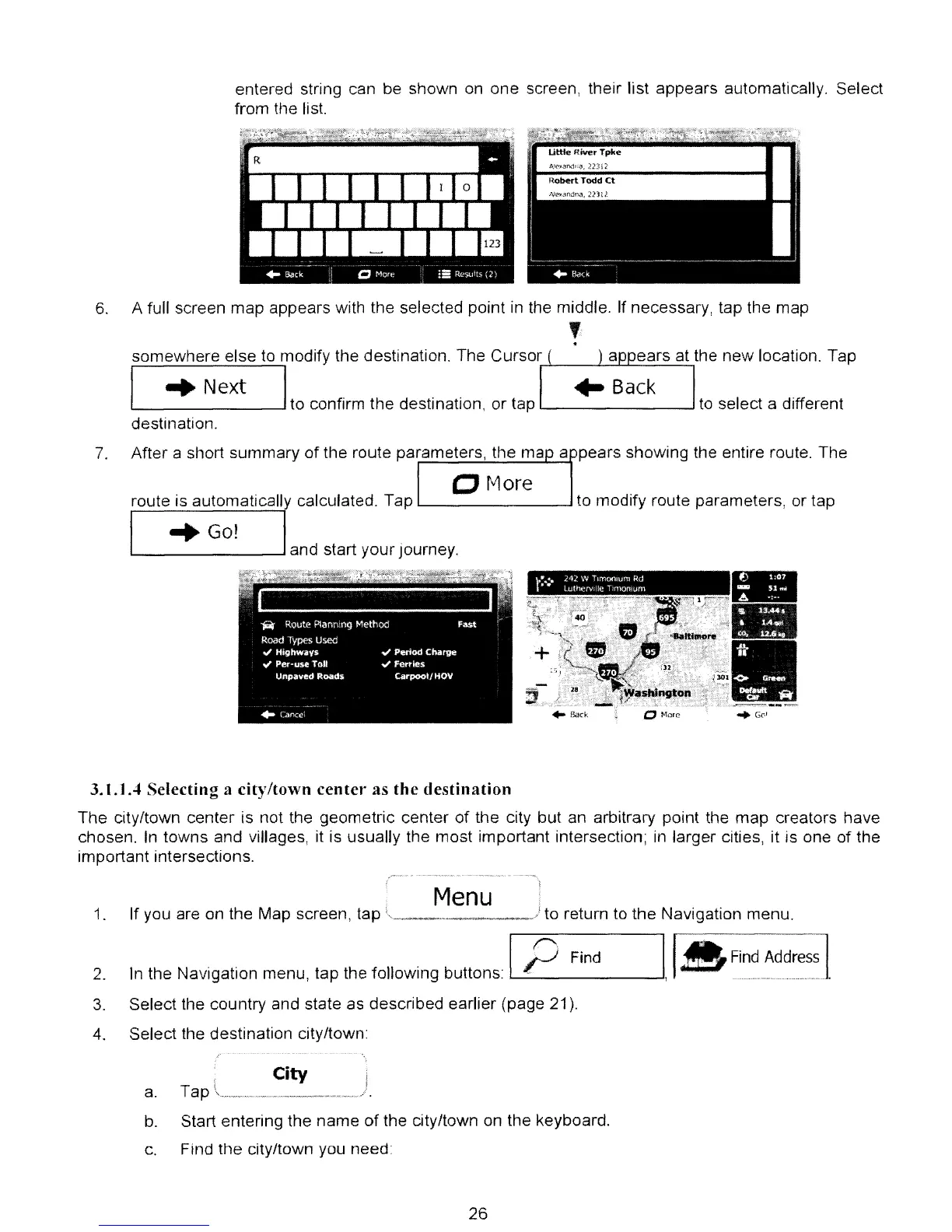
entered string can be shown on
one
screen, their list appears automatically. Select
from the list.
6.
A full screen
map
appears with the selected point in the middle. If necessary, tap the
map
,
.
somewhere
else
to modify the destination. The
Cursor
I
..
Next I
.-'---~-----,
to confirm
the
destination,
or
tap to select a different
destination.
7.
After
a short
summary
of
the route parameters, the ma a pears
showing
the entire route.
The
CMore
route is automaticall calculated. Tap
L..-
--'
to modify route parameters, or tap
"'Go!
L.-
---'
and start
your
journey.
-
-
•
~
...
,
"."
..
~._-~
3.1.1 A
Selecting
a
city/town
center
as
the
destination
The
city/town
center
is
not the geometric center
of
the city
but
an arbitrary point the
map
creators
have
chosen. In
towns
and villages, it is usually the
most
important intersection; in larger cities, it is one
of
the
important intersections.
1.
2.
3.
4.
Menu
If you are on the Map screen, tap
...
_
..
__
."
..
...•
_
•••
__
./ to return to
the
Navigation menu.
In the Navigation menu,
lap
the following buttons: 1
__
rJ_f'
__
·
_F_in_d
__
--JI,
IA
Fi~~m~~~~=~.
Select the country and state as described earlier (page 21).
Select the destination city/town:
City
a.
Tap _
.•........
....
J
b. Start entering the
name
of
the city/town on the keyboard.
c.
Find
the
city/town you need
26



 To Next Page